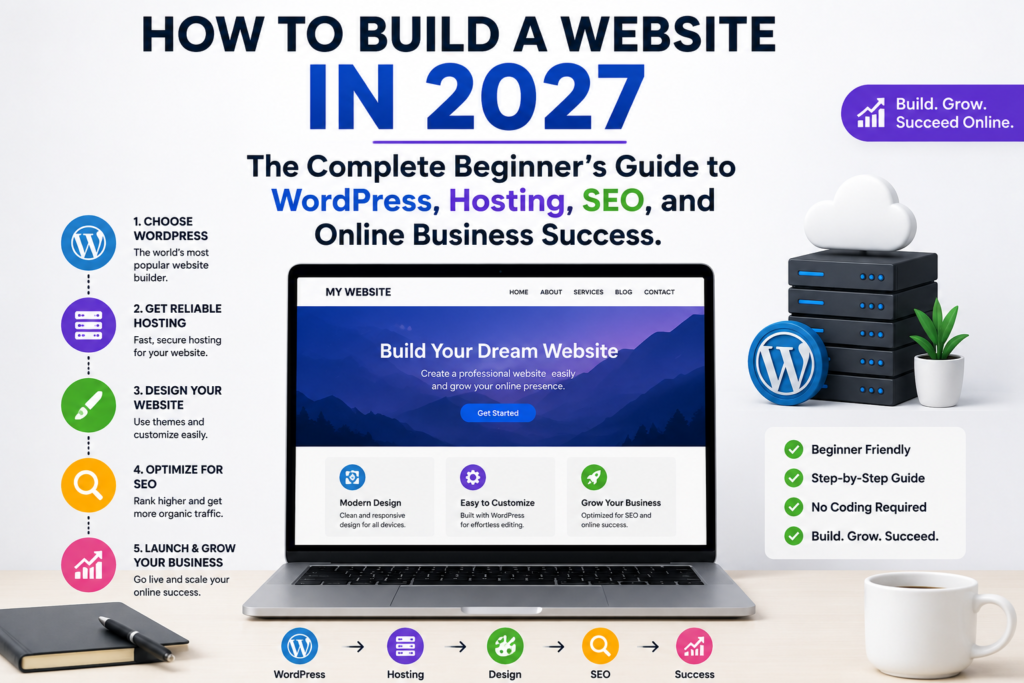
Introduction to How to build a website in 2027
More than 5 billion people use the internet every day, making a professional website one of the most valuable business assets in 2027. Whether you are launching a startup, growing a small business, building a personal brand, or starting an online store, learning how to build a website correctly can determine your long-term online success.
A professionally designed website helps establish credibility, attract qualified visitors, generate leads, and create new revenue opportunities. Thanks to modern website platforms, AI-powered tools, and user-friendly hosting solutions, building a website has become easier, faster, and more affordable than ever before.
This complete guide will walk you through everything you need to know about how to build a website in 2027, including domain registration, web hosting, WordPress setup, SEO optimization, website security, monetization strategies, and proven techniques to grow your online presence.
What is a Website?
A website is a collection of interconnected web pages hosted online that help businesses, organizations, and individuals share information, sell products, generate leads, and establish a professional digital presence.
Table of Contents
In today’s digital economy, customers search online before making purchasing decisions. Whether someone needs a local service, an online store, a consultant, or professional assistance, the first place they usually visit is a search engine.
Website Statistics for 2027
- More than 5 billion people use the internet daily.
- Mobile devices generate over 60% of web traffic.
- WordPress powers over 40% of websites worldwide.
- More than 80% of consumers research businesses online before purchasing.
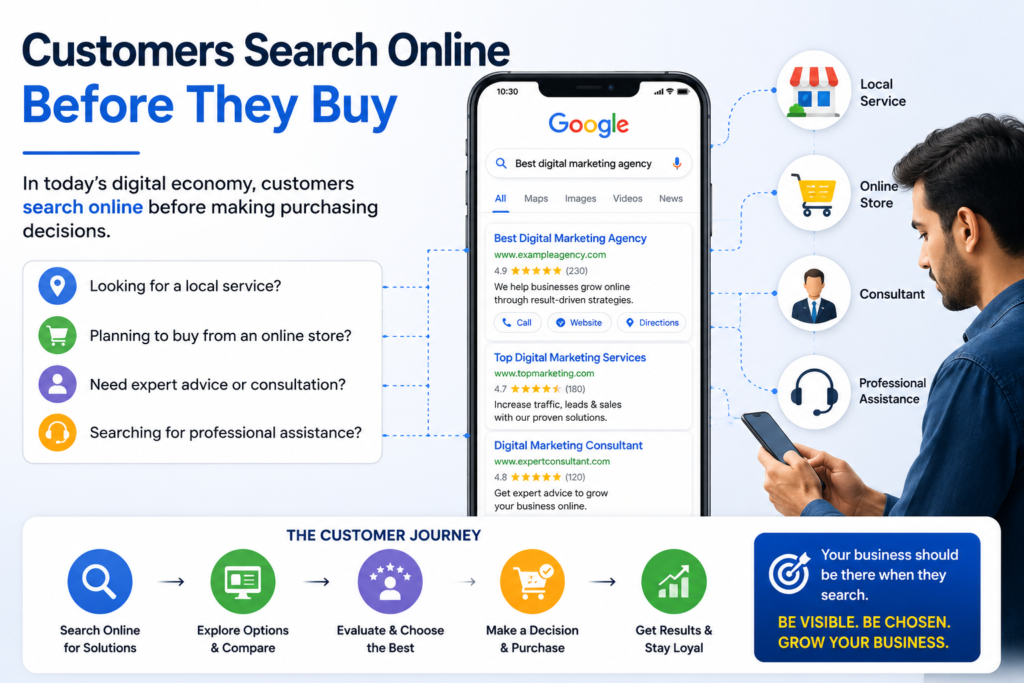
A professional website serves as your digital headquarters. Unlike social media platforms, which can change their policies or algorithms at any time, your website remains an asset that you fully control.
Many businesses experience significant traffic improvements after implementing SEO best practices, mobile optimization, and high-quality content strategies.
A properly optimized website can help you:
- Build credibility and trust.
- Generate qualified leads.
- Increase online visibility.
- Attract organic traffic from search engines.
- Sell products and services.
- Showcase your expertise.
- Grow your business around the clock.
The good news is that building a website in 2027 is easier than ever before. Modern website platforms, AI-powered tools, and user-friendly hosting services allow beginners to create professional websites without learning how to code.
Why Every Business Needs a Website in 2027
The digital marketplace has become increasingly competitive. Businesses without websites often lose valuable opportunities to competitors who have established a strong online presence. Understanding how to build a website in 2027 is no longer just a technical skill. It has become an essential business strategy for attracting customers, building credibility, and achieving long-term online growth.
Real Experience Section
Over the years, I have worked with WordPress websites, SEO optimization projects, local businesses, service providers, and digital marketing campaigns. The recommendations in this guide are based on practical experience combined with industry best practices.
A professional website offers several advantages.
Professional Brand Image
A modern website instantly improves your brand perception.
When potential customers visit a well-designed website, they are more likely to trust your business. A professional online presence communicates legitimacy, reliability, and expertise.
Your website becomes the foundation of your digital branding strategy.

Search Engine Visibility
Search engines remain one of the largest sources of high-quality traffic.
When your website ranks for relevant keywords, potential customers can discover your products and services naturally through organic search results.
Unlike paid advertising, organic traffic can continue generating leads and sales for years.
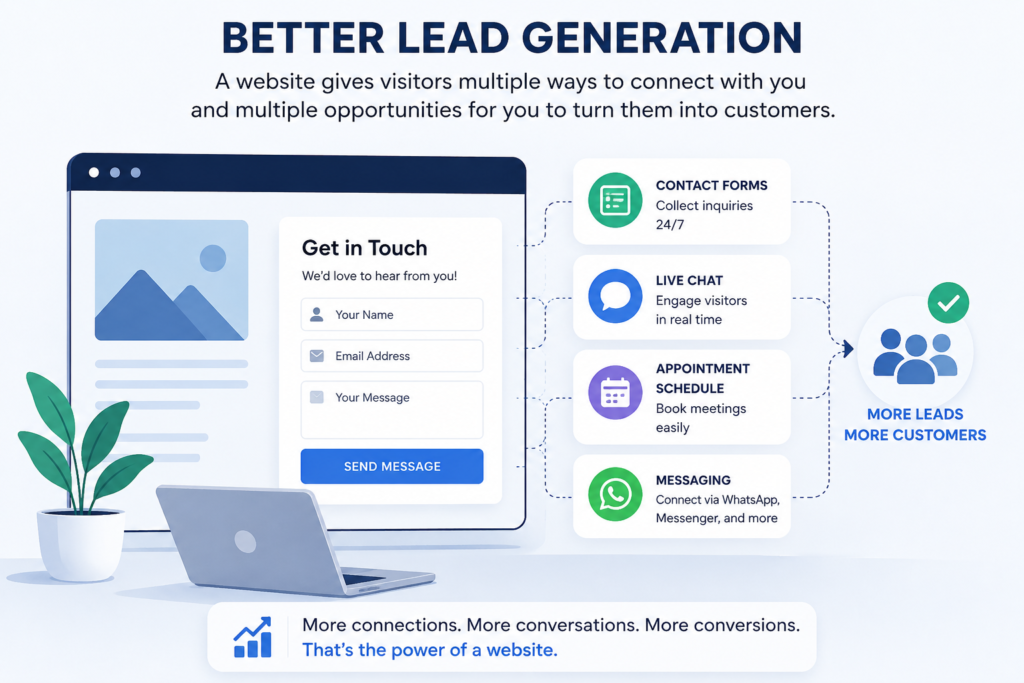
Better Lead Generation
A website allows visitors to contact you through forms, live chat, appointment scheduling tools, and messaging platforms.
This creates multiple opportunities to convert visitors into customers.
Stronger Customer Trust
Modern consumers expect legitimate businesses to have professional websites.
Without a website, some potential customers may question your credibility.
Trust-building elements such as testimonials, case studies, certifications, portfolios, and detailed service pages can significantly improve conversion rates.
Long-Term Digital Asset
Social media accounts can help generate visibility, but your website remains your most valuable digital asset.
Every article, service page, blog post, and landing page contributes to long-term authority and search visibility.
Over time, your website becomes a powerful marketing engine that continues generating results.
What You Need Before Building a Website
Before launching a website, there are three essential components you must secure. Understanding how to build a website in 2027 starts with choosing the right domain name, reliable web hosting, and a suitable website platform. These foundational elements play a crucial role in your website’s performance, security, and long-term online success.
Domain Name
Your domain name is your website’s address on the internet.
Examples include:
- yourbusiness.com
- yourbrand.net
- yourcompany.org
A strong domain name should be:
- Easy to remember.
- Easy to spell.
- Brand-focused.
- Short and professional.
- Relevant to your business.
Choosing the right domain name is an important branding decision because it becomes part of your identity online.
Web Hosting
Web hosting is the service that stores your website files and makes them accessible to visitors.
Every website requires hosting.
A quality hosting provider offers:
- Fast loading speeds.
- Strong security.
- Reliable uptime.
- Data backups.
- Technical support.
- Scalability.
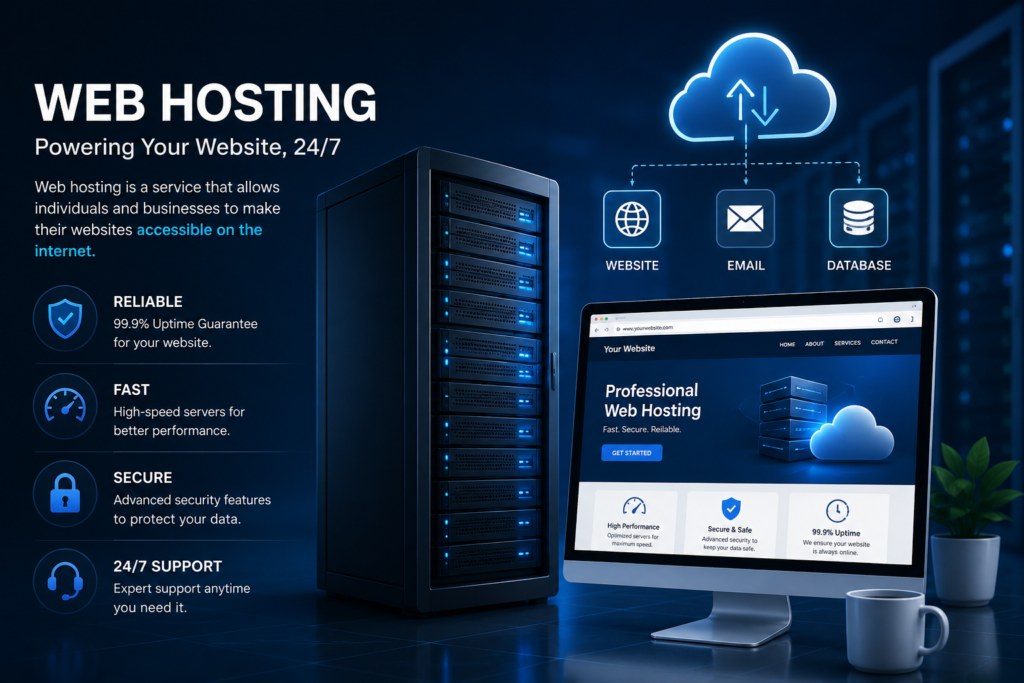
Hosting directly affects user experience, search rankings, and overall website performance.
Website Platform
Your website platform is the software used to build and manage your site.
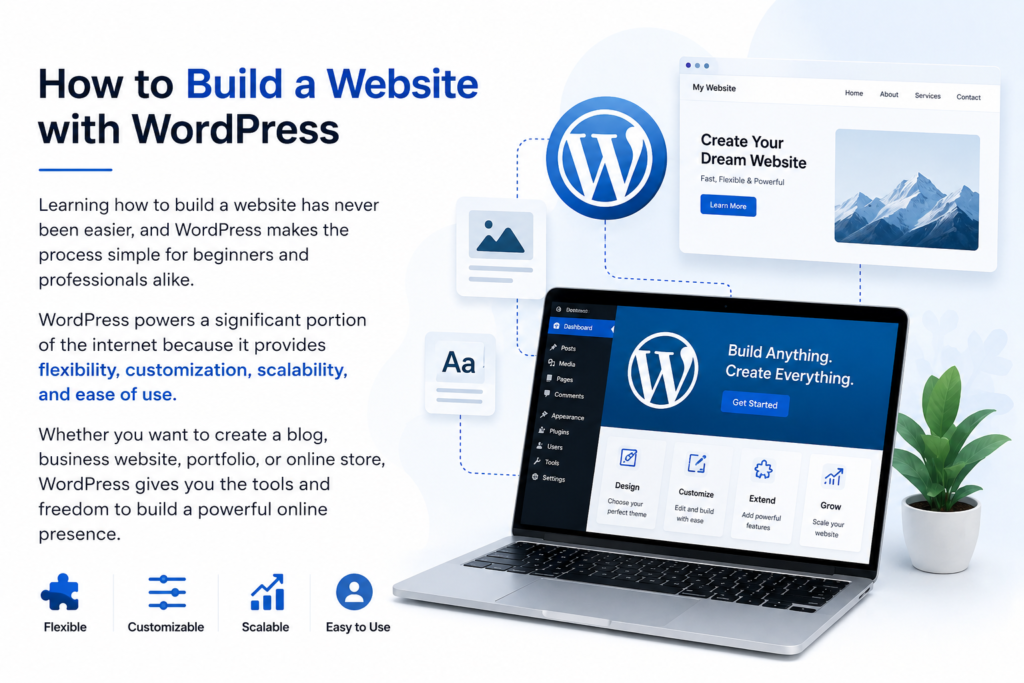
The most popular platform in the world is WordPress.
If you are researching how to build a Website, WordPress is often considered the preferred platform due to its flexibility, customization capabilities, scalability, and ease of use. Its powerful features make it suitable for personal blogs, business websites, ecommerce stores, and large enterprise platforms alike.
It works for:
- Business websites.
- Blogs.
- Portfolios.
- Online stores.
- Membership websites.
- Educational platforms.
Choosing the Perfect Domain Name
Many beginners underestimate the importance of domain selection.
Your domain should support both branding and user experience.
Best Practices
Choose a name that:
- Matches your brand identity.
- Avoids complicated spellings.
- Avoids unnecessary hyphens.
- Avoids numbers whenever possible.
- Remains easy to pronounce.
Recommended Extensions
For most businesses:
- .com remains the strongest option.
- .net works well for technology brands.
- .org suits organizations and communities.
Local businesses may also consider country-specific domains depending on their target market.
Understanding Web Hosting
If you are learning how to build a website, selecting the right web hosting provider is one of the most important steps in the entire process. Web hosting is the technology that keeps your website online, accessible, and performing at its best for visitors around the world.
While great design and high-quality content are essential, they cannot compensate for unreliable hosting. A slow, insecure, or frequently unavailable website can frustrate visitors and negatively impact search engine rankings.
By choosing a dependable web hosting solution, you create a strong foundation for faster loading speeds, enhanced security, improved user experience, and long-term online growth. Whether you are launching a personal blog, business website, portfolio, or online store, quality web hosting plays a critical role in your website’s success.
Important Hosting Features
When comparing hosting providers, prioritize:
Speed
Fast websites improve user experience and search rankings.
Security
Modern hosting should include:
- SSL certificates.
- Malware protection.
- Firewall protection.
- Secure backups.
Uptime
A reliable hosting provider should maintain excellent uptime to ensure visitors can access your website at all times.
Technical Support
Quality support can save hours of frustration when technical issues arise.
Scalability
Your hosting should grow alongside your business.
As traffic increases, your hosting environment should be capable of supporting additional demand without sacrificing performance.
Best Web Hosting Providers for 2027
Selecting the right hosting provider plays a major role in website speed, security, and long-term growth.
Hostinger
Affordable pricing, excellent speed, beginner-friendly dashboard, and strong WordPress support.
SiteGround
Known for outstanding customer support, security features, and reliable uptime.
Cloudways
Ideal for businesses seeking high-performance managed cloud hosting.
WP Engine
Premium managed WordPress hosting designed for professional websites and growing businesses.
Bluehost
Popular among beginners due to its simplicity and WordPress integration.
Website Platform Comparison Table
| Platform | Ease of Use | SEO | Flexibility | Cost |
| WordPress | 10/10 | 10/10 | 10/10 | Low |
| Shopify | 9/10 | 9/10 | 8/10 | Medium |
| Wix | 9/10 | 7/10 | 7/10 | Medium |
| Squarespace | 8/10 | 7/10 | 7/10 | Medium |
Why WordPress Dominates the Internet
WordPress continues to be the preferred platform for millions of website owners.
Several advantages drive its popularity.
Beginner Friendly
No coding knowledge is required to launch a professional website.
Flexible
WordPress can support virtually any type of website.
SEO Friendly
WordPress provides excellent SEO capabilities when configured correctly.
Large Ecosystem
Thousands of themes and plugins allow users to expand functionality without custom development.
Cost Effective
Businesses can launch professional websites at a fraction of the cost of traditional development. For anyone learning how to build a website in 2027, WordPress offers an affordable, scalable, and user-friendly solution that requires minimal technical expertise. Because of these benefits, WordPress remains one of the best choices for entrepreneurs, freelancers, consultants, and small businesses entering the online marketplace.
Step-by-Step Guide to Building a Website
If you are wondering how to build a website, the good news is that the process is more accessible than ever before. Thanks to modern website builders, content management systems, and reliable hosting solutions, creating a professional website no longer requires advanced coding knowledge or technical expertise.
Whether your goal is to launch a business website, start a blog, showcase your portfolio, or open an online store, the journey can be broken down into simple, manageable steps. By choosing the right platform, creating valuable content, and focusing on user experience, you can build a website that not only looks professional but also attracts visitors, builds credibility, and supports your long-term online success.
Step 1: Register a Domain Name
Select a professional domain that reflects your brand.
Step 2: Purchase Reliable Hosting
Choose hosting that provides speed, security, and scalability.
Step 3: Install WordPress
Most modern hosting providers offer one-click WordPress installation.
Step 4: Select a Professional Theme
Choose a responsive design that aligns with your industry and business goals.
Step 5: Create Essential Pages
Your website should include:
- Home
- About
- Services
- Contact
- Privacy Policy
- Terms and Conditions
Step 6: Optimize for Mobile Devices
Mobile optimization is no longer optional.
A majority of internet users browse from smartphones and tablets.
Step 7: Launch and Promote
After testing functionality, publish your website and begin promoting it through SEO, content marketing, and social media.
Website Design Best Practices for 2027
A website’s design directly impacts user experience, trust, engagement, and conversions. Even the best products or services can struggle to generate sales if visitors find the website difficult to use. For anyone learning how to build a website in 2027, creating a user-friendly and visually appealing design is just as important as choosing the right platform and hosting provider.
Google increasingly rewards websites that provide excellent user experiences. Therefore, modern website design should focus on both aesthetics and functionality.
Prioritize Mobile-First Design
Mobile traffic continues to dominate global internet usage. A website that performs poorly on smartphones can lose a significant percentage of potential customers.
Mobile-first design ensures:
- Faster loading times.
- Better user engagement.
- Improved search rankings.
- Higher conversion rates.
Every page should display perfectly across:
- Smartphones.
- Tablets.
- Laptops.
- Desktop computers.
Create Clear Navigation
Visitors should find information quickly.
A clean navigation structure helps users explore your website without confusion.
Recommended menu structure:
- Home
- About
- Services
- Blog
- Portfolio
- Contact
Avoid overcrowding menus with unnecessary links.
Use Professional Visual Branding
Your visual identity should remain consistent throughout the website.
Important branding elements include:
- Logo.
- Color palette.
- Typography.
- Icons.
- Images.
- Call-to-action buttons.
Consistent branding improves trust and recognition.
Optimize User Experience
A great website guides visitors toward specific actions.
Examples include:
- Requesting a quote.
- Scheduling a consultation.
- Purchasing a product.
- Subscribing to a newsletter.
- Contacting your business.
Every page should have a clear purpose.
Advanced SEO Optimization for 2027
Search Engine Optimization remains one of the most effective digital marketing strategies.
A properly optimized website can generate traffic, leads, and sales for years.
Keyword Research
Keyword research forms the foundation of SEO.
Focus on:
Primary Keywords
Examples:
- How to Build a Website
- Website Development Services
- WordPress Website Design
Long-Tail Keywords
Examples:
- How to build a website for a small business.
- Best hosting for beginners.
- Website development guide for entrepreneurs.
- Affordable website design services.
Long-tail keywords often have lower competition and higher conversion rates.
Semantic SEO
Google now understands topics rather than individual keywords.
Instead of repeating the same keyword, include related phrases naturally.
Examples:
- Website creation.
- Online business website.
- Professional web design.
- Digital presence.
- Website optimization.
Semantic SEO improves topical relevance and content depth.
On-Page SEO Essentials
Every page should include:
Optimized Title Tags
Your primary keyword should appear naturally within the title.
Meta Descriptions
A compelling meta description can improve click-through rates.
Proper Heading Structure
Use:
- One H1 heading.
- Multiple H2 headings.
- Supporting H3 headings.
Internal Linking
Link related pages together.
Examples:
- Website Development Services.
- SEO Services.
- Contact Page.
- Blog Articles.
Internal linking helps search engines understand website structure.
Image SEO
Images play an important role in user engagement and search visibility.
Best practices include:
- Descriptive file names.
- ALT text optimization.
- Image compression.
- Responsive image sizing.
Website Speed Optimization
Website speed directly affects:
- User experience.
- Bounce rates.
- Search rankings.
- Conversion rates.
Google prioritizes fast websites.
Speed Optimization Techniques
Choose Quality Hosting
Reliable hosting remains the most important speed factor.
Compress Images
Large images slow websites dramatically.
Use modern image formats and compression tools.
Enable Caching
Caching reduces server requests and improves loading performance.
Minimize Plugins
Too many plugins can slow WordPress websites.
Install only essential tools.
Use a Content Delivery Network
A CDN improves performance for visitors across different locations.
Content Strategy That Drives Traffic
Content marketing remains one of the most powerful methods for generating organic traffic.
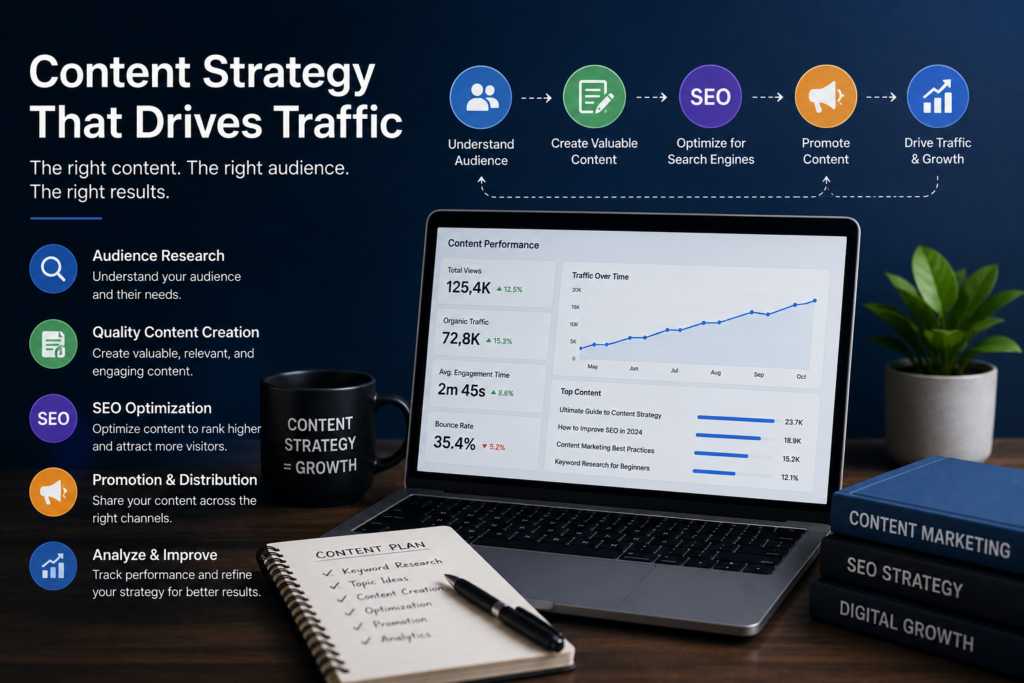
High-quality content helps:
- Build authority.
- Earn backlinks.
- Improve rankings.
- Generate leads.
Create Helpful Content
Google rewards content that genuinely helps users solve problems.
Write articles that answer:
- Common questions.
- Industry challenges.
- Buying decisions.
- Technical problems.
Build Topic Clusters
Instead of publishing random articles, create interconnected content.
Example cluster:
Main Topic:
How to Build a Website
Supporting Topics:
- Website Design Guide.
- WordPress Setup Tutorial.
- SEO Basics.
- Website Security.
- Domain Registration Guide.
- Hosting Comparison Guide.
This approach strengthens topical authority.
Lead Generation Strategies
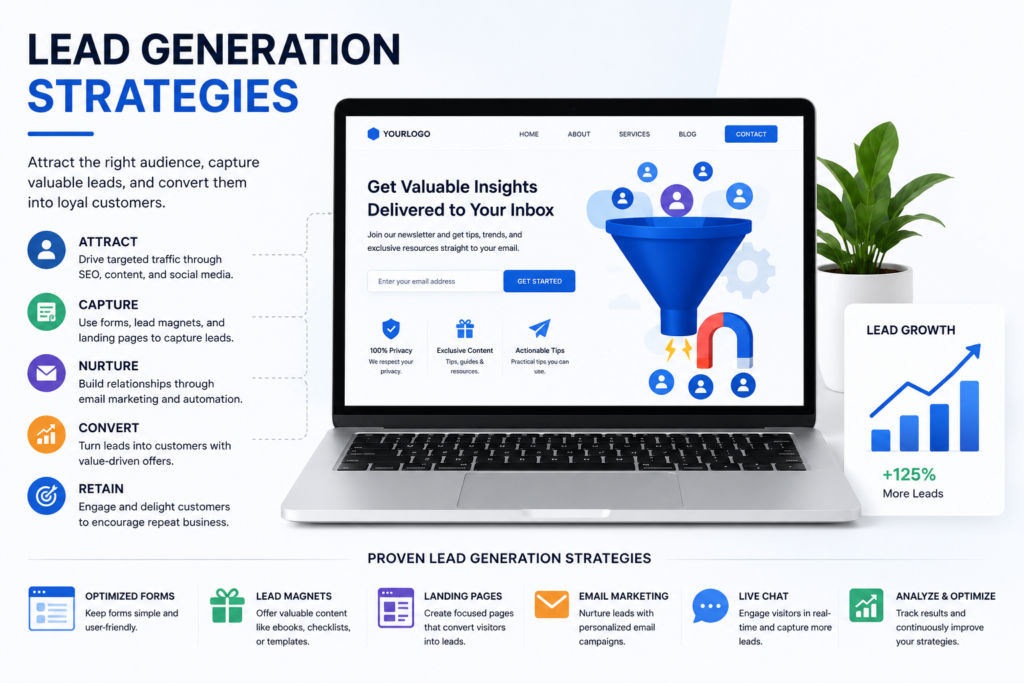
Traffic alone does not guarantee business growth.
Your website should convert visitors into leads.
Use Strong Calls to Action
Examples:
- Request a Free Consultation.
- Get a Custom Quote.
- Start Your Project Today.
- Contact Our Team.
Clear CTAs improve conversions.
Contact Forms
Simple forms often outperform complicated forms.
Ask only for essential information.
Recommended fields:
- Name.
- Email.
- Phone.
- Message.
Live Chat Integration
Real-time communication improves user engagement and conversion rates.
Testimonials and Reviews
Social proof builds trust.
Display:
- Client reviews.
- Case studies.
- Success stories.
- Project results.
Conversion Rate Optimization
Conversion optimization focuses on turning visitors into customers.
Improve Trust Signals
Include:
- Professional contact details.
- Privacy Policy.
- Terms and Conditions.
- Secure SSL certificate.
- Testimonials.
- Portfolio examples.
Simplify User Journeys
Visitors should reach important actions with minimal effort.
Remove unnecessary distractions.
Focus on Benefits
Instead of only describing features, explain benefits.
Example:
Feature:
Mobile Responsive Website
Benefit:
Provides an excellent user experience across all devices and improves search visibility.
Helpful Video Tutorial: Watch a step-by-step website creation tutorial on YouTube.
Real Website Growth Example
Businesses often experience significant traffic improvements after implementing SEO best practices, mobile optimization, and quality content strategies.
This example highlights the importance of combining website design, SEO optimization, content marketing, and user experience improvements to achieve sustainable online growth.
Google Ranking Strategies for 2027
Search algorithms continue evolving.
Successful websites focus on:
Experience
Demonstrate real-world expertise.
Expertise
Show deep subject knowledge.
Authoritativeness
Build authority through quality content and industry recognition.
Trustworthiness
Maintain transparency, security, and accuracy.
These EEAT principles are critical for long-term rankings.
Publish Consistently
Consistent publishing helps:
- Increase indexed pages.
- Expand keyword coverage.
- Strengthen topical authority.
Build Quality Backlinks
Links from reputable websites remain an important ranking factor.
Focus on earning natural backlinks through valuable content.
Monitor Performance
Use analytics tools to track:
- Traffic.
- Rankings.
- Conversions.
- User behavior.
Continuous improvement leads to better results.
Golden Keywords for This Article
Primary Keyword:
- How to Build a Website
Secondary Keywords:
- Website Development Services
- Professional Website Design
- Best Web Hosting
- WordPress Website Setup
- SEO Optimized Website
Low Competition Long-Tail Keywords:
- How to build a website in 2027.
- Best hosting for beginners and freelancers.
- Affordable website design for small businesses.
- How to create a website without coding.
- Website development guide for entrepreneurs.
- Professional business website setup.
- SEO friendly website design services.
- Online business website creation guide.
These keywords help target users who are actively looking to launch websites, improve their online presence, or grow their businesses through digital channels.
Website Monetization Strategies in 2027
One of the biggest advantages of owning a website is its ability to generate revenue from multiple sources. Unlike social media platforms, a website gives you complete control over your audience, content, and monetization methods.
A professionally built website can become a long-term digital asset that generates income for years.
Affiliate Marketing
Affiliate marketing remains one of the most profitable online business models.
In affiliate marketing, you promote products or services through unique referral links. When visitors make a purchase using your link, you earn a commission.
Popular affiliate categories include:
- Web hosting.
- Website builders.
- Software tools.
- Online courses.
- Marketing platforms.
- Business services.
How Affiliate Marketing Works
Step 1: Join an affiliate program.
Step 2: Receive your unique referral link.
Step 3: Create high-quality content targeting buyer-intent keywords.
Step 4: Recommend relevant products naturally.
Step 5: Earn commissions from successful referrals.
Affiliate Content Ideas
- Product reviews.
- Comparison articles.
- Tutorials.
- Case studies.
- Buying guides.
Affiliate marketing works exceptionally well when combined with SEO.
Google AdSense Strategy
Google AdSense allows website owners to display advertisements and earn revenue from impressions and clicks.
To maximize AdSense income:
Publish High-Quality Content
Google rewards websites that provide genuine value to users.
Target Search Traffic
Organic visitors from search engines often generate better advertising revenue.
Focus on High-Value Niches
Examples include:
- Finance.
- Technology.
- Software.
- Business.
- Education.
- Marketing.
Improve User Experience
Better engagement typically leads to stronger advertising performance.
Freelancing Through Your Website
A professional website can become your most powerful client acquisition tool.
Instead of relying entirely on freelance marketplaces, your website can attract direct clients.
Services You Can Offer
- Website Development.
- SEO Services.
- Content Writing.
- Graphic Design.
- Digital Marketing.
- CV Writing.
- Consulting.
Benefits of Direct Clients
- Higher profit margins.
- Stronger relationships.
- Greater control.
- Long-term contracts.
Building a Website Development Business
Website development continues to be one of the most in-demand digital services worldwide.
Businesses increasingly need:
- Websites.
- Landing pages.
- E-commerce stores.
- SEO optimization.
- Website maintenance.
Core Services
Website Design
Professional designs tailored to client goals.
WordPress Development
Custom WordPress websites for businesses and organizations.
E-Commerce Development
Online stores built using WooCommerce and Shopify.
Website Maintenance
Ongoing updates, security monitoring, and performance improvements.
SEO Optimization
Improving search visibility and rankings.
Website Security Best Practices
Security should never be ignored.
A compromised website can damage rankings, reputation, and revenue.
Essential Security Measures
- Install SSL certificates.
- Use strong passwords.
- Enable two-factor authentication.
- Keep software updated.
- Schedule regular backups.
- Monitor for malware.
Website Maintenance Checklist
Successful websites require ongoing maintenance.
Monthly tasks include:
- Updating WordPress.
- Updating plugins.
- Checking website speed.
- Reviewing analytics.
- Publishing fresh content.
- Fixing broken links.
- Monitoring security.
Regular maintenance helps preserve rankings and performance.
Frequently Asked Questions
Can I Build a Website Without Coding?
Yes. Modern website builders and WordPress allow beginners to create professional websites without coding knowledge.
How Much Does It Cost to Build a Website?
Costs vary depending on:
- Domain registration.
- Hosting.
- Design requirements.
- Features.
A basic website can often be launched with a relatively small investment.
Is WordPress Still the Best Platform in 2027?
For most businesses, WordPress remains one of the most flexible and powerful website platforms available.
How Long Does It Take to Build a Website?
Simple websites may be completed within a few days.
Larger projects may require several weeks.
Is SEO Necessary?
Yes.
Without SEO, it becomes more difficult for potential customers to discover your website through search engines.
Can a Website Generate Passive Income?
Yes.
Common passive income methods include:
- Affiliate marketing.
- Ad networks.
- Digital products.
- Online courses.
Do I Need Professional Website Design?
Professional design improves trust, user experience, and conversion rates.
What Makes a Website Rank Higher?
Important factors include:
- High-quality content.
- Strong SEO.
- Fast loading speed.
- Mobile responsiveness.
- Backlinks.
- User experience.
How Important Is Website Speed?
Website speed directly impacts:
- Rankings.
- User satisfaction.
- Conversion rates.
Can Small Businesses Compete Online?
Absolutely.
Many small businesses achieve significant growth through local SEO and targeted content marketing.
Internal Linking Structure
Recommended internal links:
- Website Development Services.
- SEO Services.
- WordPress Development.
- E-Commerce Solutions.
- Content Writing Services.
- Contact Page.
- About Us Page.
- Blog Category Pages.
Image ALT Tags Recommendations
Use descriptive image ALT text such as:
- Professional website design example.
- WordPress website dashboard.
- Business website development process.
- SEO optimization workflow.
- Mobile responsive website design.
- Website hosting setup guide.
- Affiliate marketing website strategy.
- Small business website example.
Schema Recommendations
Implement the following structured data:
Article Schema
For the main article.
FAQ Schema
For all frequently asked questions.
Organization Schema
For business identity and branding.
WebSite Schema
For search engine understanding.
Breadcrumb Schema
For navigation hierarchy.
Author Schema
For EEAT enhancement.
Service Schema
If promoting website development services.
Rank Math SEO Settings
Focus Keyword
How to Build a Website
SEO Title
How to Build a Website in 2027: Complete Beginner’s Guide to WordPress, Hosting, SEO and Online Business Success
Meta Description
Learn how to build a professional website in 2027 using WordPress, reliable hosting, SEO best practices, and proven online business strategies. Step-by-step guide for beginners, freelancers, and business owners.
URL Slug
how-to-build-a-website-2027
FAQ Section:
What Is a Website?
A website is a collection of online pages that represent a business, organization, or individual on the internet. It allows users to share information, promote services, sell products, and communicate with customers worldwide.
How Much Does a Website Cost?
A basic website typically requires a domain name, hosting plan, and website platform. Costs vary depending on features, design requirements, and business goals.
How Long Does It Take?
A simple website can often be completed within a few days, while larger business websites or ecommerce projects may take several weeks.
Trusted Industry Resources
Ready to Build Your Website?
Whether you need a business website, portfolio website, ecommerce store, blog, or professional online presence, investing in a well-designed and SEO-optimized website can create long-term growth opportunities.
Start building your website today and establish a strong digital presence that attracts visitors, generates leads, and supports your business goals.
Ready to Start Your Website? ✓ Request a Free Consultation
✓ Start Your Website Project Today
✓ Improve Your Online Presence
Final Verdict
Building a website in 2027 is easier, faster, and more powerful than ever before. For individuals and businesses exploring how to build a website in 2027, modern tools and platforms make it possible to create a professional online presence without advanced technical skills.
Whether you are a freelancer, entrepreneur, consultant, small business owner, or online store operator, a professional website serves as the foundation of your digital presence.
By choosing reliable hosting, using WordPress, implementing SEO best practices, publishing valuable content, and focusing on user experience, you can build a website that generates traffic, leads, authority, and revenue for years to come.
The most successful websites are not necessarily the most expensive. They are the ones that consistently provide value, solve problems, and earn the trust of their audience.
Start today, build strategically, and treat your website as a long-term business asset rather than a short-term project.
Why Trust This Guide?
This guide is based on extensive research into website development, WordPress best practices, search engine optimization, website security, digital marketing, and modern online business strategies.
The recommendations provided are designed to help entrepreneurs, freelancers, consultants, and business owners create professional websites that align with current industry standards and Google’s latest ranking guidelines.
About the Author
Syed Abdul Quddus is a website developer, SEO content specialist, and digital services provider with experience in WordPress website development, local SEO, content optimization, and online business growth strategies. He has helped businesses improve their online presence through professional website solutions and search engine optimization techniques.
Website Development, SEO Content, Digital Marketing, and Online Business Specialist.
Over 70% of consumers research businesses online before purchasing. Mobile devices account for more than half of global web traffic. WordPress powers more than 40% of websites worldwide.
Experienced in website development, SEO-focused content creation, online business growth strategies, WordPress solutions, digital services, and professional web presence development for businesses, freelancers, and entrepreneurs. Specializing in how to build a website in 2027, he provides practical insights, proven strategies, and professional guidance to help businesses establish a strong and competitive online presence.