Introduction
Today, we will compare WordPress and Shopify to help you choose the best platform for your first online store. Starting an online business has never been easier. Yet one question continues to confuse thousands of beginners every year.
Should I use WordPress or Shopify for my first online store?
If you’ve spent even a few minutes researching e-commerce platforms, you’ve probably noticed something frustrating. Every blog seems to recommend a different platform. Some claim Shopify is the perfect solution for everyone. Others insist WordPress is the only serious option.
The reality is far more nuanced.
Both platforms are excellent. Both can help you build a successful online business. Both power stores generate millions of dollars in revenue.

The difference lies in how they approach e-commerce.
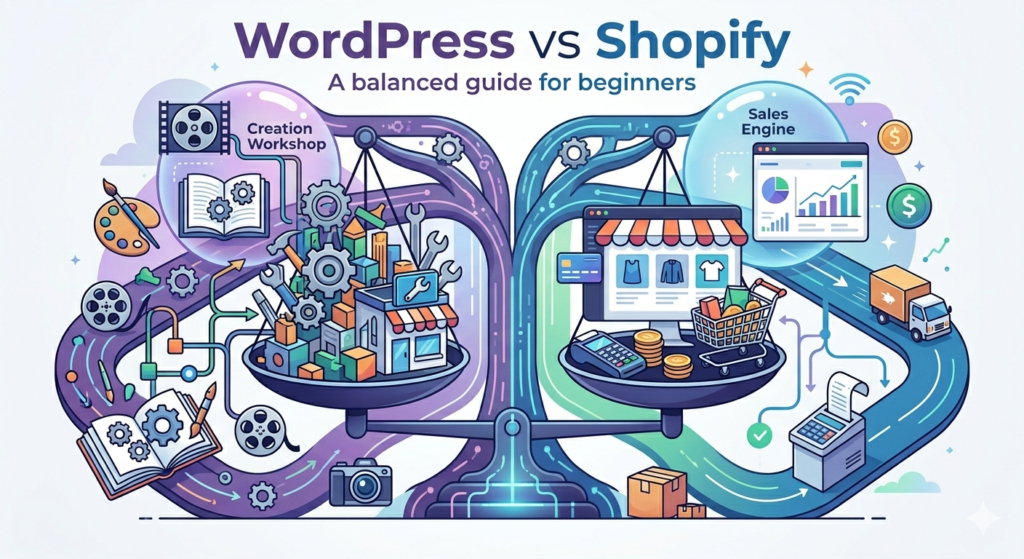
Shopify focuses on simplicity and convenience. WordPress focuses on flexibility and control.
Choosing the wrong platform won’t necessarily destroy your business, but it can create unnecessary expenses, limitations, and headaches later.
This guide will help you understand exactly where each platform shines, where it struggles, and which option is likely to support your goals over the next several years.
Table of Contents
Quick Answer
If you want the easiest path to launching an online store with minimal technical work, Shopify is usually the better choice.
If you want maximum customization, stronger blogging capabilities, and long-term SEO advantages, WordPress with WooCommerce is often the smarter investment.
For most complete beginners:
Shopify wins for simplicity.
For long-term content-driven growth:
WordPress wins for flexibility.
Why Choosing the Right Platform Matters
Many beginners think they are simply choosing website software.
In reality, they are choosing the foundation of their future business.
Your platform affects:
- Search engine visibility
- Marketing opportunities
- Customer experience
- Store performance
- Monthly expenses
- Scalability
- Ownership and control
Imagine investing countless hours, energy, and resources into building an online store, carefully adding products, optimizing pages, creating marketing campaigns, and growing your customer base, only to discover two years later that your chosen platform cannot support the advanced features your business now requires. Whether it’s limited customization options, restricted integrations, scalability challenges, or SEO limitations, switching platforms after your store has already gained traction can be both expensive and time-consuming.
What initially appears to be a simple decision between WordPress and Shopify can have a significant impact on your store’s flexibility, search engine visibility, customer experience, and long-term profitability.
Successful entrepreneurs rarely make decisions based solely on convenience or short-term savings. Instead, they evaluate their long-term business objectives, growth plans, marketing strategy, and future requirements before selecting an e-commerce platform.
When comparing Shopify or WordPress for Small Business Beginners, the smartest approach is to choose a platform that not only meets your current needs but also supports your vision for the next three to five years.
This forward-thinking mindset can help you avoid costly migrations, protect your organic search rankings, and build a stronger foundation for sustainable online business growth.

Understanding Shopify
Imagine dedicating months or even years to building your dream online business. You spend countless hours researching products, designing your website, optimizing product pages, improving customer experience, publishing content, and investing in marketing campaigns to attract potential buyers. As your store begins to grow, you naturally expect your e-commerce platform to grow with it. This is exactly why understanding the differences explained in this WordPress vs Shopify for First Online Store is so important before making a long-term commitment to either platform.
At that stage, migrating an established store to a new platform can become a costly, stressful, and time-consuming process that affects traffic, rankings, and customer experience.
Unfortunately, this situation is far more common than most beginners realize. Every year, thousands of new entrepreneurs launch their first online store without carefully considering how their platform choice will influence long-term success.
What initially appears to be a straightforward comparison between Shopify and WordPress can ultimately determine how effectively your business competes online. Your platform affects everything from website performance and search engine visibility to content marketing opportunities, conversion optimization, customer engagement, and future expansion.
This is why the decision between Shopify or WordPress should never be based solely on short-term convenience or the fastest setup process.
Whether your objective is to build a content-driven brand, create a highly customized online store, generate organic traffic through SEO, or scale your e-commerce business internationally, your platform should be capable of supporting that growth.
When comparing WooCommerce vs Shopify, the smartest approach is to choose a solution that not only solves today’s challenges but also provides the flexibility, performance, and growth potential needed for the next three to five years. Taking a long-term perspective can help protect your investment, preserve your search engine rankings, reduce future migration costs, and establish a strong foundation for sustainable ecommerce success.
When you create a Shopify store, you immediately receive:
- Hosting
- Security
- Store management tools
- Payment processing options
- Mobile optimization
- Product management features
- Inventory tracking
You don’t need to worry about technical maintenance.
This simplicity is Shopify’s biggest advantage.
A beginner can create a professional store in a matter of hours.
Understanding WordPress
WordPress is different.
Instead of moving into a fully furnished apartment, imagine purchasing a piece of land and building your own dream home from the ground up. You have complete control over every decision, from the architectural design and room layout to the materials, features, and future expansions.
If you want a larger living room, an additional floor, a home office, or a custom-designed garden, the choice is entirely yours.
While this approach requires more planning, effort, and responsibility at the beginning, it also gives you far greater freedom, flexibility, and ownership in the long run.
This concept perfectly reflects one of the key insights discussed in this WooCommerce vs Shopify, where long-term control and customization often become important factors for growing online businesses.
This is one of the best ways to understand how WordPress works. Unlike many hosted e-commerce platforms, WordPress gives business owners full control over their website’s design, functionality, and future development.
Whether you want to create a simple online store, launch a large ecommerce brand, build a membership website, publish educational content, or integrate advanced marketing tools, WordPress allows you to customize almost every aspect of your digital presence. For entrepreneurs comparing the best e-commerce platforms for beginners, this level of flexibility can be extremely valuable, especially for those who plan to grow beyond a basic e-commerce website and build a long-term online business asset.
You decide:
- The design
- The layout
- The functionality
- The features
- The future expansions
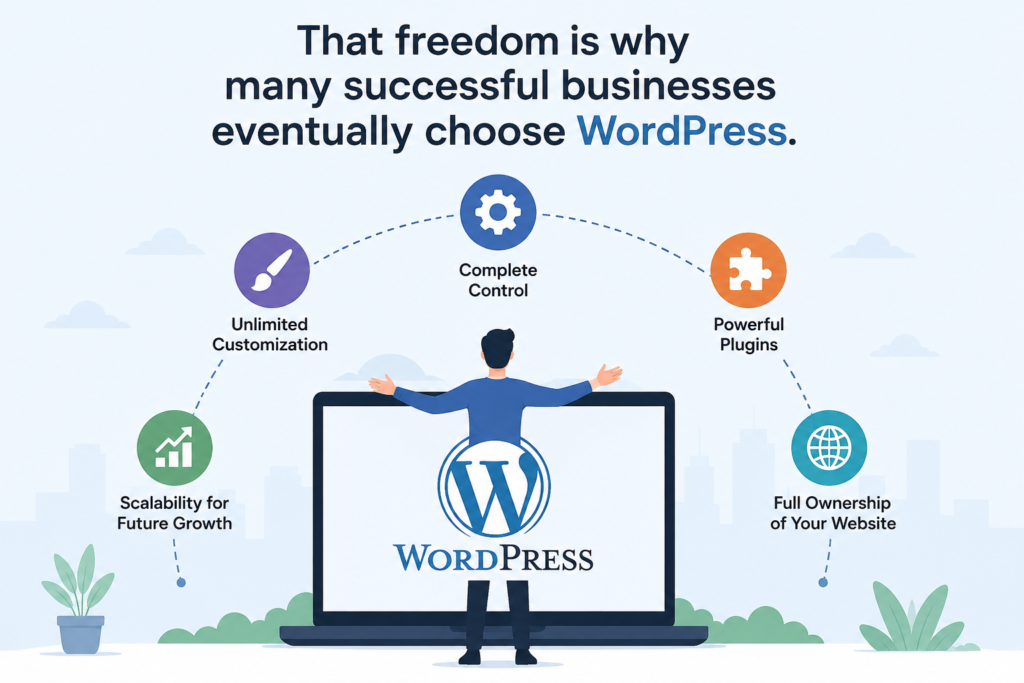
WordPress gives you complete control.
When combined with WooCommerce, it becomes one of the most powerful e-commerce solutions available.
Unlike Shopify, WordPress allows almost unlimited customization.
A closed ecosystem does not restrict you.
That freedom is why many successful businesses eventually choose WordPress.

For complete beginners, this category is not even close.
Shopify is easier.
After creating an account, Shopify walks you through the entire setup process.
You can:
- Add products
- Choose a theme
- Configure payments
- Launch your store
without touching a single line of code.
WordPress requires additional steps:
- Purchase hosting
- Install WordPress
- Install WooCommerce
- Configure settings
- Manage updates
None of these tasks is particularly difficult, but they do require learning.
Winner: Shopify
If simplicity is your top priority, Shopify is the clear winner. Its beginner-friendly interface, built-in hosting, and all-in-one ecommerce tools make it easy to launch an online store without technical knowledge. For those comparing Shopify vs WordPress, Shopify offers the fastest and simplest path to getting started online.
WordPress vs Shopify: SEO
Search engine optimization is where things become more interesting.
Many store owners spend thousands on advertising because they fail to invest in SEO.
Strong SEO can generate traffic for years without paying for every click.
WordPress has long been considered one of the best platforms for SEO.
Why?
Because it provides more control.
You can customize:
- URLs
- Schema markup
- Metadata
- Internal linking
- Content structure
- Technical SEO settings
WordPress also excels at content marketing.
If you plan to create:
- Blog posts
- Buying guides
- Tutorials
- Product comparisons
WordPress provides exceptional flexibility.
Shopify offers good SEO features, but it doesn’t match WordPress in terms of customization.
Winner: WordPress
For long-term organic traffic growth, WordPress has a noticeable advantage.
WordPress vs Shopify: Pricing
Many beginners focus entirely on upfront costs.
The smarter approach is to evaluate the total ownership cost.
Shopify Costs
Shopify typically includes:
- Hosting
- Security
- Platform updates
- E-commerce functionality
in one monthly fee.
This makes budgeting predictable.
WordPress Costs
WordPress itself is free.
However, you’ll usually pay for:
- Hosting
- Domain name
- Premium themes
- Premium plugins
The actual cost depends on your requirements.
For small stores, WordPress can be more affordable.
For beginners who value convenience, Shopify’s all-in-one pricing often feels simpler.
Winner
Tie.
The better value depends entirely on your priorities.
Design and Customization
This is where WordPress begins to dominate.
With WordPress, you can customize almost every aspect of your website.
You can build:
- E-commerce stores
- Membership websites
- Blogs
- Learning platforms
- Service websites
All within a single ecosystem.
Shopify provides excellent themes, but customization remains more restricted.
For many users, those limitations are acceptable.
For others, they become frustrating over time.
Winner: WordPress
If flexibility matters, WordPress wins comfortably.
Security and Maintenance
Shopify handles:
- Security updates
- Hosting management
- Performance optimization
- Platform maintenance
for you.
WordPress requires more responsibility.
You must manage:
- Updates
- Security plugins
- Backups
- Hosting quality
This isn’t necessarily difficult, but it requires attention.
Winner: Shopify
For beginners who want peace of mind, Shopify is often the easier choice. Since hosting, security, updates, and maintenance are handled for you, it allows you to focus more on selling products and growing your online store.
Blogging and Content Marketing
This category is extremely important.
Many e-commerce stores rely heavily on content marketing.
A blog can attract:
- Buyers
- Subscribers
- Leads
- Returning visitors
WordPress started as a publishing platform.
Its blogging capabilities remain among the best available.
Shopify includes blogging functionality, but it isn’t as powerful.
Winner: WordPress
Content-focused businesses should seriously consider WordPress. Its powerful blogging capabilities, advanced SEO flexibility, and content marketing potential make it an excellent choice for entrepreneurs who want to attract long-term organic traffic and build authority in their industry.
ComparisonTable
| Feature | Shopify | WordPress |
|---|---|---|
| Ease of Use | ⭐⭐⭐⭐⭐ | ⭐⭐⭐ |
| SEO | ⭐⭐⭐⭐ | ⭐⭐⭐⭐⭐ |
| Blogging | ⭐⭐⭐ | ⭐⭐⭐⭐⭐ |
| Security | ⭐⭐⭐⭐⭐ | ⭐⭐⭐ |
| Customization | ⭐⭐⭐ | ⭐⭐⭐⭐⭐ |
| Maintenance | ⭐⭐⭐⭐⭐ | ⭐⭐⭐ |
Real Life Example
Imagine two entrepreneurs.
Sarah
Sarah wants to sell handmade jewelry.
She has no technical experience.
She wants her store online quickly.
Shopify is likely the better choice.
Ahmed
Ahmed wants to build:
- An online store
- A blog
- SEO traffic
- Affiliate income
- Educational content
WordPress is likely the better choice.
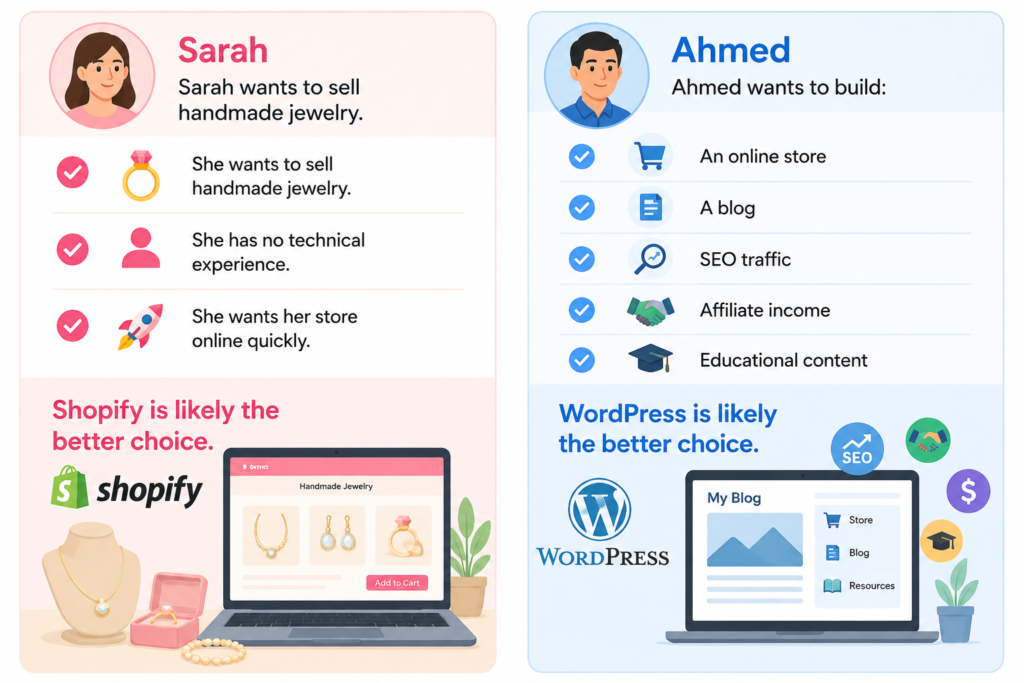
The correct platform depends on business goals.
Common Beginner Mistakes
Choosing Based Only on Price
The cheapest option isn’t always the best value.
Ignoring SEO
Organic traffic can become one of your most valuable business assets over time. Unlike paid advertising, which stops generating visitors when your budget runs out, organic traffic can continue bringing potential customers to your online store for months or even years through search engines like Google.
Focusing Only on Today
Think about where your business will be in three years, not just where it is today. Choosing a platform that can support your future growth, marketing goals, and evolving business needs can save you significant time, money, and effort down the road.
Buying Too Many Apps
Many beginners install unnecessary plugins, apps, and tools without considering their impact on website performance. Over time, these additions can slow down page loading speeds, create compatibility issues, and negatively affect both user experience and search engine rankings.
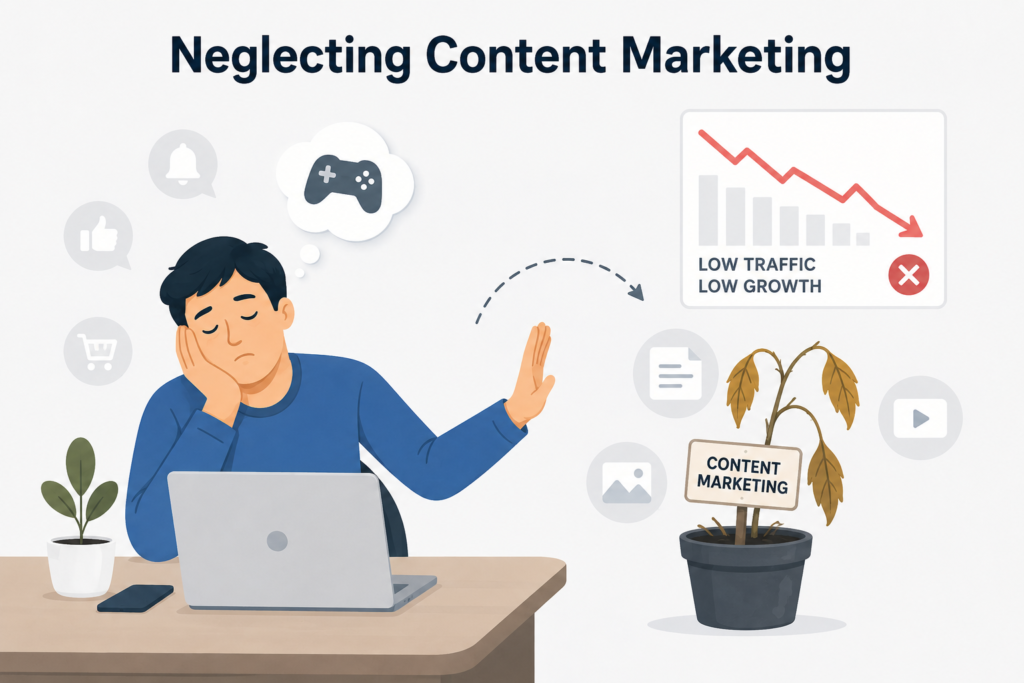
Neglecting Content Marketing
Even the best online store needs visibility to succeed. No matter how great your products, pricing, or design may be, potential customers must be able to find your business. This is why SEO, content marketing, and effective promotion play a crucial role in driving traffic and generating consistent sales.
Pros and Cons of WordPress
Pros
- Excellent SEO flexibility
- Full ownership
- Unlimited customization
- Strong blogging platform
- Large ecosystem
Cons
- Steeper learning curve
- Requires maintenance
- More setup time
Pros and Cons of Shopify
Pros
- Easy to use
- Fast setup
- Reliable hosting
- Strong security
- Excellent support
Cons
- Monthly fees
- Less flexibility
- Limited customization compared to WordPress
Pricing Table:
WordPress vs Shopify Comparison Table
| Feature | WordPress + WooCommerce | Shopify |
|---|---|---|
| Ease of Use | Moderate learning curve | Very beginner-friendly |
| Setup Time | 1–3 days depending on customization | A few hours |
| Hosting Included | No | Yes |
| Security Management | User responsible | Shopify manages security |
| Maintenance | Requires updates and backups | Fully managed |
| SEO Capabilities | Excellent and highly customizable | Good but less flexible |
| Blogging Features | Outstanding | Basic to moderate |
| Content Marketing | Excellent | Limited compared to WordPress |
| Design Flexibility | Nearly unlimited | Good but restricted |
| Customization Options | Extensive | Moderate |
| Plugin/App Ecosystem | 60,000+ plugins available | Thousands of apps available |
| Ownership & Control | Full ownership and control | Shopify controls the platform environment |
| Monthly Costs | Variable based on hosting and tools | Fixed monthly subscription |
| Scalability | Excellent with proper hosting | Excellent out of the box |
| Speed Optimization | Depends on hosting and setup | Optimized by Shopify |
| Technical Knowledge Required | Moderate | Minimal |
| Product Management | Excellent | Excellent |
| Digital Products | Supported | Supported |
| Physical Products | Supported | Supported |
| Affiliate Marketing | Excellent flexibility | Supported with apps |
| Membership Sites | Excellent | Limited |
| Online Courses | Excellent | Limited |
| Multi-Vendor Marketplace | Possible with plugins | More difficult |
| Payment Gateways | Almost unlimited | Extensive but platform-dependent |
| International Selling | Excellent | Excellent |
| Mobile Responsiveness | Depends on the theme | Built-in |
| Long-Term SEO Growth | Excellent | Good |
| Best For | SEO-focused businesses, bloggers, and content creators focus on long-term growth | Beginners, quick launches, pure ecommerce stores |
WordPress Market Share
- WordPress powers more than 40% of websites globally.
WooCommerce Market Share
- WooCommerce is one of the most widely used ecommerce solutions.
Shopify Market Share
- Shopify powers millions of online stores worldwide.
Final Verdict Regarding Shopify vs WordPress Comparison
There is no universal winner.
The right choice depends on your goals.
Choose Shopify if you value simplicity, want to launch your online store quickly, prefer an all-in-one solution, and would rather focus on selling products than managing technical tasks. Shopify is particularly well-suited for entrepreneurs whose primary goal is ecommerce and who want a streamlined platform that handles hosting, security, and maintenance behind the scenes.
Choose WordPress if SEO is a major part of your growth strategy, content marketing plays an important role in your business, and you want complete control over your website’s design, functionality, and future development. WordPress is often the better choice for business owners who are building a long-term digital asset and want maximum flexibility as their online presence grows.
For most beginners launching their first online store, Shopify provides the easiest and fastest path to getting started. However, entrepreneurs who prioritize organic traffic, content-driven growth, and long-term customization may find that WordPress offers greater value over time.
Frequently Asked Questions
1. Is Shopify better than WordPress for beginners?
For complete beginners, Shopify is often easier because it includes hosting, security, updates, and ecommerce tools in one platform. However, WordPress offers greater flexibility and customization for long-term growth.
2. Which platform is easier to use, WordPress or Shopify?
Shopify is generally considered the easier e-commerce platform for beginners because it requires less technical setup and maintenance.
3. Is WordPress good for e-commerce beginners?
Yes. WordPress with WooCommerce is an excellent option for e-commerce beginners who want more control over their website, SEO, and customization options.
4. Which platform is better for SEO?
WordPress is widely regarded as a stronger platform for SEO due to its flexibility, advanced optimization options, and powerful content management capabilities.
5. Which platform is cheaper, Shopify or WordPress?
The answer depends on your needs. Shopify offers predictable monthly pricing, while WordPress costs vary depending on hosting, themes, and plugins.
6. Can I migrate from Shopify to WordPress later?
Yes, migration is possible, but it can be time-consuming and may affect SEO if not handled properly.
7. Is Shopify worth it for small businesses?
Yes. Shopify is a popular choice for small businesses because it simplifies store management and allows owners to focus on sales and customer service.
8. Does WordPress require coding knowledge?
No. Most beginners can build a professional online store using themes, page builders, and plugins without writing code.
9. Which platform is better for content marketing?
WordPress is generally better for content marketing because of its advanced blogging features and SEO flexibility.
10. Can I sell digital products on both platforms?
Yes. Both Shopify and WordPress allow you to sell digital products, including ebooks, courses, software, and downloadable files.
11. Which platform loads faster?
Both platforms can perform well when properly optimized. Shopify handles performance optimization automatically, while WordPress performance depends on hosting and configuration.
12. Is WooCommerce free?
WooCommerce is a free WordPress plugin, although additional themes, extensions, and hosting may involve costs.
13. Which platform is better for long-term growth?
Businesses focused on SEO, content marketing, and customization often prefer WordPress, while businesses prioritizing simplicity often choose Shopify.
14. Can I use affiliate marketing with Shopify or WordPress?
Yes. Both platforms support affiliate marketing, although WordPress typically offers more flexibility through specialized affiliate plugins.
15. What is the best e-commerce platform for beginners in 2026?
For most beginners, Shopify remains one of the easiest e-commerce platforms to start with. However, WordPress may provide greater long-term value for users focused on SEO and content-driven growth.
Final Verdict
The debate between WordPress vs Shopify for First Online Store does not have a universal winner because every business has different goals, budgets, and technical requirements. Both platforms are capable of building successful online stores, but they approach e-commerce from different perspectives.
If your priority is launching quickly, minimizing technical work, and managing everything from a single dashboard, Shopify is often the better choice. Its beginner-friendly interface, integrated hosting, and streamlined ecommerce tools make it one of the most accessible platforms for new entrepreneurs.
Ultimately, the best e-commerce platform for beginners is the one that aligns with your business goals, growth strategy, and preferred way of working.
Strong Call To Action
Before making your final decision, take a few minutes to evaluate where you want your business to be in the next three to five years. If speed, convenience, and simplicity are your top priorities, Shopify may be the ideal starting point. If your focus is long-term SEO growth, content marketing, and complete control over your online presence, WordPress deserves serious consideration.
Whichever platform you choose, remember that success depends less on the software itself and more on the value you provide to customers, the quality of your marketing strategy, and your commitment to continuous improvement. The sooner you start building, learning, and optimizing, the sooner your first online store can begin generating real results.
About the Author
Syed Abdul Quddus
Syed Abdul Quddus is a website development enthusiast, SEO-focused content creator, and digital services professional with years of experience researching online business growth strategies, WordPress websites, ecommerce platforms, content marketing, and search engine optimization. Through practical research and hands-on experience, he helps beginners, freelancers, startups, and small businesses make informed decisions about website development, online stores, and digital growth.
His work focuses on simplifying complex topics and providing actionable guidance that readers can apply in real-world situations. Whether the topic is WordPress development, Shopify ecommerce, SEO strategy, affiliate marketing, or online business growth, his goal is to create trustworthy, easy-to-understand, and value-driven content.
Why Trust This Guide: Shopify vs WordPress for small business
Choosing between WordPress and Shopify is an important decision that can affect your online business for years. This guide was created using current industry best practices, real-world ecommerce considerations, SEO principles, and practical business insights rather than marketing hype or platform bias.
Instead of promoting one platform as the perfect solution for everyone, this article presents a balanced comparison that highlights both strengths and limitations. The objective is to help readers make an informed decision based on their specific business goals, technical skills, and long-term growth plans.
Real Experience and Practical Insights
Over the years, I have worked with a wide range of clients, entrepreneurs, freelancers, startups, educational institutions, and small businesses seeking to establish a professional online presence. My experience includes developing business websites, service-based websites, portfolio websites, ecommerce stores, and SEO-focused WordPress projects designed to generate long-term organic traffic and customer inquiries.
Through hands-on work with both WordPress and Shopify, I have observed that each platform serves different business goals. Many clients who wanted complete control over their website, advanced SEO capabilities, content marketing opportunities, and long-term scalability achieved excellent results with WordPress and WooCommerce. On the other hand, clients looking for a fast, user-friendly, and low-maintenance ecommerce solution often preferred Shopify because of its simplicity and ease of management.
During website development projects, I regularly evaluate factors such as search engine optimization, website speed, mobile responsiveness, user experience, conversion optimization, security, scalability, and future growth requirements before recommending a platform. This practical experience has shown that the best choice is rarely determined by popularity alone. Instead, it depends on the specific goals, budget, technical requirements, and growth plans of the business.
The recommendations shared in this guide are based on real-world website development experience, ongoing research, industry best practices, and practical observations gathered while working with businesses across different industries. My goal is not to promote one platform over another but to help readers make an informed decision that supports their long-term success.
Optional Trust Booster Section
What I Evaluate Before Recommending WordPress or Shopify
Before recommending a platform to any client, I carefully assess:
- Business type and industry.
- Long-term growth objectives.
- SEO and content marketing requirements.
- Ecommerce functionality needs.
- Budget and maintenance expectations.
- Website customization requirements.
- Future scalability and expansion plans.
- User experience and conversion goals.
This structured approach helps ensure that the selected platform aligns with both current business needs and future growth opportunities.
Screenshot Section Heading
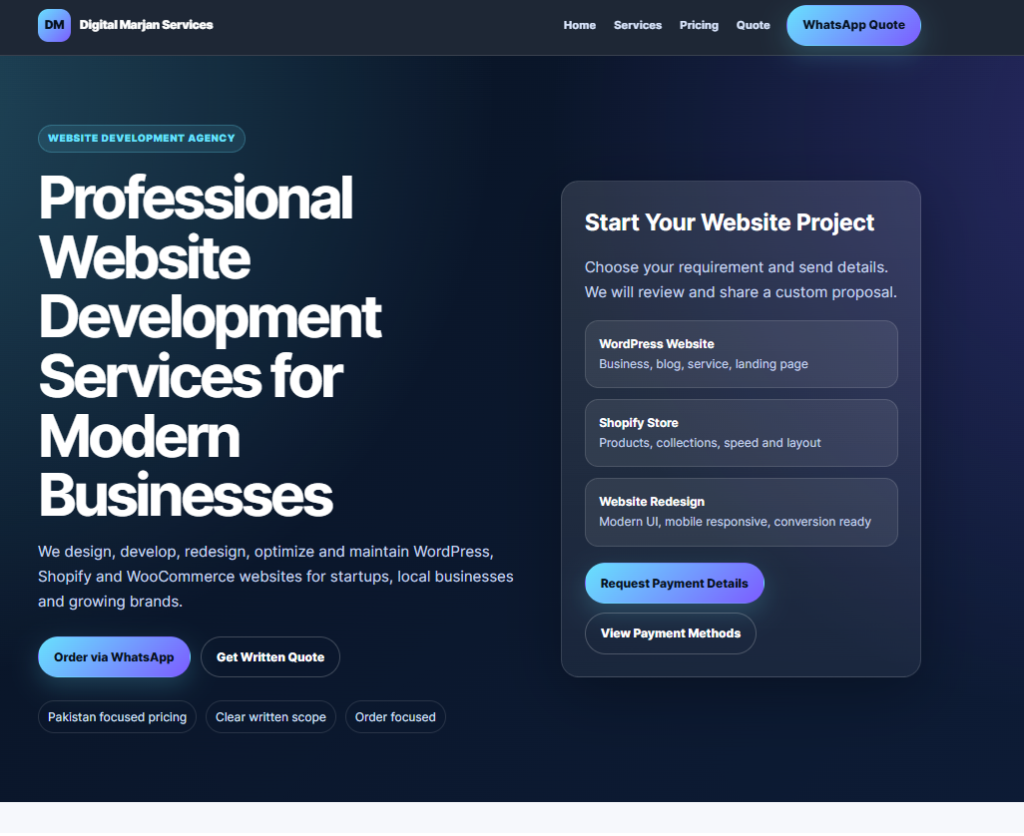
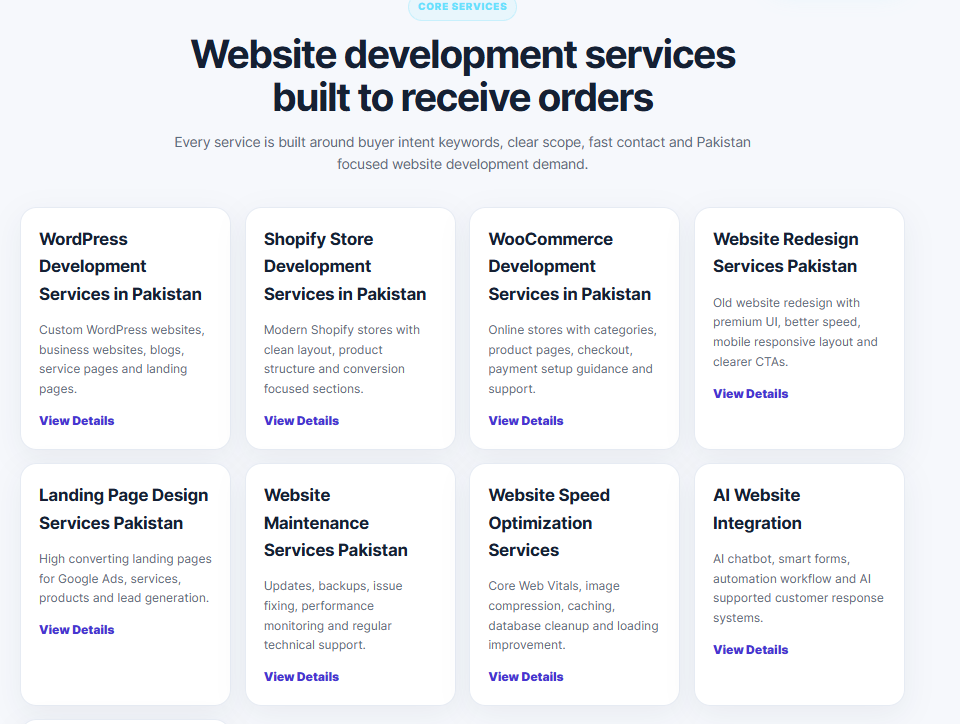
Real Website Development Projects and Platform Comparisons
Below are examples, screenshots, and practical observations from website development projects, demonstrating how different businesses benefit from WordPress and Shopify based on their specific goals and requirements.
Editorial Policy
Every article published on this website is created with the following principles:
- Accuracy and usefulness come first.
- Content is written for readers, not search engines.
- Recommendations are based on practical value.
- Strengths and weaknesses are presented honestly.
- No platform is promoted without considering alternatives.
- Content is regularly reviewed and updated when necessary.
The goal is to provide reliable, educational, and actionable information that helps readers make better decisions.
Affiliate Disclosure
Some articles on this website may contain affiliate links. This means that if you click on a recommended product or service and make a purchase, the website may earn a small commission at no additional cost to you.
Affiliate partnerships never influence editorial opinions, recommendations, rankings, or reviews. Products and services are only recommended when they are believed to provide genuine value to readers.
Your support helps maintain this website and allows us to continue producing free educational content.
Disclaimer
The information provided in this article is intended for educational and informational purposes only. While every effort is made to ensure accuracy, no guarantees are provided regarding completeness, reliability, or suitability for specific business situations.
Readers should conduct their own research and consult relevant professionals before making financial, legal, technical, or business decisions. Website platforms, pricing, features, and policies may change over time.
Recommended Schema Markup
Article Schema
Use Article Schema to help search engines understand the main content and improve visibility in search results.
FAQ Schema
Apply FAQ Schema to the Frequently Asked Questions section to increase eligibility for rich results and enhanced SERP visibility.
Breadcrumb Schema
Implement Breadcrumb Schema to improve navigation and help search engines understand page hierarchy.
Organization Schema
Use the Organization Schema to provide information about your business, brand, website, and contact details.
WebPage Schema
Apply WebPage Schema to strengthen page-level context and improve indexing.
Review Schema
Only use Review Schema if genuine reviews, ratings, or evaluations are included within the content.