Table of Contents
Choosing the right type of website depends on your goals, target audience, budget, and required features. A website designed to sell products needs different functionality from a portfolio, educational platform, business website, or online community.
There are many types of websites, and some overlap. For example, an e-commerce website may include a blog, while a SaaS website may combine product pages, customer dashboards, and a knowledge base.
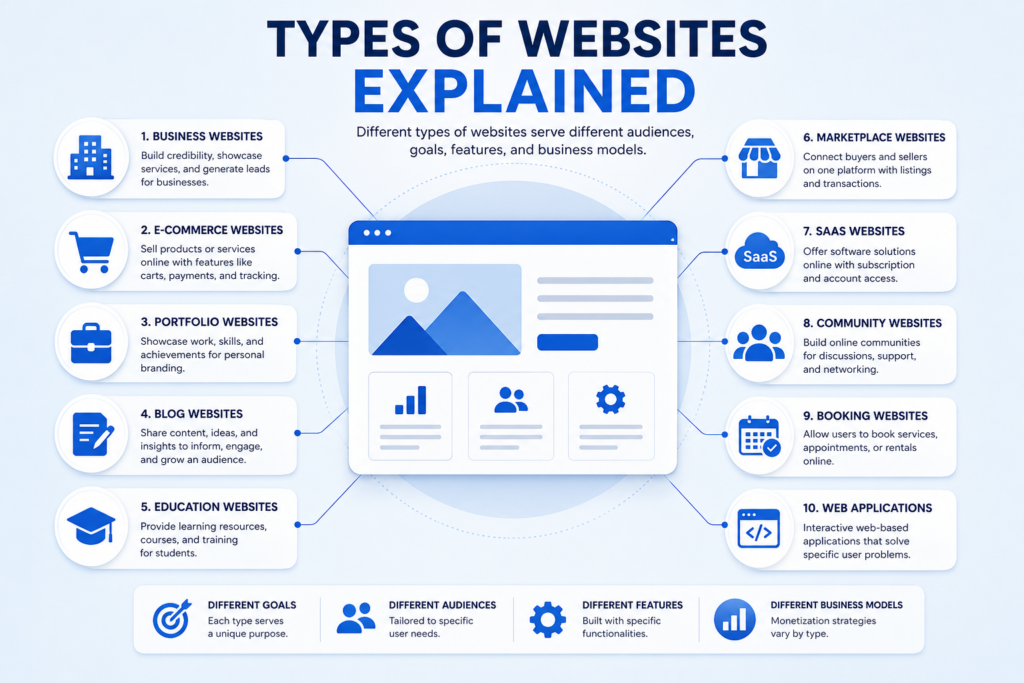
This guide explains 18 common types of websites, their purposes, features, real-world examples, and how to choose the right option for your project.
Quick Answer: What Are the Main Types of Websites?
The main types of websites include business websites, e-commerce websites, blogs, news websites, portfolio websites, personal websites, nonprofit websites, educational websites, knowledge bases, online marketplaces, directories, membership websites, SaaS websites, web applications, community forums, booking websites, landing pages, and entertainment websites.
Each type serves a different purpose. Some focus on providing information, others on selling products or services, and others on delivering interactive experiences.
Comparison of 18 Website Types
| Website Type | Primary Purpose | Common Features | Best For |
|---|---|---|---|
| Business website | Present a company and its services | Service pages, contact forms, testimonials | Businesses and service providers |
| E-commerce website | Sell products online | Product pages, cart, checkout | Online retailers |
| Blog | Publish articles and insights | Categories, author pages, archives | Writers and publishers |
| News website | Report current events | News categories, article feeds | News organizations |
| Portfolio website | Showcase work and skills | Project galleries, case studies | Designers and professionals |
| Personal website | Present an individual online | Biography, achievements, personal content | Individuals and professionals |
| Nonprofit website | Explain a cause and encourage support | Donation forms, impact reports | Charities and nonprofit organizations |
| Educational website | Deliver learning resources | Courses, lessons, quizzes | Schools and educators |
| Knowledge base | Answer questions and explain processes | Search, help articles, documentation | Businesses and software teams |
| Online marketplace | Connect buyers and sellers | Seller profiles, listings, reviews | Multi-vendor businesses |
| Directory website | Organize searchable listings | Filters, categories, business profiles | Local services and niche directories |
| Membership website | Provide restricted content or benefits | Member accounts, subscriptions | Communities and content creators |
| SaaS website | Promote online subscription software | Product pages, pricing, free trials | Software companies |
| Web application | Let users complete tasks online | Dashboards, forms, interactive tools | Online service platforms |
| Community or forum | Enable user discussions | Topics, profiles, replies | Interest groups and support communities |
| Booking website | Manage appointments or reservations | Availability, booking forms, confirmations | Appointment-based businesses |
| Landing page | Encourage one specific action | Focused message, benefits, call to action | Campaigns and lead generation |
| Entertainment website | Deliver entertainment and media | Videos, games, media libraries | Media and entertainment businesses |

Important: These categories are not mutually exclusive. A landing page is primarily a page format, while SaaS describes a software delivery model. One website can combine multiple types.
1. Business Website
A business website introduces a company, explains its services, and helps potential customers understand how to contact or work with it.
It acts as a central online destination where visitors can learn about a business, evaluate its credibility, and take the next step.
Common features
- Homepage explaining the business and its value proposition
- Dedicated service or product pages
- About page and company information
- Contact details and inquiry forms
- Genuine testimonials or case studies
- Clear calls to action
Real-world example: Apple demonstrates how a company website can present products, company information, support resources, and customer pathways.
Who should choose this type?: A business website is suitable for consultants, agencies, local service providers, printing businesses, repair services, and companies that need a professional online presence.
If you are planning a new business website, explore Marjan Web Studio’s website development services.
SEO tip: Create dedicated service pages when each service addresses a distinct user need. Include useful service details, accurate contact information, and clear next steps.
2. E-commerce Website
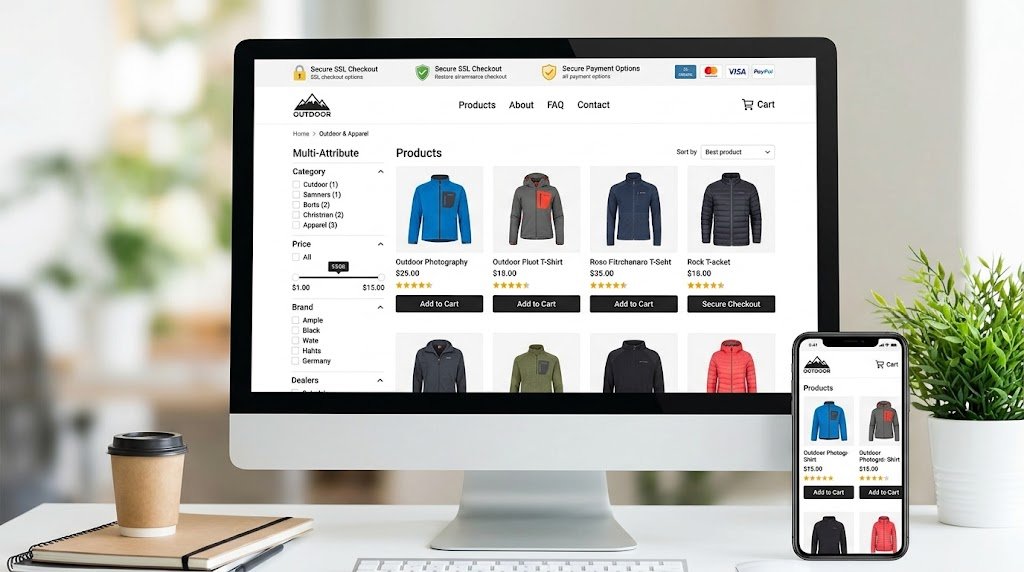
An e-commerce website enables customers to browse products and purchase them online. Products may include physical goods, digital downloads, or other purchasable items.
Common features
- Product listings and category pages
- Product descriptions, images, and prices
- Shopping cart and checkout
- Payment and delivery information
- Stock availability and order tracking
- Returns, refunds, and customer support policies
Real-world example: Shopify provides tools that businesses can use to create and manage online stores.
Who should choose this type?: Choose an e-commerce website if your main objective is to sell products directly to customers online.
Businesses planning an online store can review Marjan Web Studio’s e-commerce development services.
SEO tip: Write original product descriptions, keep product information accurate, and make shipping and return policies easy to find. Avoid creating large numbers of near-identical pages without meaningful value.
3. Blog Website
A blog publishes articles, opinions, tutorials, guides, and other written content. Posts are commonly organized by date, category, topic, or author.
A blog can operate independently or form part of a larger business website.
Common features
- Article pages
- Categories and tags
- Author information
- Search functionality
- Related articles
- Publication and update dates where appropriate
Real-world example: WordPress.com provides tools for creating blogs and publishing written content.
Who should choose this type?: A blog is useful for writers, educators, specialist publishers, businesses using content marketing, and individuals who want to share knowledge.
SEO tip: Build articles around real user questions. Answer the main question early, provide supporting details, and link to relevant resources and related pages on your website.
For foundational guidance, read Google’s SEO Starter Guide.
4. News Website
A news website publishes timely reporting, analysis, interviews, and updates about current events or a particular subject.
Unlike a typical blog, a news website often manages frequent publishing, multiple contributors, and a large archive of articles.
Common features
- News categories and topic pages
- Frequently updated article feeds
- Author and editorial information
- Publication dates
- Search and archive pages
- Clear corrections and editorial policies
Real-world example: BBC News is an example of a news website covering events across multiple topics and regions.
Who should choose this type?: This type is appropriate for news publishers, specialist media organizations, local reporting projects, and publications covering a particular industry or community.
SEO tip: Prioritize accurate reporting, original information, transparent authorship, and timely updates. Publishing quickly should not come at the expense of verification.
5. Portfolio Website
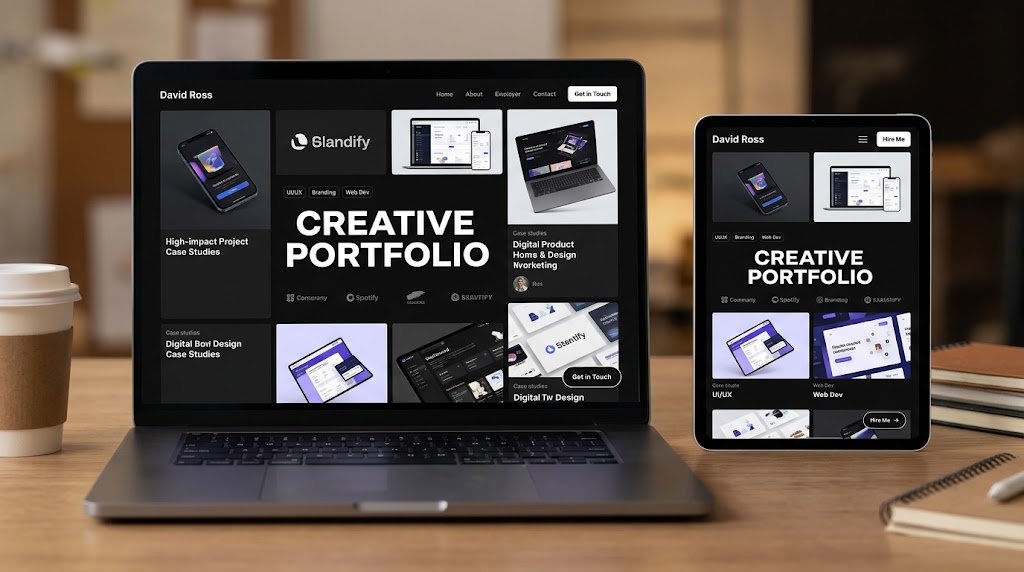
A portfolio website showcases work, skills, projects, and professional achievements. Its purpose is to help potential clients, employers, or collaborators evaluate someone’s capabilities.
Common features
- Project galleries
- Case studies and work samples
- Skills and service descriptions
- Professional biography
- Authentic client feedback
- Contact or inquiry form
Real-world example: Behance is a platform where creative professionals can present and discover portfolio projects.
Who should choose this type?: Portfolio websites are useful for graphic designers, photographers, developers, illustrators, writers, architects, and other professionals whose work can be demonstrated through examples.
SEO tip: Give projects descriptive titles and explain the problem, your contribution, and the outcome. Use meaningful alt text for informative images.
6. Personal Website
A personal website presents an individual’s identity, interests, professional background, achievements, or personal projects.

It differs from a portfolio because its scope may extend beyond showcasing completed work.
Common features
- Biography
- Personal projects or publications
- Professional background
- Contact information
- Relevant public profile links
- Optional blog or newsletter
Who should choose this type?: A personal website can suit students, independent professionals, researchers, writers, and individuals who want a central place for their online presence.
SEO tip: Use a clear site title, accurate biography, descriptive headings, and consistent information. Publish only personal details you are comfortable making public.
7. Nonprofit Website
A nonprofit website explains an organization’s mission, communicates its impact, and helps people participate through donations, volunteering, advocacy, or other forms of support.
Common features
- Mission and objectives
- Programs and initiatives
- Donation options
- Volunteer registration
- Impact reports
- Contact information and organizational transparency
Real-world example: Wikimedia Foundation presents its mission, activities, and ways people can support its work.
Who should choose this type?: This type is suitable for charities, community organizations, foundations, and other nonprofit initiatives.
SEO tip: Explain what the organization does, whom it serves, and how its work creates impact. Keep donation processes clear and provide accurate information about how contributions are used.
8. Educational Website
An educational website provides learning resources, lessons, courses, tutorials, assessments, or training materials.
Some educational websites publish free resources, while others sell courses or provide structured learning programs.
Common features
- Courses and lessons
- Learning materials and videos
- Quizzes and assessments
- Student accounts where necessary
- Progress tracking
- Instructor or institution information
Real-world example: Khan Academy offers educational resources across a range of subjects.
Who should choose this type?: Educational websites can serve schools, tutors, training companies, universities, independent instructors, and organizations that teach specialized skills.
SEO tip: Organize learning material into clear subject areas. Explain what learners will gain, identify prerequisites where relevant, and ensure public learning resources are accessible and useful.
9. Knowledge Base Website
A knowledge base is a structured collection of help articles, instructions, troubleshooting steps, and answers to frequently asked questions.
It is designed to help visitors find specific information efficiently, often without needing direct support.
Common features
- Searchable help articles
- Topic categories
- Step-by-step instructions
- Troubleshooting guides
- Related questions
- Version or update information where relevant
Real-world example: MDN Web Docs provides technical documentation and learning resources for web technologies.
Who should choose this type?: Knowledge bases are valuable for software companies, service providers, technical teams, educational projects, and businesses that receive recurring customer questions.
SEO tip: Give each article a specific title, put the solution near the beginning, and update instructions when a product or process changes.
10. Online Marketplace
An online marketplace connects multiple sellers with buyers through a shared platform. Unlike a conventional online store, a marketplace generally allows independent sellers or providers to offer their own listings.
Common features
- Seller or provider profiles
- Product or service listings
- Search and filtering
- Reviews and ratings
- Order or inquiry management
- Payment and dispute processes where supported
Real-world example: Etsy is an online marketplace known for handmade items, vintage products, and craft supplies.
Who should choose this type?: A marketplace may suit a business that wants to connect multiple vendors with customers in a particular product category, industry, or location.
SEO tip: Make listings genuinely useful and distinguishable. Manage duplicate URLs, low-value filtered pages, outdated listings, and thin seller profiles.
11. Directory Website
A directory website organizes businesses, professionals, organizations, places, or resources into searchable listings.
Directories may focus on a city, industry, professional category, or specialized subject.
Common features
- Searchable listings
- Categories and subcategories
- Location or service filters
- Listing details and contact information
- Submission or claim-a-listing process
- Verification and update procedures
Example use case: A local business directory could help visitors find printing services, restaurants, repair professionals, or other providers in a particular town.
Who should choose this type?: A directory can be suitable for local discovery platforms, professional associations, niche industry resources, and specialized listing businesses.
SEO tip: Avoid creating thousands of empty location or category pages. Each indexable listing should provide useful and accurate information.
12. Membership Website
A membership website provides selected content, tools, services, or community benefits to registered members. Access may be free, paid, or offered through different membership levels.
Common features
- Registration and sign-in
- Member profiles
- Restricted content
- Subscription or membership management
- Member-only resources
- Account and access controls
Real-world example: Patreon enables creators to offer membership-based support and benefits to their communities.
Who should choose this type?: Membership websites can work for professional communities, paid learning resources, creator memberships, specialist publications, and organizations that provide ongoing member benefits.
SEO tip: Decide which pages should be publicly accessible and which should require membership. Protect private member information.
13. SaaS Website
SaaS stands for Software as a Service. A SaaS website usually promotes software delivered over the internet, often through a recurring subscription or usage-based pricing model.
The public marketing website may also connect users to a separate application.
Common features
- Product and feature pages
- Pricing information
- Demonstrations or screenshots
- Free trial or sign-up options
- Customer support resources
- Security and integration information where relevant
Real-world example: Canva provides an online design platform and information about its tools and plans.
Who should choose this type?: A SaaS website is appropriate for companies offering online software for design, communication, analytics, accounting, project management, or other business and consumer needs.
SEO tip: Explain the problem the software solves, who it is for, and how its features work. Keep pricing and plan limitations accurate.
14. Web Application
A web application is an interactive application accessed through a web browser. Users do more than read information: they perform tasks, manipulate data, create content, or manage workflows.
A web application may be free, paid, subscription-based, or part of another business model.
Common features
- Interactive user interface
- User accounts where required
- Forms and data processing
- Dashboards and personalized views
- Data storage and retrieval
- Appropriate privacy and security controls
Real-world example: Google Docs allows users to create, edit, and collaborate on documents through a browser.
Who should choose this type?: A web application makes sense when the core purpose is to provide an interactive service, such as document editing, calculations, project tracking, data analysis, or customer portals.
SEO tip: Make public explanatory pages crawlable and useful. Do not assume that private dashboards or account-specific content should be indexed.
15. Community or Forum Website
A community website allows users to discuss topics, ask questions, exchange advice, and interact with other members. A forum is one common format for organizing those discussions.
Common features
- Topic categories
- Member profiles
- Discussion threads and replies
- Search functionality
- Moderation tools
- Reporting and community guidelines
Real-world example: Reddit hosts communities organized around different interests and discussions.
Who should choose this type?: Community websites are useful for interest groups, professional networks, customer communities, hobbyists, and support-oriented projects.
SEO tip: Encourage useful, original discussions and maintain clear moderation standards. Manage spam, abuse, duplicate discussions, and low-value pages.
16. Booking Website
A booking website allows visitors to schedule appointments, reserve services, or check availability. It may operate as a standalone website or as a feature within a business website.
Common features
- Service descriptions
- Availability calendar
- Appointment or reservation forms
- Confirmation messages
- Cancellation and rescheduling rules
- Contact and support information
Example use case: A consultant could use a booking website to let clients select an available appointment time. A hotel or activity provider could use a more complex reservation system.
Who should choose this type?: Booking websites are appropriate for consultants, clinics, salons, training providers, accommodation businesses, and other organizations that manage appointments or reservations.
SEO tip: Create clear service pages with accurate pricing, availability information where appropriate, and straightforward booking instructions. Make sure the booking process works on mobile devices.
17. Landing Page
A landing page is a focused page designed to encourage a particular action, such as requesting a quote, registering for an event, downloading a resource, or purchasing a product.
A landing page is a page format, not necessarily a separate website category. It may exist within a business website, e-commerce store, SaaS website, or marketing campaign.
Common features
- One clear objective
- A specific headline and value proposition
- Relevant benefits and supporting information
- A prominent call to action
- Trust signals that can be substantiated
- A short, relevant form when needed
Example use case: A printing business could create a landing page for business card printing, explain available options, and invite visitors to request a quote.
Who should choose this format?
Use a landing page when you want to focus attention on one campaign, offer, service, event, or conversion goal.
For businesses planning a focused campaign, Marjan Web Studio offers landing page and website development services.
SEO tip: Match the page content to the visitor’s intent. Avoid misleading claims, unnecessary forms, and repetitive pages that differ only by a keyword or location.
18. Entertainment Website
An entertainment website provides media or experiences intended to inform, engage, or entertain visitors. It may focus on video, music, games, reviews, or other digital content.
Common features
- Media libraries
- Video or audio players
- Search and browsing tools
- Categories and recommendations
- User accounts where needed
- Content licensing and accessibility controls
Real-world example: Netflix provides an online entertainment service centered on films and television programs.
Who should choose this type?: Entertainment websites can serve media companies, video publishers, game developers, reviewers, and other organizations producing or distributing entertainment content.
SEO tip: Give public content descriptive titles and useful context. Respect copyright, provide accurate metadata, and ensure important information is accessible.
Static vs. Dynamic Websites: What Is the Difference?
Website types describe a site’s purpose or functionality. Static and dynamic describe how content is delivered and updated.
| Feature | Static Website | Dynamic Website |
|---|---|---|
| Content delivery | Pages are generally served as prepared files | Pages or content can be generated using data and application logic |
| Typical uses | Simple informational sites, documentation, small portfolios | E-commerce, personalized dashboards, communities |
| Content updates | Often require editing and redeploying files or using a publishing system | May be updated through a CMS, database, or application interface |
| Interactivity | Can include client-side interactive features | Often supports data-driven or personalized interactions |
| Complexity | Can be relatively simple to host and maintain | Depends on the application, infrastructure, and features |
A static website can still include interactive features, and a dynamic website does not necessarily need to personalize every page. The right architecture depends on what the website must do.
For implementation guidance, explore Marjan Web Studio’s website development services.
Single-Page vs. Multi-Page Websites
A single-page website presents its main content on one page, often using sections and navigation links to move between them. A multi-page website distributes information across separate URLs.
A single-page format can work well for a simple event, personal profile, or focused campaign. A multi-page structure is often more suitable when a business offers several services, a publication has many articles, or a website needs distinct product and category pages.
Neither format is automatically better for SEO. The key question is whether the structure helps visitors find the information they need and allows important pages to be discovered and understood.
Informational vs. Transactional Websites
Websites can also be grouped by the main task they support.
Informational websites primarily help people learn or find answers. Blogs, educational websites, news publications, and knowledge bases often fall into this group.
Transactional websites help people complete actions such as buying products, booking appointments, subscribing to a service, or submitting an inquiry. E-commerce stores, booking platforms, and some SaaS websites often have transactional goals.
Many websites combine both. For example, an online store may publish buying guides to help customers research products before making a purchase.
How to Choose the Right Type of Website
Before choosing a platform, design, or development method, define what the website needs to achieve.
1. Identify your primary goal
Ask what a successful visit should accomplish. Do you want visitors to contact your business, buy a product, read an article, learn a skill, book an appointment, or use an online tool?
Start with the main objective rather than choosing a website type because it is popular.
2. Understand your target audience
Consider what your intended visitors need, what questions they ask, and how they prefer to complete tasks.
A website for local customers may need clear location and contact information. A software product may need feature explanations, demonstrations, documentation, and account access.
3. List the required features
Write down the functions the website must support.
For example, an online store may require product management, checkout, payment processing, and order tracking. A portfolio may need project galleries, case studies, and an inquiry form.
Separate essential features from optional improvements.
4. Set a realistic budget
Consider more than the initial development cost. Hosting, domain registration, maintenance, security, software subscriptions, payment fees, content production, and future updates can also affect the total cost.
Review the website development pricing and packages to understand the types of factors that can affect a project budget.
5. Evaluate content and maintenance needs
A site with frequent articles needs a manageable publishing workflow. A booking platform needs reliable scheduling. A marketplace needs a process for managing listings and sellers.
Think about who will update the site and how often those updates will happen.
6. Plan for growth
Choose a structure that can accommodate likely future requirements. You may need additional services, languages, product categories, integrations, or user accounts later.
However, avoid building complex features before there is a clear need for them.
7. Plan SEO and accessibility from the beginning
Use descriptive page titles, clear headings, logical navigation, useful internal links, accessible forms, readable content, and mobile-friendly layouts.
Review Google’s SEO Starter Guide for foundational recommendations.
For website crawlability, indexing, canonical URLs, and site architecture, see Marjan Web Studio’s technical SEO services.
Which Website Type Is Best for a Small Business?
The best option depends on the business model and the action you want customers to take.
| Business Goal | Suitable Website Type | Important Features |
|---|---|---|
| Promote local services | Business website | Service pages, location details, contact form |
| Sell products online | E-commerce website | Product catalog, checkout, delivery information |
| Generate inquiries for one offer | Landing page within a website | Clear offer, supporting evidence, inquiry form |
| Publish helpful articles | Blog or business website with a blog | Categories, useful articles, internal links |
| Accept appointments | Booking-enabled business website | Availability, booking form, confirmations |
| Showcase creative work | Portfolio website | Project samples, case studies, contact details |
| Offer online software | SaaS website and web application | Features, pricing, signup, documentation |
| Organize local service listings | Directory website | Search, filters, accurate listing information |
For many small service businesses, a well-organized business website is a sensible starting point. It can later include a blog, booking system, portfolio, or landing pages as the business grows.
A more complicated website is not automatically more effective. Prioritize the features that help your audience complete its main task.
Website Types and SEO: What Should You Prioritize?
SEO requirements vary according to the purpose and structure of the website. There is no single checklist that guarantees strong search performance for every type.
Content quality
Publish content that answers real questions and provides useful information. Add original insights, practical examples, relevant evidence, and clear explanations rather than rewriting competing pages without adding value.
Google explains its expectations in the guidance on creating helpful, reliable, people-first content.
Search intent
Understand what users are trying to accomplish when they search. Someone looking for a definition may need a concise explanation, while someone comparing website platforms may need features, limitations, and cost considerations.
Make sure the page delivers what its title promises.
Site structure
Organize pages logically. Use descriptive URLs, useful navigation, meaningful headings, and internal links that help visitors discover related information.
Do not create separate pages for every possible keyword variation when the content would be substantially the same.
Technical accessibility
Ensure that important pages can be crawled, load reliably, work on mobile devices, and are not accidentally blocked from indexing. Use appropriate canonical URLs and inspect important pages when troubleshooting indexing issues.
For technical checks, consult Google’s SEO documentation and Marjan Web Studio’s technical SEO services.
Images and media
Use relevant, appropriately sized images. Write descriptive alt text for informative images and use empty alt text for purely decorative images where appropriate.
Provide context for videos and other media when that improves accessibility and understanding.
Trust and transparency
Make authorship, business identity, contact details, and important policies clear where relevant. Support factual claims with reliable evidence and distinguish between verified results and illustrative examples.
AEO and GEO: How to Make Website Content Easier to Understand
AEO, or Answer Engine Optimization, and GEO, or Generative Engine Optimization, are terms used for improving how content can be understood and surfaced by answer systems and generative search experiences.
These labels do not replace foundational SEO. Clear information architecture, useful content, accessible pages, and accurate information remain important.
To make a website guide easier to interpret:
- Answer the main question near the beginning.
- Define specialized terms in plain language.
- Use descriptive headings that accurately reflect each section.
- Include comparison tables when they help readers evaluate options.
- Explain the conditions and limitations behind recommendations.
- Attribute important factual claims to reliable sources.
- Keep business details, product information, and author information accurate.
- Update content when meaningful changes make existing information outdated.
Google’s official guide explains how foundational SEO practices apply to generative AI features in Google Search.
There is no special wording, schema markup, or AI-specific file that guarantees inclusion in an AI-generated answer. Focus on creating content that is useful and understandable for people first.
Common Mistakes to Avoid When Building a Website
Choosing a format before defining the goal
A website should be designed around what visitors need to do, not just around a preferred theme or visual style.
Mixing unrelated content without clear organization
A website can cover several subjects, but visitors should understand the purpose of each section and how it relates to the main topic.
Publishing thin or repetitive pages
Pages that repeat the same information with minimal differences may provide little value. Create separate pages when they serve distinct user needs.
Ignoring mobile usability
Navigation, text, images, and forms should remain usable on smaller screens. Test important tasks on mobile devices rather than checking only the desktop layout.
Using misleading claims
Do not invent testimonials, customer numbers, awards, case studies, or performance results. Trust depends on accuracy and transparency.
Neglecting maintenance
Outdated prices, broken links, expired offers, inaccurate instructions, and insecure software can damage the visitor experience.
Treating SEO as a substitute for usefulness
Keywords, metadata, and structured data can help search engines interpret a page, but they cannot make an unhelpful page valuable. Prioritize the actual information and experience users need.
Frequently Asked Questions
What are the most common types of websites?
Common types include business websites, e-commerce stores, blogs, news websites, portfolio websites, educational websites, directories, marketplaces, membership websites, SaaS websites, and community forums. A website may combine several of these types.
Which type of website is best for beginners?
A simple business website, personal website, or portfolio can be a manageable starting point when the requirements are limited. The best option depends on the content you need to publish and the features you need to support.
What is the difference between a website and a web application?
A traditional informational website primarily presents content, although it may include interactive features. A web application focuses more heavily on letting users perform tasks, manipulate data, or complete workflows through a browser. The distinction is not absolute because modern websites often combine both functions.
Is a blog a type of website?
Yes. A blog is a website or website section designed primarily for publishing articles and other regularly updated written content. A business website can include a blog without becoming a blog website exclusively.
Is a landing page a type of website?
A landing page is more accurately described as a page format or a focused page within a website. It is generally designed to support one main action, such as requesting a quote, signing up, or making a purchase.
Can one website have multiple types?
Yes. A single website can combine a company homepage, online store, blog, portfolio, booking system, knowledge base, and other features. These categories describe different purposes and functions, not necessarily separate websites.
Which website type is best for making money?
There is no universally best option. E-commerce websites sell products, SaaS businesses sell access to software, membership websites offer restricted benefits, and blogs or media websites may generate revenue through advertising, sponsorships, or other business models. Results depend on demand, execution, costs, and the audience.
Do all websites need SEO?
Not every website has the same search visibility goals, but SEO is useful when people need to discover public pages through search engines. Websites may also attract visitors through direct traffic, referrals, email, social media, advertising, or existing customer relationships.
How many pages should a website have?
There is no universal ideal number. A small portfolio may need only a few pages, while a large publication or marketplace may need thousands. Each page should serve a clear purpose and provide enough value to justify its existence.
How can I choose the right website type for my business?
Start by identifying your target audience, primary business objective, required features, budget, content needs, and maintenance capacity. Then choose the simplest website structure that meets those requirements and can support realistic future growth.
Final Thoughts
The right website type is the one that helps your intended audience achieve its goal while supporting your own objectives. A business website can establish credibility, an e-commerce website can support online sales, a blog can provide useful information, and a web application can help users complete interactive tasks.
Before building a website, define its purpose, identify essential features, plan the content structure, and consider ongoing maintenance. You can combine different website types when there is a clear reason to do so.
Focus on usefulness, accuracy, accessibility, and a clear user experience. Those foundations provide a stronger starting point than choosing a website format solely for its popularity or perceived SEO advantage.
Further Reading and Official Resources
- Google SEO Starter Guide
- Google’s Creating Helpful, Reliable, People-First Content Guidance
- Google Search Guidance on Generative AI Features
- Google Search Documentation
For website owners, these resources explain foundational search optimization principles, helpful-content expectations, and ways to make websites easier for search engines to understand.