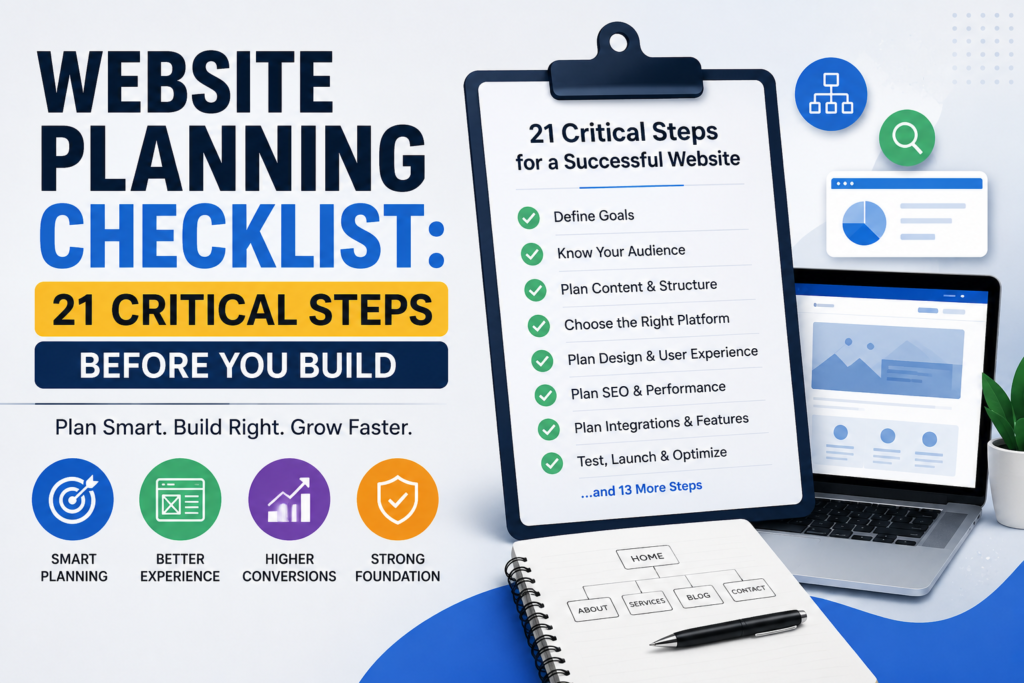
Table of Contents
Introduction:
A successful website does not begin with a colour palette, premium theme, or attractive homepage mock-up. It begins with clear decisions about the business, customers, content, functionality, and measurable results.
Without a structured website planning checklist, a business may invest in a website that looks professional but fails to explain its services, attract the right audience, or convert visitors into enquiries and customers.
Content may arrive late. Unnecessary features may consume the budget. Important pages may be forgotten. Search engine optimisation may be considered only after development. These problems frequently result in delays, repeated revisions and additional costs.
This guide provides a practical framework for planning a new website or redesign. It connects business strategy, audience research, content, user experience, search visibility, conversion planning, technology, accessibility, testing and long-term maintenance.
Google recommends creating reliable, people-first content that genuinely benefits visitors rather than content produced mainly to manipulate search rankings. Google also encourages publishers to make it clear who created the content, how it was created, and why it exists.
Quick Answer
A website planning checklist is a structured list of decisions and tasks that should be completed before a website is designed, developed, or redesigned.
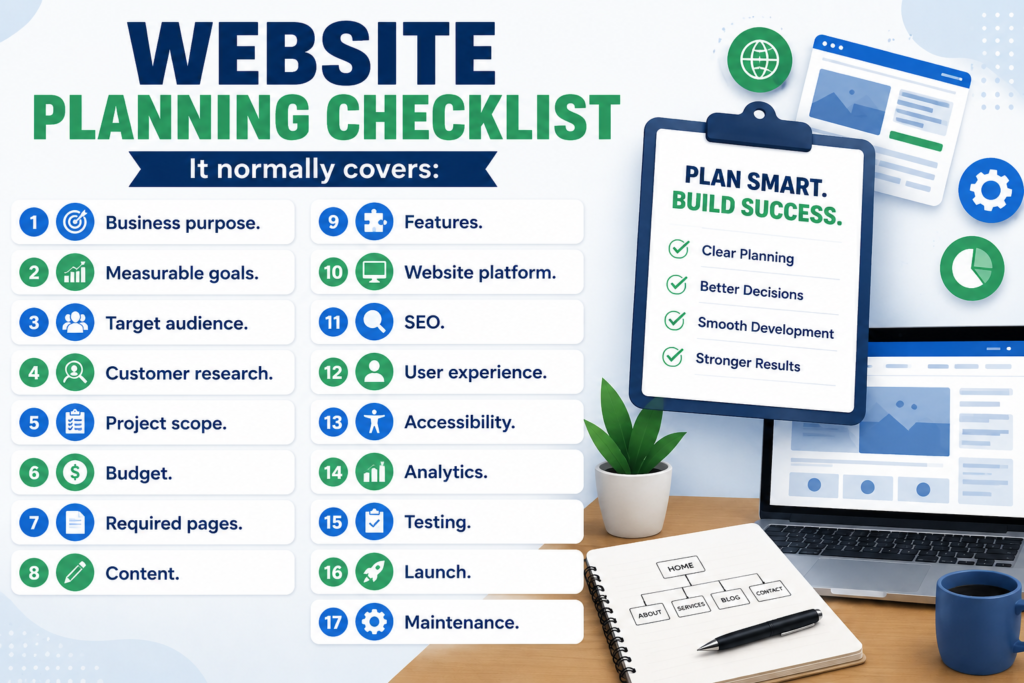
It normally covers:
- Business purpose.
- Measurable goals.
- Target audience.
- Customer research.
- Project scope.
- Budget.
- Required pages.
- Content.
- Features.
- Website platform.
- SEO.
- User experience.
- Accessibility.
- Analytics.
- Testing.
- Launch.
- Maintenance.
Planning these areas before development reduces uncertainty and gives the client, writer, designer, developer, and marketer one shared definition of the project.
Why Website Planning Matters
Many website problems begin before any code is written.
For example, a business may request a contact form without deciding which information its sales team needs. A service provider may build one general services page even though customers search for each service separately. An online store may choose a platform before defining payment, shipping, inventory, and return requirements.
Website planning connects these decisions.
It helps a business:
- Establish clear priorities.
- Control the budget.
- Reduce unnecessary revisions.
- Prepare content earlier.
- Select suitable technology.
- Create clearer customer journeys.
- Build SEO into the website structure.
- Set realistic responsibilities and deadlines.
- Define how success will be measured.
Planning does not guarantee rankings, traffic, or sales. Google does not guarantee that a compliant page will be crawled, indexed, or displayed in search results. However, a properly planned website is more likely to provide a useful, accessible, and technically sound experience.
New Website Versus Website Redesign
Before using the checklist, determine whether the project is a completely new website or a redesign.
A new website normally begins without existing pages, traffic data, or rankings. A redesign must protect valuable content, URLs, backlinks, user data, and existing search visibility.
| Planning Area | New Website | Website Redesign |
|---|---|---|
| Content inventory | Created from the beginning | Existing content must be audited |
| URL planning | New URLs are defined | Old URLs must be mapped |
| Redirects | Usually limited | Frequently essential |
| Analytics baseline | May not exist | Historical data should be retained |
| Search performance | No existing visibility | Rankings and traffic may be at risk |
| Content migration | Usually not required | Often required |
| Backlink protection | Limited concern | Important pages must be identified |
| Customer familiarity | New experience | Existing users may need continuity |
Google recommends carefully planning site moves involving URL changes. Redirects should guide users and search engines from old locations to their relevant new locations. Site migrations should also be monitored after launch.
Complete Website Planning Checklist
Define the Website’s Business Purpose
Begin by identifying why the website should exist.
“Every business needs a website” is not a sufficiently clear purpose. The project needs a specific business role.
Possible purposes include:
- Generating qualified enquiries.
- Selling products or digital services.
- Booking consultations or appointments.
- Presenting professional credentials.
- Explaining services.
- Supporting existing customers.
- Building an email audience.
- Publishing educational resources.
- Recruiting employees.
- Reducing repetitive support questions.
Write one primary purpose and no more than three secondary purposes.
Example
- Primary purpose: Generate consultation requests from small-business owners.
- Secondary purposes: Explain services, demonstrate expertise, and answer common customer questions.
Every important page, feature, and call to action should support one of these purposes.
Set Measurable Website Goals
Convert the website’s purpose into outcomes that can be monitored.
A goal such as “improve awareness” is difficult to evaluate. A more useful goal would be:
Increase relevant service-page visits and qualified contact-form submissions during the first six months after launch.
Use a goals and measurement table.
| Business Objective | Website Action | Measurement |
|---|---|---|
| Generate enquiries | Consultation form | Successful qualified submissions |
| Increase calls | Click-to-call button | Telephone link clicks |
| Generate WhatsApp leads | WhatsApp CTA | WhatsApp button clicks |
| Sell products | E-commerce checkout | Completed purchases |
| Build an email list | Subscription form | Confirmed subscriptions |
| Establish trust | Portfolio and author pages | Engagement and assisted conversions |
| Reduce support questions | FAQ or help centre | Reduced repetitive enquiries |
Avoid relying only on total traffic or page views. A smaller number of relevant visitors may produce more business value than a large volume of poorly matched traffic.
Identify the Target Audience
A website designed for everyone usually communicates clearly with no one.
Define the audience using factors that affect content, navigation, and functionality:
- Customer type.
- Industry.
- Location.
- Problem or need.
- Knowledge level.
- Buying motivation.
- Main concerns.
- Common objections.
- Decision criteria.
- Preferred communication method.
- Device and browsing behaviour.
A local customer may prioritise location, pricing, availability, and WhatsApp contact. A business client may need detailed processes, credentials, case studies, and formal quotation options.
Do not create decorative buyer personas filled with irrelevant information. Document only the characteristics that influence website decisions.
Research Customer Needs and Search Behaviour
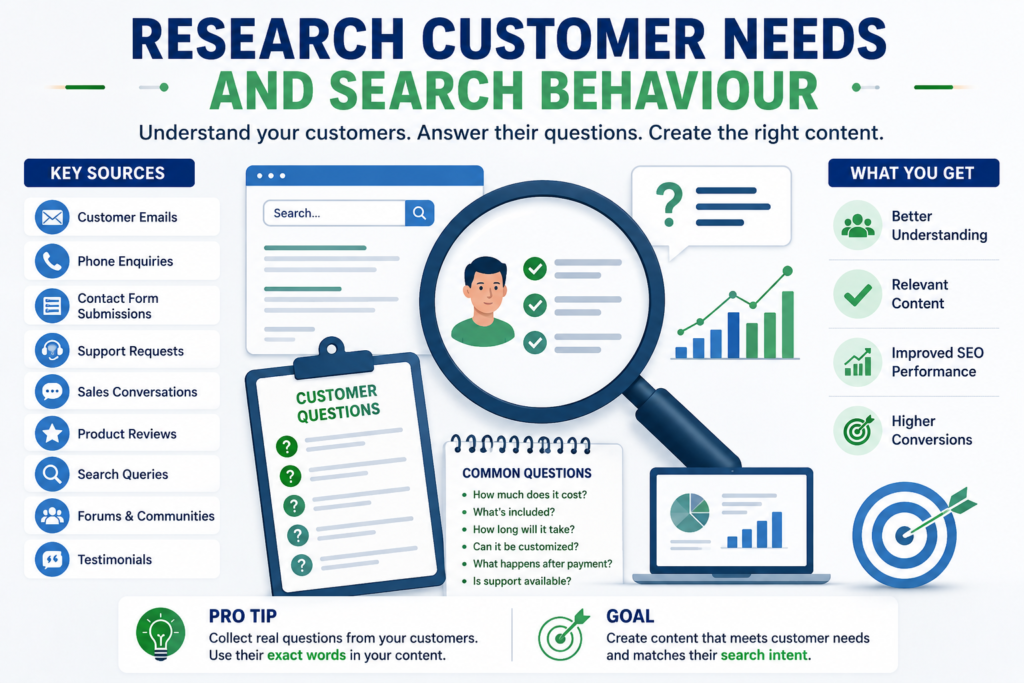
Customer research should guide the website’s wording and information structure.
Useful sources include:
- Customer emails.
- Telephone enquiries.
- Sales conversations.
- Contact-form messages.
- Support requests.
- Product reviews.
- Testimonials.
- Search queries.
- Competitor FAQs.
- Questions asked on relevant forums or communities.
Record the exact questions customers ask.
For example:
- How much does the service cost?
- What is included?
- How long will delivery take?
- Can the service be customised?
- What happens after payment?
- Is ongoing support available?
- Why should I trust this business?
These questions can be assigned to service pages, pricing sections, FAQ sections, comparison tables or supporting articles.
Analyse Competitors Without Copying Them
Competitor research helps identify common expectations and weak areas in the market.
Review relevant competing websites for:
- Page structure.
- Navigation.
- Service presentation.
- Product categories.
- Calls to action.
- Pricing information.
- Trust signals.
- Content depth.
- Frequently asked questions.
- Mobile experience.
- Page speed.
- Accessibility.
- Search visibility.
- Missing or unclear information.
Do not copy competitor text, layouts, or claims. Look for opportunities to explain the topic more clearly, provide better examples, reduce confusion, or answer important questions competitors ignore.
Competitor Gap Worksheet
| Competitor Element | What They Do Well | What Is Missing | Our Improvement |
|---|---|---|---|
| Service page | Clear service description | No process or timeline | Add process and delivery stages |
| Pricing | Starting price shown | Inclusions are unclear | Add package comparison |
| Contact | Several contact options | Form is too long | Use a shorter qualified form |
| Blog | Covers basic topics | Limited practical examples | Add original checklists |
| Trust | Testimonials displayed | No author or methodology | Add genuine author details |
Clarify the Value Proposition
A visitor should quickly understand:
- What the business provides.
- Who the service or product is for.
- Which problem it solves.
- What makes the offer relevant.
- What the visitor should do next.
Weak statement:
We provide innovative digital solutions.
Stronger statement:
We plan and develop practical WordPress websites for small businesses that need clearer services, stronger online visibility and more qualified customer enquiries.
Avoid unsupported claims such as “best,” “number one,” “guaranteed results,” or “world-leading” unless they can be independently verified.
Map the Customer Journey
Most visitors do not move directly from the homepage to a purchase.
A typical journey is:
Problem awareness → Research → Comparison → Trust evaluation → Decision → Enquiry or purchase
For each stage, identify:
- The visitor’s question.
- The content required.
- The appropriate page.
- The trust evidence needed.
- The next logical action.
| Customer Stage | Main Question | Suitable Content | Next Action |
|---|---|---|---|
| Awareness | What is causing my problem? | Educational article | Read related guide |
| Research | Which solution is suitable? | Service explanation | Compare options |
| Comparison | Why should I choose this provider? | Portfolio, process and proof | Review pricing |
| Decision | What does it cost and what happens next? | Package and FAQ information | Request a quotation |
| Action | How do I begin? | Contact or checkout page | Submit or purchase |
Each page should help visitors take one reasonable next step.
Define the Project Scope
Scope specifies what the website project includes and excludes.
Document:
- Number of pages.
- Number of unique page templates.
- Required features.
- Third-party integrations.
- Content responsibilities.
- Image and video responsibilities.
- Languages.
- Product or service entries.
- Migration requirements.
- Number of revisions.
- Testing responsibilities.
- Training.
- Launch support.
- Maintenance period.
Also document what is not included.
For example:
The project includes 10 business pages, one contact form and basic analytics setup. Product photography, advanced CRM automation and ongoing SEO are not included unless added through a written change request.
This reduces confusion and helps control scope creep.
Assign Responsibilities and Approval Authority
A project may stall even when everyone is working because nobody knows who can make the final decision.
Create a responsibility matrix.
| Task | Responsible Person | Reviewer | Final Approver |
|---|---|---|---|
| Website copy | Writer | Business owner | Project lead |
| Sitemap | Strategist | Developer | Project lead |
| Design | Designer | Business owner | Project lead |
| Development | Developer | Technical reviewer | Project lead |
| SEO review | SEO specialist | Writer | Project lead |
| Policies | Business or qualified adviser | Business owner | Business owner |
| Launch | Developer | Full team | Authorised owner |
Assign one primary project lead and one backup approver.
Establish a Realistic Budget
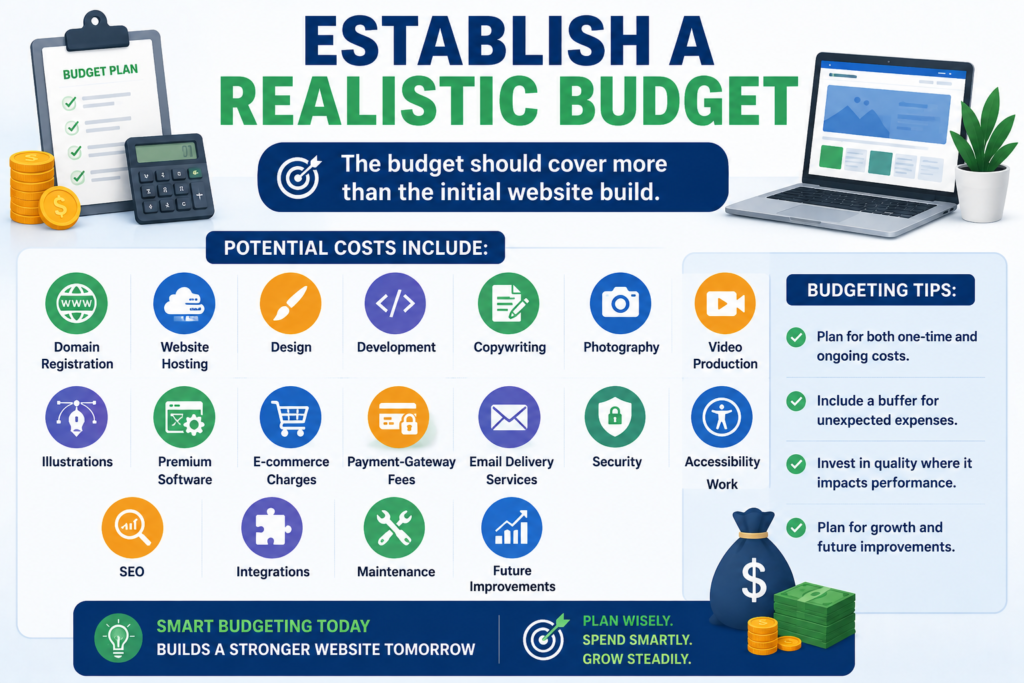
The budget should cover more than the initial website build.
Potential costs include:
- Domain registration.
- Website hosting.
- Design.
- Development.
- Copywriting.
- Photography.
- Video production.
- Illustrations.
- Premium software.
- E-commerce charges.
- Payment-gateway fees.
- Email delivery services.
- Security.
- Accessibility work.
- SEO.
- Integrations.
- Maintenance.
- Future improvements.
Divide requirements into three levels.
Must Have
Required for the website to perform its core function.
Should Have
Valuable, but the website could launch without it.
Could Have
Optional improvement that may be added after real user data is available.
| Requirement | Priority | Estimated Cost | Ongoing Cost | Decision |
|---|---|---|---|---|
| Mobile-responsive website | Must have | Project based | No separate cost | Include |
| Contact form | Must have | Low | Email service may apply | Include |
| Live chat | Should have | Medium | Monthly | Review |
| Advanced animation | Could have | Medium | Maintenance risk | Delay |
| CRM automation | Should have | High | Monthly | Phase two |
Choose the Correct Website Type
The website type influences its structure, content, and technical requirements.
Common types include:
- Service-business website.
- E-commerce store.
- Portfolio.
- Blog or publication.
- Membership website.
- Booking website.
- Educational platform.
- Directory.
- Nonprofit website.
- Web application.
A service website may require individual service pages, trust evidence, and lead forms.
An e-commerce website may require:
- Product variations.
- Inventory management.
- Payment processing.
- Shipping rules.
- Taxes.
- Customer accounts.
- Transactional emails.
- Returns.
- Product filters.
A membership website may require user roles, subscriptions, protected content, and account recovery. Select the website type before comparing platforms or themes.
Prioritise Features and Integrations
Create a feature register.
Possible requirements include:
- Contact form.
- Online booking.
- E-commerce.
- Payment gateway.
- Customer accounts.
- Live chat.
- WhatsApp contact.
- Internal search.
- Product filters.
- Multiple languages.
- CRM integration.
- Email marketing.
- Maps.
- Reviews.
- File uploads.
- Learning management.
- Membership access.
For each feature, answer:
- Which user problem does it solve?
- Which business goal does it support?
- Is it required for launch?
- Who will manage it?
- Does it collect personal data?
- What happens if it fails?
- What does it cost to maintain?
A feature without a defined purpose can increase cost, security exposure, and maintenance without improving the customer experience.
Choose the Platform After Defining Requirements
Do not select WordPress, Shopify, Webflow, or another system only because it is popular.
Compare platforms according to:
- Required functionality.
- Ease of content management.
- Scalability.
- Performance.
- Security.
- Integration options.
- Accessibility capabilities.
- SEO controls.
- Ownership and portability.
- Developer availability.
- Initial cost.
- Recurring cost.
- Backup and recovery options.
- Multilingual requirements.
A simple service website and a large marketplace have very different needs.
Website Ownership Checklist
Confirm who owns and controls:
- Domain name.
- Domain registrar account.
- Hosting account.
- DNS settings.
- Content-management account.
- Premium licences.
- Business email.
- Analytics.
- Search Console.
- Advertising accounts.
- Payment-gateway account.
- Website files and database.
Use a business-controlled email address wherever possible. Do not allow essential accounts to remain permanently controlled by an unrelated developer or temporary employee.
Create the Sitemap
A sitemap shows the planned hierarchy of pages.
Example Service-Business Sitemap
- Home
- About
- Services
- Website Planning
- WordPress Development
- Ecommerce Development
- SEO Services
- Portfolio or Case Studies
- Pricing
- Resources or Blog
- Frequently Asked Questions
- Contact
- Privacy Policy
- Terms and Conditions
Create pages according to distinct customer needs and topics. Do not create dozens of thin pages merely to target keyword variations.
Google’s spam policies warn against scaled content created primarily to manipulate search rankings and without adding meaningful value for users.
Design Clear Navigation and Information Architecture
Navigation should help users predict where each link will take them.
Prefer clear labels such as:
- Services.
- Pricing.
- Portfolio.
- About.
- Resources.
- Contact.
Avoid vague labels such as “Discover,” “Explore,” or “Solutions” when a clearer label is available.
Plan:
- Desktop navigation.
- Mobile navigation.
- Footer navigation.
- Breadcrumbs.
- Contextual internal links.
- Search functionality where necessary.
Simple Navigation Test
Ask someone unfamiliar with the project to:
- Find a specific service.
- Locate pricing information.
- Identify who provides the service.
- Find a way to contact the business.
- Return to the previous section.
If these tasks are difficult, the navigation requires improvement.
Create a Content Inventory and Production Plan
Content is frequently the largest source of website delays.
Create a content matrix before detailed design begins.
| Page | Purpose | Target Reader | Main Question | Content Owner | Reviewer | Deadline |
|---|---|---|---|---|---|---|
| Home | Introduce the business | New visitor | What does this business offer? | Writer | Owner | Date |
| Service page | Explain service | Potential client | Is this suitable for me? | Writer | Specialist | Date |
| About | Establish trust | Evaluating visitor | Who is behind the business? | Owner | Editor | Date |
| Contact | Generate enquiry | Ready prospect | How do I begin? | Writer | Owner | Date |
Gather:
- Business description.
- Service details.
- Product data.
- Author biography.
- Professional credentials.
- Real photographs.
- Videos.
- Policies.
- Genuine testimonials.
- Case studies.
- Brand assets.
- Contact information.
Never publish invented testimonials, fictional business results, fake credentials, or unsupported statistics.
Content Governance
Content planning should continue after publication.
Assign:
- Content owner.
- Subject reviewer.
- Review frequency.
- Last-reviewed date.
- Update trigger.
- Archive criteria.
A pricing page may need review whenever packages change. A legal page may require specialist review. An instructional article may need updating when software, standards, or official guidance changes.
Plan SEO Before Development
SEO should influence the website structure, content, and technical implementation.
Plan:
- Search intent.
- Keyword-to-page mapping.
- Topic clusters.
- Page titles.
- Meta descriptions.
- Heading hierarchy.
- URL structure.
- Internal links.
- Image requirements.
- Canonical handling.
- Indexation controls.
- XML sitemap.
- Redirects.
- Structured data.
- Local search requirements.
- Search Console verification.
Assign one primary purpose to each major page. Avoid creating several near-identical pages targeting minor keyword variations.
Google’s SEO Starter Guide recommends making websites easier for search engines to crawl, index and understand while prioritising useful experiences for people.
Keyword-to-Page Example
| Page | Primary Topic | Search Intent | Supporting Topics |
|---|---|---|---|
| Website Planning | Website planning services | Commercial | Sitemap, scope and content |
| WordPress Development | WordPress website development | Commercial | Themes, performance and security |
| Website Planning Checklist | Website planning checklist | Informational | Budget, pages and launch |
| Website Launch Checklist | Website launch checklist | Informational | Testing and indexing |
Plan Conversion Paths and Forms
A visitor should not reach the end of an important page without knowing what to do next.
Possible actions include:
- Request a quotation.
- Book a consultation.
- Purchase a product.
- Send a WhatsApp message.
- Call the business.
- Download a resource.
- Subscribe.
- View relevant work.
Map the complete conversion journey:
Traffic source → Landing page → Useful information → Trust evidence → Call to action → Form or checkout → Confirmation → Follow-up
Form Planning Checklist
Determine:
- Which information is essential.
- Which fields are optional.
- Where submissions are delivered.
- Who responds.
- Expected response time.
- What confirmation is displayed.
- What happens if email delivery fails.
- How personal information is protected.
Do not ask for information that is unnecessary for the visitor’s request.
Define Technical, Performance and Accessibility Requirements
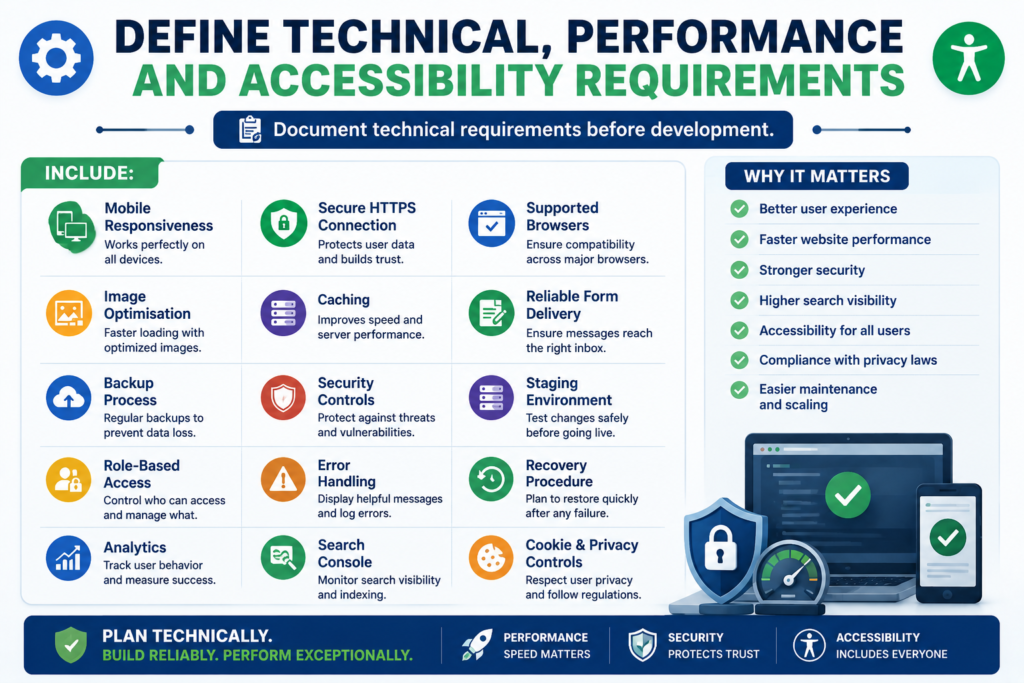
Document technical requirements before development.
Include:
- Mobile responsiveness.
- Secure HTTPS connection.
- Supported browsers.
- Image optimisation.
- Caching.
- Reliable form delivery.
- Backup process.
- Security controls.
- Staging environment.
- Role-based access.
- Error handling.
- Recovery procedure.
- Analytics.
- Search Console.
- Cookie and privacy controls.
Performance should be considered during design. Large videos, unnecessary scripts, excessive animation and oversized images can slow the experience.
Accessibility Target
Use WCAG 2.2 Level AA as a practical accessibility target where appropriate, while also checking the legal requirements that apply to the organisation and audience.
W3C encourages using the latest version of WCAG. WCAG 2.2 includes additional success criteria related to areas such as focus visibility, target size and accessible authentication.
Plan for:
- Keyboard navigation.
- Visible focus indicators.
- Sufficient colour contrast.
- Descriptive headings.
- Proper form labels.
- Meaningful alternative text.
- Captions or transcripts where required.
- Clear error messages.
- Accessible authentication.
- Adequate interactive target sizes.
- Reduced unnecessary motion.
- Focus that is not hidden by overlays.
- Meaningful link text.
- Correct page-language declaration.
- Accessible modal windows.
Automated accessibility tools can identify some issues, but manual keyboard testing and human review remain important.
Create a Redesign and Migration Plan
This step is essential when replacing an existing website.
Before redesigning, inventory:
- Existing URLs.
- Organic landing pages.
- High-traffic pages.
- Pages with backlinks.
- Indexed pages.
- Images and downloadable files.
- Metadata.
- Forms.
- Structured data.
- User accounts.
- Analytics tracking.
Create a URL mapping document.
| Existing URL | New URL | Action |
|---|---|---|
| Old service page | Relevant new service page | Permanent redirect |
| Duplicate page | Primary equivalent | Consolidate and redirect |
| Obsolete page with no replacement | Appropriate parent or genuine removal | Review individually |
| Unchanged page | Same URL | Retain |
Do not redirect every old URL automatically to the homepage. Redirect each valuable old URL to the most relevant new destination.
Google explains that permanent redirects signal that a resource has moved to a new location. Google also provides specific guidance for site moves involving URL changes and recommends monitoring migrations carefully.
Migration testing should include:
- Redirect chains.
- Redirect loops.
- Broken links.
- Canonical tags.
- Robots directives.
- XML sitemap.
- Analytics.
- Search Console.
- Important metadata.
- Internal links.
- Form submissions.
- Changes in traffic and indexing.
Prepare Testing, Launch and Maintenance Plans
A website is not ready merely because its pages are visible.
Functional Testing
Test:
- Navigation.
- Forms.
- Buttons.
- Links.
- Search.
- Booking.
- Checkout.
- Payments.
- Transactional emails.
- Account functions.
- File uploads.
- Error messages.
Content and SEO Testing
Check:
- Page titles.
- Meta descriptions.
- H1 headings.
- Image alternative text.
- Internal links.
- Canonical tags.
- Indexation directives.
- Redirects.
- XML sitemap.
- Structured data.
- Broken pages.
Experience Testing
Check:
- Mobile layouts.
- Keyboard operation.
- Browser compatibility.
- Readability.
- Contrast.
- Focus visibility.
- Form completion.
- Page loading.
- Clear calls to action.
Analytics Testing
Confirm that meaningful events are recorded.
| Business Goal | Recommended Event |
|---|---|
| Generate leads | Successful form submission |
| Increase telephone enquiries | Click-to-call |
| Generate WhatsApp enquiries | WhatsApp CTA click |
| Sell products | Completed purchase |
| Build email list | Confirmed subscription |
| Generate bookings | Booking confirmation |
| Promote downloads | Completed file download |
Search Console can help website owners understand how Google crawls, indexes, and serves their pages and monitor search performance after launch.
Maintenance Schedule
Monthly
- Test important forms.
- Install verified updates.
- Review backups and security.
- Check major conversion events.
- Fix urgent broken links.
Quarterly
- Review important service and product content.
- Check search performance.
- Review conversion paths.
- Test website speed.
- Review accessibility problems.
Annually
- Review business goals.
- Reassess the sitemap.
- Review policies.
- Audit technology and licences.
- Update author and business information.
- Review old content for updating, consolidation or removal.
Website Project Risk Register
A professional website plan should anticipate common problems.
| Risk | Likelihood | Potential Impact | Mitigation |
|---|---|---|---|
| Content is delivered late | High | Launch delay | Assign owners and deadlines |
| Scope keeps expanding | High | Budget and timeline increase | Written change-control process |
| Decision-maker is unavailable | Medium | Approval delays | Assign backup authority |
| Important URLs are removed | Medium | Traffic loss | Complete URL inventory and mapping |
| Form email fails | Medium | Lost enquiries | Configure logging and backup delivery |
| Integration fails | Medium | Broken customer journey | Test fallback procedure |
| Credentials remain with developer | Medium | Ownership dispute | Use business-controlled accounts |
| Website is launched with noindex | Low | Pages remain excluded | Pre-launch indexation check |
| Tracking is incomplete | Medium | Poor decision-making | Create measurement plan before launch |
| Maintenance is ignored | High | Security and content problems | Assign maintenance responsibility |
Common Website Planning Mistakes
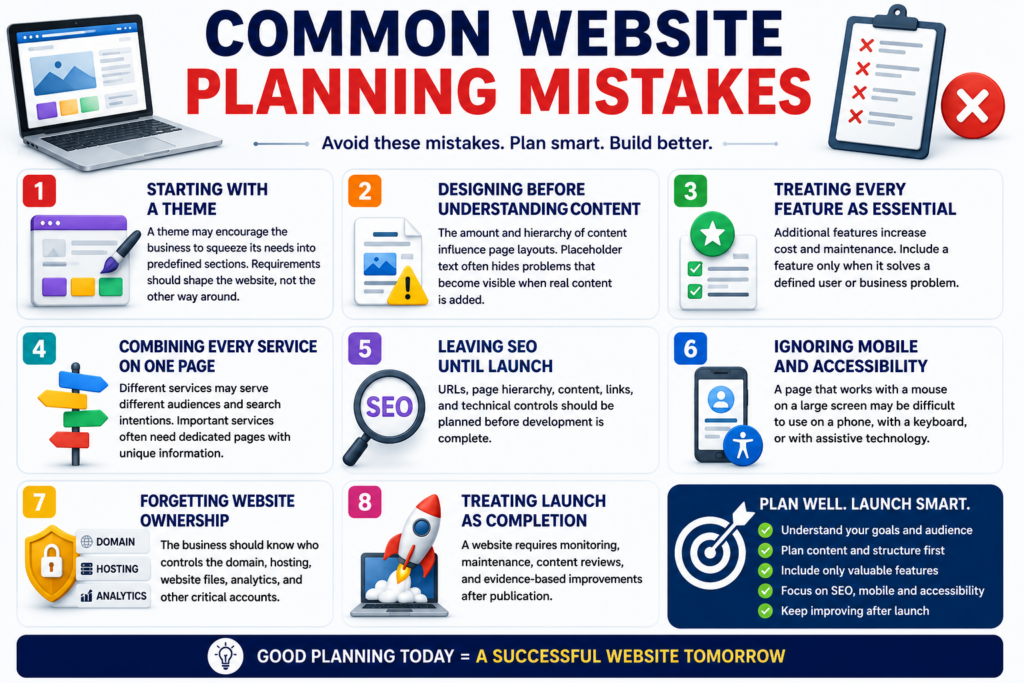
Starting With a Theme
A theme may encourage the business to squeeze its needs into predefined sections. Requirements should shape the website, not the other way around.
Designing Before Understanding Content
The amount and hierarchy of content influence page layouts. Placeholder text often hides problems that become visible when real content is added.
Treating Every Feature as Essential
Additional features increase cost and maintenance. Include a feature only when it solves a defined user or business problem.
Combining Every Service on One Page
Different services may serve different audiences and search intentions. Important services often need dedicated pages with unique information.
Leaving SEO Until Launch
URLs, page hierarchy, content, links, and technical controls should be planned before development is complete.
Ignoring Mobile and Accessibility
A page that works with a mouse on a large screen may be difficult to use on a phone, with a keyboard, or with assistive technology.
Forgetting Website Ownership
The business should know who controls the domain, hosting, website files, analytics and other critical accounts.
Treating Launch as Completion
A website requires monitoring, maintenance, content review and evidence-based improvements after publication.
Myths Versus Reality
| Myth | Reality |
|---|---|
| A beautiful website automatically generates sales | Design must support useful content, trust and clear actions |
| More pages always improve SEO | Every page needs distinct intent and meaningful value |
| SEO can be added after development | Structure and technical decisions affect SEO from the beginning |
| The developer automatically creates all content | Content responsibilities must be agreed in writing |
| Every business needs advanced features | Features should solve defined problems |
| AI-written content is automatically penalised | Usefulness, originality, accuracy and purpose matter more than the production method. |
| Schema guarantees rich results | Structured data creates eligibility only where Google supports the feature |
| Launch finishes the project | The website needs continued maintenance and improvement |
Google’s current guidance states that generative AI may help with research and structure, but mass-producing pages without adding value can violate its scaled-content policies. Google’s guidance for AI search experiences continues to emphasise strong technical foundations and unique, expert-led, people-first content rather than a separate set of special optimisation tricks.
DIY Versus Professional Website Planning
| Consideration | DIY Planning | Professional Planning |
|---|---|---|
| Initial cost | Usually lower | Higher |
| Time requirement | High | Shared with specialist |
| Technical research | Owner’s responsibility | Specialist guidance |
| Documentation | May be informal | Usually structured |
| Migration risk | Higher without experience | More controlled |
| Best for | Simple, low-risk websites | Complex or revenue-critical projects |
| Ongoing ownership | Entirely with owner | Must still be clearly assigned |
DIY planning may be suitable for a small informational website with limited functionality.
Professional planning is more valuable when the website involves:
- E-commerce.
- Custom functionality.
- Existing search traffic.
- Website migration.
- Several decision-makers.
- Sensitive customer information.
- Multiple languages.
- Complex integrations.
- Significant dependence on online leads or sales.
Final Website Planning Checklist
Before approving design or development, confirm that you have:
- Defined the primary business purpose.
- Set measurable goals.
- Identified the target audience.
- Researched customer questions.
- Reviewed relevant competitors.
- Clarified the value proposition.
- Mapped the customer journey.
- Defined the project scope.
- Assigned responsibilities.
- Named the final approver.
- Established the budget.
- Prioritised features.
- Selected an appropriate website type.
- Compared suitable platforms.
- Confirmed ownership of essential accounts.
- Created the sitemap.
- Planned desktop and mobile navigation.
- Prepared a content inventory.
- Assigned content owners and reviewers.
- Mapped keywords and search intent to pages.
- Planned conversion paths.
- Defined technical requirements.
- Set an accessibility target.
- Planned privacy and data handling.
- Created a migration plan where required.
- Created a URL redirect map.
- Defined analytics events.
- Prepared the testing checklist.
- Assigned launch approval.
- Assigned post-launch maintenance.
Frequently Asked Questions
What is a website planning checklist?
A website planning checklist is a structured record of the business, audience, content, design, SEO, technical, testing and maintenance decisions required before a website is built or redesigned.
Why should I plan a website before choosing a design?
The website’s goals, users, content, and functionality determine which layout and technology are appropriate. Selecting a design first can force important requirements into an unsuitable structure.
What should I prepare before hiring a website developer?
Prepare your business goals, target audience, required pages, desired features, existing content, examples, budget range, timeline, and list of decision-makers.
How long does website planning take?
The required time depends on complexity. A small informational website may need a relatively short discovery process. E-commerce, migration, multilingual, and custom projects usually require more research and documentation.
Which pages should a small-business website include?
Common pages include Home, About, Services or Products, Contact, Privacy Policy, and Terms. Depending on customer needs, the website may also require pricing, case studies, FAQs, location pages, and educational resources.
Should content be written before website design?
At minimum, the content hierarchy, section requirements, and approximate content volume should be known before detailed design. Priority-page content should be prepared early enough to guide layouts.
Should SEO be planned before development?
Yes. Search intent, page structure, URLs, internal links, metadata, indexing controls and migration requirements should be planned before development is complete.
What is a website sitemap?
A sitemap is an organised representation of the website’s pages and hierarchy. It helps teams plan navigation, content relationships and user journeys.
What is scope creep?
Scope creep occurs when pages, features, revisions or responsibilities are added without formally adjusting the budget, resources or timeline.
How do I decide which features are necessary?
Connect every feature to a specific customer need or business objective. Then classify it as a must-have, should-have or optional requirement.
How should I choose a website platform?
Compare platforms according to functionality, ownership, security, scalability, editing, integrations, accessibility, performance, SEO controls and total cost.
What is information architecture?
Information architecture is the organisation, naming and relationship of website content so that users can locate and understand information efficiently.
How should I plan calls to action?
Choose one primary action for each important page. Add secondary actions only where they support visitors who are at a different decision stage.
What should be tested before launch?
Test navigation, links, forms, mobile layouts, browsers, accessibility, payments, emails, analytics, metadata, redirects, security, backups and search-engine access.
Does schema markup guarantee rich results?
No. Structured data can help search engines understand page content and may make a page eligible for supported search features, but it does not guarantee that a rich result will appear.
Should I use FAQ schema on this article?
Keep the visible FAQs because they help readers. Do not add FAQ structured data merely because the article contains questions. Google currently limits FAQ rich-result eligibility, and an ordinary commercial website should not expect that markup to produce an FAQ rich result. Check Google’s current Search Gallery before implementation.
Should I use HowTo schema?
Do not treat HowTo markup as a current Google rich-result strategy for this article. The numbered structure can still help readers without relying on HowTo structured data.
What happens after a website launches?
The website should be monitored, maintained,d and improved using customer feedback, analytics, conversion data, search performance, and regular technical reviews.
Need Help Planning Your Website?
A clear website plan can prevent missing content, unnecessary features, confusing navigation, and costly revisions during development.
Marjan Services can help organise your website goals, required pages, content responsibilities, SEO structure, features, and conversion paths before design begins.
The purpose is not to add unnecessary functionality. It is to create a practical project plan based on your business, customers, and available budget.
About the Author
Syed Abdul Quddus is the founder of this agency. His work covers website planning, WordPress content management, search optimisation, digital services and business-focused website improvement.
He develops practical resources designed to help business owners organise their website structure, content, services and customer contact paths more clearly.
This guide was prepared to help businesses make essential strategic, content and technical decisions before investing in website design or development.
Published: 12 July 2026
Last reviewed: 21 Sep 2026
Editorial note: Google documentation, accessibility standards, platform requirements and structured-data recommendations should be reviewed whenever this article receives a material update.
Final Conclusion
A successful website is not created by combining a theme, several pages and attractive images. It is created through a connected planning process.
A complete website planning checklist defines why the website exists, whom it serves, what it must communicate, how visitors will move through it, which technology it requires and how performance will be measured.
Start with the business purpose. Research the audience. Document scope and ownership. Plan content, structure, SEO and conversion paths. Select technology after understanding requirements. Then test, launch, monitor and improve the website using real evidence.
The strongest website plan is not necessarily the longest or most complicated. It is the plan that gives every important decision a purpose, an owner, a deadline and a measurable outcome.
Contextual Internal Links
- Website type selection section
Before selecting a platform or design direction, compare the different types of websites and choose a structure that matches your business model, audience, functionality, and long-term growth plans. - Project scope and development section
Businesses that need professional implementation can explore our website development services for WordPress, business, corporate, landing-page, and custom website projects. - Budget planning section
Project budgets vary according to page count, functionality, integrations, design complexity, content requirements, and technical scope. Review our website development cost in Pakistan guide for a more detailed cost-planning framework. - Domain planning section
Domain ownership, renewal terms, naming, extensions, DNS, and brand protection should be considered before development begins. Read the Complete Domain Name Guide for detailed planning guidance. - SEO planning section
Website planning should include crawlability, indexability, URL structure, internal linking, canonicals, structured data, performance, and sitemap requirements. Our Technical SEO Guide 2026 explains these foundations in detail. - Search monitoring section
After launch, use Google Search Console to monitor indexing, search queries, crawl issues, sitemaps, and organic performance. See the Google Search Console Guide for a complete implementation and monitoring workflow. - Risk and mistake prevention section
Planning also means identifying avoidable problems before they become expensive. Review the 25 website mistakes to avoid for common strategy, usability, SEO, performance, trust, and conversion problems. - Post-launch planning section
A website requires ongoing security, backup, performance, SEO, content, analytics, and functionality checks after launch. Use the Website Maintenance Guide 2026–2027 to build a practical maintenance schedule. - Security requirements section
If the project requires WordPress hardening, malware cleanup, backup planning, or recovery preparation, review the available Website Security Services. - Budget and package comparison section
Businesses preparing a budget can compare current website development packages and starting prices.
Recommended External References
- Google Search Essentials
https://developers.google.com/search/docs/essentials - Google SEO Starter Guide
https://developers.google.com/search/docs/fundamentals/seo-starter-guide - How Google Search Works
https://developers.google.com/search/docs/fundamentals/how-search-works - Google SEO Guide for Web Developers
https://developers.google.com/search/docs/fundamentals/get-started-developers - Core Web Vitals
https://web.dev/articles/vitals - WCAG 2 Accessibility Guidelines
https://www.w3.org/WAI/standards-guidelines/wcag/ - OWASP Top 10 Web Application Security Risks
https://top10.owasp.org/2025/ - WordPress Security Hardening Guide
https://developer.wordpress.org/advanced-administration/security/hardening/ - ICANN Information for Domain Name Registrants
https://www.icann.org/registrants - ICANN Domain Name Registration Process
https://www.icann.org/resources/pages/domain-name-registration-process-2023-11-02-en - Google Analytics 4 Setup Guide
https://support.google.com/analytics/answer/14183469 - Schema.org Structured Data Vocabulary
https://schema.org/ - MDN Web Docs
https://developer.mozilla.org/ - W3C Web Standards
https://www.w3.org/ - Google Search Central Documentation
https://developers.google.com/search/docs
10 Comments