Table of Contents
Website Launch Checklist: Quick Answer
A website launch checklist is a structured quality assurance process used to verify that a website is technically functional, searchable, secure, accessible, measurable, and ready for real users before it goes live.
A professional website launch should verify at least these critical areas:
- Website goals and launch requirements.
- Domain, DNS, hosting, and production environment.
- Content accuracy and proofreading.
- Navigation and internal links.
- Mobile responsiveness.
- Cross-browser compatibility.
- Forms, buttons, search, and interactive features.
- On-page SEO.
- Crawlability and indexability.
- Robots.txt and XML sitemap.
- Canonical URLs and redirects.
- Structured data.
- HTTPS and website security.
- Backups and rollback readiness.
- Accessibility.
- Page speed and Core Web Vitals.
- Google Analytics and conversion tracking.
- Google Search Console.
- Lead-generation and conversion paths.
- Launch-day verification.
- Post-launch monitoring.
The most important principle is simple:
A website is not ready to launch merely because it looks finished. It is ready when its critical user journeys, search signals, tracking systems, security controls, and production configuration have been tested.
Introduction
Launching a website can feel like the final step of a web development project. In reality, it is one of the most important quality-control stages in the entire process.
A page can look perfect on a designer’s screen while still containing broken links, blocked search-engine crawlers, incorrect canonical URLs, non-working forms, missing analytics events, slow mobile pages, inaccessible controls, or staging settings that prevent Google from indexing the website.
That is why a comprehensive website launch checklist matters.
The objective is not simply to ask, “Does the website work?” A professional launch process asks much more specific questions.
Can visitors complete the actions the business wants them to complete?
Can search engines crawl and index the correct URLs?
Are staging restrictions removed?
Do forms actually deliver leads to the right destination?
Are redirects working?
Does analytics record meaningful actions?
Is the website secure?
Does it work across common devices and browsers?
Can people using keyboards and assistive technologies navigate important content?
What happens if the deployment fails?
And what will the team monitor during the first hours and days after launch?
This guide provides a practical framework covering pre-launch testing, website launch SEO, technical SEO, UX, content, accessibility, security, analytics, conversion tracking, launch-day verification, and post-launch monitoring.
Whether you are launching your first small-business website, publishing a client project, moving a redesigned website into production, or managing a more complex commercial website, the same principle applies:
Launch readiness is a verified state, not an assumption.
What Is a Website Launch Checklist?
A website launch checklist is a documented set of checks performed before, during, and after a website goes live.
It helps developers, designers, SEO professionals, marketers, business owners, and other stakeholders confirm that important launch requirements have been completed and tested.
A basic checklist might verify whether pages, links, and forms work.
A professional checklist goes significantly further. It considers the website as an interconnected system involving:
- Content.
- Design.
- User experience.
- Search visibility.
- Technical infrastructure.
- Performance.
- Security.
- Accessibility.
- Analytics.
- Conversion tracking.
- Business processes.
- Post-launch monitoring.
This distinction matters because website problems rarely exist in isolation.
For example, changing a URL during a redesign can simultaneously affect internal links, external backlinks, canonical tags, analytics reports, search rankings, XML sitemaps, redirects, and user bookmarks.
Similarly, a contact form may appear to work because it displays a success message while the submitted lead never reaches the CRM or business inbox.
A reliable launch process therefore tests outcomes, not merely appearances.
Why Is a Website Launch Checklist Important?
The period immediately surrounding a website launch introduces unusual risk.
Development environments are being replaced by production settings. Domains may be changing. DNS records may be updated. Caching may activate. Tracking IDs may change. Search-engine directives designed for staging must be removed. Redirect rules may become active for the first time.
A structured checklist reduces the chance that one overlooked setting creates a much larger problem.
It Protects Search Visibility
Search engines need to access the correct production pages.
A launch can create SEO problems when:
- Important pages remain
noindex. - Robots.txt blocks required crawling.
- Canonical tags reference staging URLs.
- Redirects are missing.
- Internal links point to old URLs.
- Pages return unexpected HTTP status codes.
- XML sitemaps contain incorrect URLs.
- JavaScript or other resources required for rendering are inaccessible.
For a brand-new website, these issues can delay discovery and indexing.
For an established website undergoing redesign or migration, they can disrupt existing organic visibility.
It Protects User Experience
Visitors do not know that a website launched yesterday.
They simply expect it to work.
Broken menus, overlapping mobile elements, unreadable text, slow pages, missing images, confusing forms, dead links, and unexpected errors immediately affect trust.
Testing before launch allows the team to find these issues before customers do.
It Protects Leads and Revenue
For a service business, the website may depend on actions such as:
- Phone calls.
- Contact-form submissions.
- Quote requests.
- Appointment bookings.
- Email inquiries.
- Newsletter subscriptions.
- Account registrations.
For an e-commerce website, critical actions may include:
- Product discovery.
- Cart functionality.
- Checkout.
- Payment.
- Shipping selection.
- Tax calculation.
- Order confirmation.
- Transactional emails.
A website that attracts traffic but fails at these points can lose business without producing an obvious visual error.
It Improves Measurement
Analytics should not simply be installed.
It should be validated.
If a business intends to measure form submissions but the conversion event never fires, future marketing decisions may be based on incomplete data.
Launch QA should therefore confirm that meaningful business actions are recorded correctly.
It Creates Accountability
A checklist also answers an operational question:
Who verified what?
Instead of relying on statements such as “SEO should be fine” or “the forms were tested,” teams can assign responsibilities and record the status of each launch requirement.
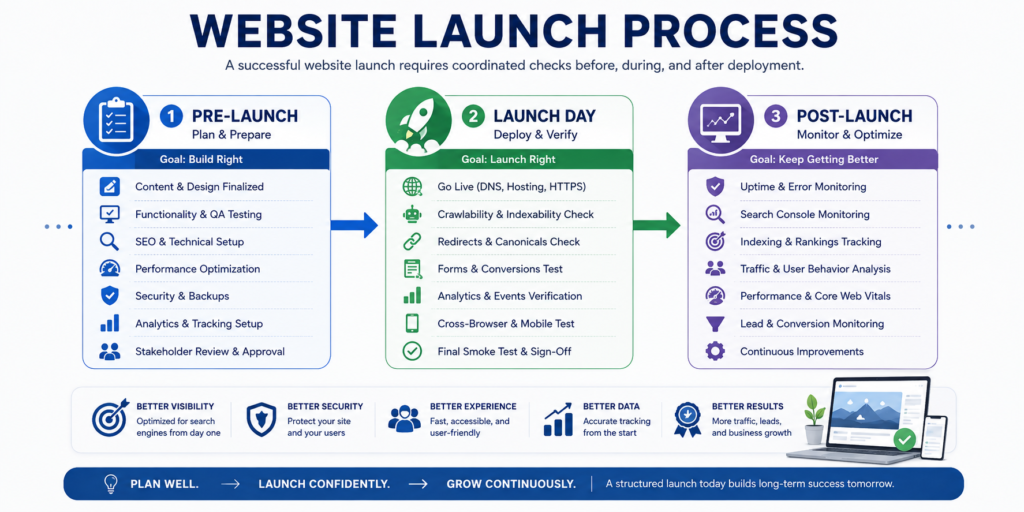
Website Pre-Launch vs Launch-Day vs Post-Launch Checklist
Website launch activities become easier to manage when divided into three stages.
| Stage | Primary Goal | Typical Checks |
|---|---|---|
| Pre-Launch | Prevent known problems before deployment | Content, links, forms, responsive design, SEO, accessibility, redirects, security, analytics configuration |
| Launch Day | Verify the real production environment | DNS, HTTPS, HTTP status codes, robots directives, canonical URLs, sitemap, forms, analytics, redirects |
| Post-Launch | Detect real-world problems quickly | Indexing, crawl errors, conversions, performance, uptime, traffic, user behavior, logs |
The distinction is important.
A staging environment can prove that a feature works under staging conditions. It cannot guarantee that the same feature will work after DNS, caching, CDN rules, production credentials, third-party integrations, or server configuration changes.
Therefore, important checks must be repeated after deployment.
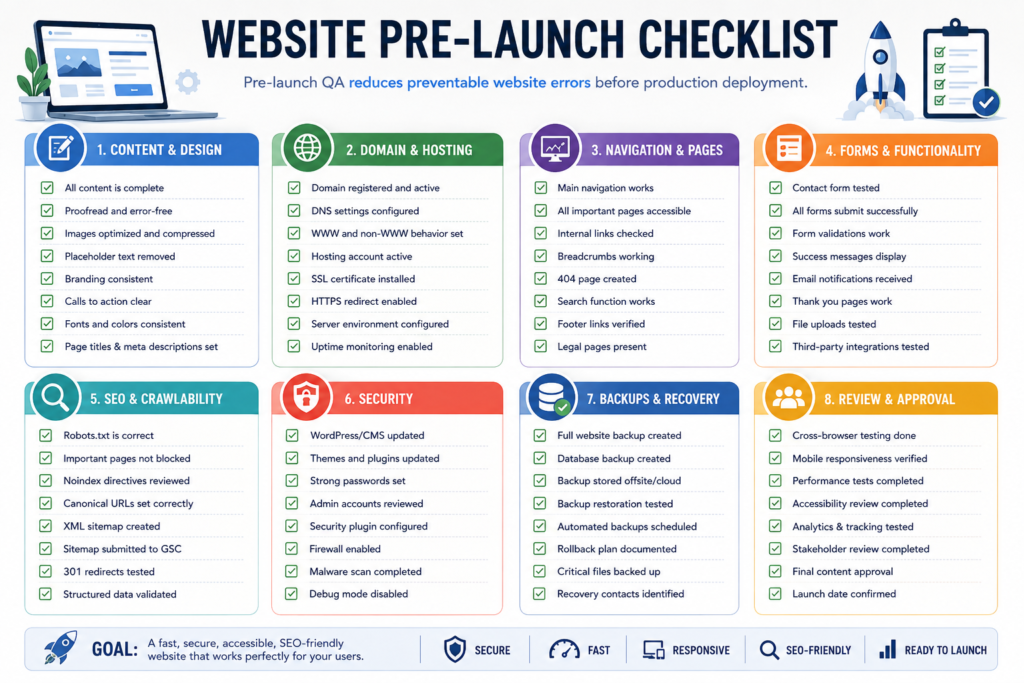
Complete Website Pre-Launch Checklist
Define Website Goals Before Going Live
- Before performing technical QA, confirm what the website is actually expected to accomplish.
- Different websites require different launch priorities.
- A service business might prioritize lead generation.
- An e-commerce website prioritizes transactions.
- A SaaS website may prioritize registrations or product demos.
- A publisher may prioritize discoverability, subscriptions, and engagement.
- Document the website’s primary goals before launch.
Pre-Launch Business Goals Checklist
- [ ] Primary website purpose is documented.
- [ ] Target audience is clearly defined.
- [ ] Primary conversion is identified.
- [ ] Secondary conversions are identified.
- [ ] Important landing pages are defined.
- [ ] Required integrations are documented.
- [ ] Launch stakeholders are identified.
- [ ] Final approval responsibilities are assigned.
- [ ] Success metrics are agreed upon.
- [ ] Post-launch monitoring responsibilities are assigned.
Without these decisions, teams can technically launch a website without knowing whether it performs the business function for which it was created.
Verify the Domain and DNS Configuration
Domain and DNS configuration is foundational because users and search engines need to reach the correct production environment.
Before changing DNS, confirm that the team understands the current records and the intended production configuration.
Domain and DNS Checklist
- [ ] Correct domain name is confirmed.
- [ ] Domain ownership and registrar access are available.
- [ ] DNS management access is available.
- [ ] Required A, AAAA, CNAME, MX, TXT, or other necessary records are documented.
- [ ] Email-related DNS records will not be accidentally removed.
- [ ] Preferred hostname is established.
- [ ]
wwwand non-wwwbehavior is intentional. - [ ] HTTPS version is the preferred canonical version.
- [ ] DNS changes are documented.
- [ ] Previous DNS configuration is recorded for rollback if necessary.
Avoid Changing Unrelated DNS Records
One common deployment mistake is replacing an entire DNS zone when only a website record needs modification.
A domain can also control business email, verification records, third-party applications, subdomains, and other services.
Treat DNS changes as infrastructure changes, not cosmetic website settings.
Verify Production Hosting and Server Configuration
A website that works on staging may behave differently in production because server resources, PHP versions, caching, environment variables, databases, permissions, CDN settings, or application configurations differ.
Hosting Checklist
- [ ] Production hosting account is active.
- [ ] Server environment meets application requirements.
- [ ] Required runtime or PHP version is supported.
- [ ] Database credentials are correct.
- [ ] Production environment variables are configured.
- [ ] File and directory permissions are appropriate.
- [ ] Server storage is sufficient.
- [ ] Backup system is configured.
- [ ] Restore process is understood.
- [ ] Server logging is available.
- [ ] Error logging is configured appropriately.
- [ ] Production error messages do not expose sensitive information.
- [ ] CDN configuration is correct where applicable.
- [ ] Caching is configured and tested.
The production environment should be tested as an independent deployment target rather than assumed to behave exactly like development.
Create a Backup and Rollback Plan
One of the most valuable launch preparations is also one of the most frequently overlooked: knowing how to reverse the deployment.
A rollback plan defines what happens when a critical launch problem cannot be corrected quickly.
Backup and Rollback Checklist
- [ ] Full pre-launch backup exists.
- [ ] Database backup exists.
- [ ] Website files are backed up.
- [ ] Configuration files are preserved.
- [ ] Previous production version can be restored.
- [ ] Backup integrity has been checked.
- [ ] Restore procedure is documented.
- [ ] Person authorized to initiate rollback is identified.
- [ ] DNS rollback procedure is understood where relevant.
- [ ] Deployment changes are logged.
- [ ] Critical third-party credentials are securely available.
- [ ] Emergency contact and escalation responsibilities are defined.
A backup that has never been tested is weaker than a verified recovery process.
Remove Development and Placeholder Content
Temporary content has an unfortunate habit of reaching production.
Before launch, inspect the website for anything that was intended only for development.
Content Cleanup Checklist
Look for:
- [ ] Lorem Ipsum.
- [ ] Placeholder images.
- [ ] Dummy products.
- [ ] Test testimonials.
- [ ] Sample blog posts.
- [ ] Temporary banners.
- [ ] Development notes.
- [ ] Fake contact information.
- [ ] Test email addresses.
- [ ] Placeholder phone numbers.
- [ ] Draft pricing.
- [ ] Empty sections.
- [ ] Duplicate content blocks.
- [ ] “Coming soon” messages that are no longer required.
Run a site-wide search for common placeholder terms where practical.
Proofread Every Important Page
A website can pass every technical test and still appear unprofessional because of inaccurate or poorly edited content.
Review high-value pages manually.
These commonly include:
- Homepage.
- About page.
- Service pages.
- Product pages.
- Pricing page.
- Contact page.
- FAQ page.
- Policy pages.
- Main landing pages.
- Navigation labels.
- Footer content.
- Confirmation messages.
- Automated emails.
Content Accuracy Checklist
- [ ] Spelling is correct.
- [ ] Grammar is correct.
- [ ] Company name is consistent.
- [ ] Phone numbers are correct.
- [ ] Email addresses are correct.
- [ ] Addresses are correct.
- [ ] Pricing is accurate.
- [ ] Product or service descriptions are accurate.
- [ ] Claims can be substantiated.
- [ ] Dates are current.
- [ ] Copyright information is appropriate.
- [ ] Calls to action match the intended user journey.
Do not limit proofreading to paragraphs. Buttons, form labels, browser titles, navigation menus, popups, footer links, error messages, and confirmation screens are also content.
Check Heading Structure
Headings help users scan content and communicate document structure.
Each important page should have a logical hierarchy.
A practical structure is:
“`text
H1: Main Page Topic
H2: Major Section
H3: Supporting Section
H3: Supporting Section
H2: Major Section
H3: Supporting Section
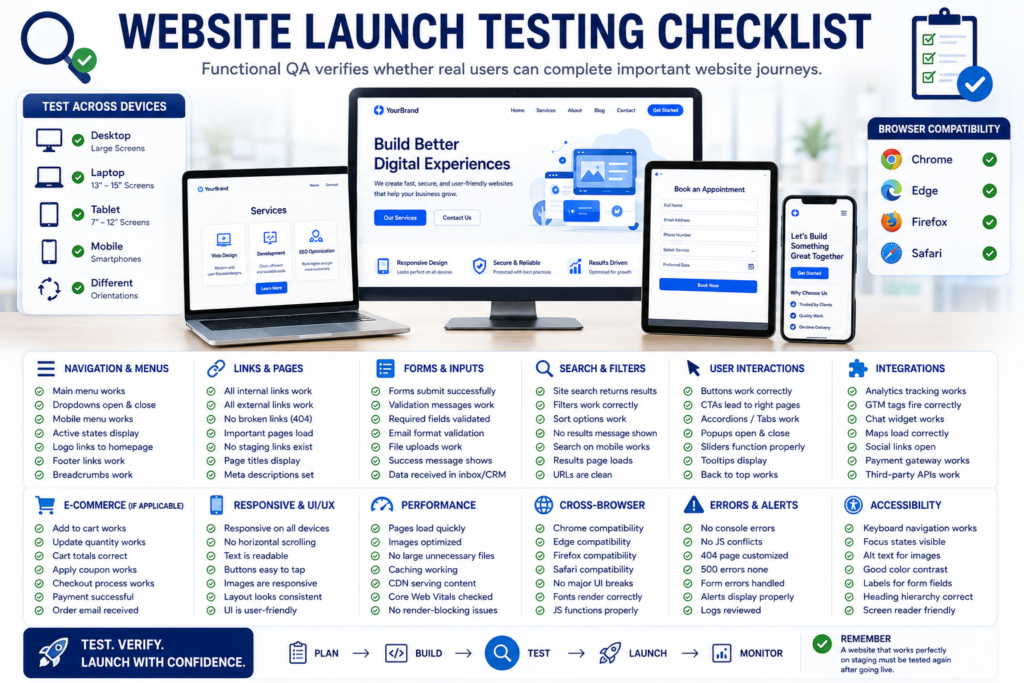
Website Testing and Quality Assurance Checklist
A website should never go live based only on visual approval.
Professional website quality assurance checks whether the website behaves correctly under real-world conditions across browsers, devices, user journeys, forms, integrations, and production settings.
The keyword research for this project identifies website launch testing checklist, website quality assurance checklist, website launch performance checklist, website launch accessibility checklist, and website launch analytics checklist as important supporting search clusters.
The most effective approach is to combine manual testing with automated tools rather than relying exclusively on either method.
Perform a Full Functional Website Test
Functional testing verifies whether each feature performs the task it was designed to perform.
A website can look polished while critical functionality is broken.
Functional Testing Checklist
- [ ] Main navigation works.
- [ ] Mobile navigation works.
- [ ] Dropdown menus work.
- [ ] Buttons lead to the correct destinations.
- [ ] Forms submit successfully.
- [ ] Search functionality works where available.
- [ ] Login and logout processes work where applicable.
- [ ] Registration process works.
- [ ] Password reset functionality works.
- [ ] Filters and sorting work.
- [ ] Pagination works.
- [ ] Accordions and tabs work.
- [ ] Popups work correctly.
- [ ] Modal windows close correctly.
- [ ] Downloads work.
- [ ] Video and audio embeds work.
- [ ] Maps load correctly.
- [ ] Chat widgets work.
- [ ] Calendar or booking integrations work.
- [ ] Ecommerce cart functionality works.
- [ ] Checkout functionality works.
- [ ] Transactional emails are delivered.
- [ ] Thank-you pages load correctly.
- [ ] Error messages display appropriately.
Testing should focus on complete user journeys rather than isolated elements.
For example, do not test only whether a “Request a Quote” button responds.
Test whether a visitor can:
- Click the button.
- Reach the correct form.
- Complete the required fields.
- Submit the form.
- Receive a confirmation.
- Trigger the expected conversion event.
- Deliver the lead to the correct inbox or CRM.
- Receive any intended automated email.
That is the difference between testing an interface and testing a business process.
Test All Website Forms Before Launch
Forms are among the most important conversion elements on service websites.
They are also a common source of silent failures.
A form may display a successful submission message even when no email, CRM entry, or notification is created.
Website Form Testing Checklist
- [ ] Contact form submits successfully.
- [ ] Quote request form works.
- [ ] Booking form works.
- [ ] Newsletter signup works.
- [ ] Account registration works where applicable.
- [ ] Required fields are enforced.
- [ ] Optional fields behave correctly.
- [ ] Email validation works.
- [ ] Phone-number validation works where required.
- [ ] File upload works where applicable.
- [ ] Maximum upload limits are reasonable.
- [ ] Spam protection works.
- [ ] Error messages are clear.
- [ ] Success messages display correctly.
- [ ] Confirmation emails are received.
- [ ] Internal notifications are received.
- [ ] CRM receives submitted data.
- [ ] Marketing automation receives data where applicable.
- [ ] Conversion tracking fires.
- [ ] Thank-you page works.
- [ ] Submitted data is handled according to applicable privacy requirements.
Test Forms Using Realistic Data
Do not test every field with values such as:
test
or
123
Use realistic data patterns.
This helps identify issues with field length, validation, formatting, email templates, database storage, CRM mapping, and notification layouts.
Test Lead Generation and Conversion Paths
For a service business website, the launch process should verify every important lead-generation pathway.
This area offers strong information gain because many generic website launch checklists stop after confirming that a form can technically submit.
Professional launch QA should verify the entire lead-routing process.
Service Business Conversion QA Checklist
- [ ] Main contact form works.
- [ ] Quote request form works.
- [ ] Telephone links work on mobile.
- [ ] Email links work.
- [ ] WhatsApp or messaging links work where used.
- [ ] Booking system works.
- [ ] Live chat works.
- [ ] CTA buttons lead to the intended conversion page.
- [ ] Thank-you pages work.
- [ ] Form submissions reach the correct inbox.
- [ ] CRM records are created correctly.
- [ ] Lead source attribution is preserved.
- [ ] Marketing automation triggers correctly.
- [ ] Conversion events are recorded.
- [ ] Call tracking works where configured.
- [ ] Leads are assigned to the correct person or department.
A website launch should not be considered successful until the business can confirm that a real visitor can become a measurable lead.
Mobile Responsive Website Launch Checklist
Mobile responsiveness is a core launch requirement because users access websites across a wide range of screen sizes and devices.
Responsive design should be tested on real devices where possible rather than only resizing a desktop browser window.
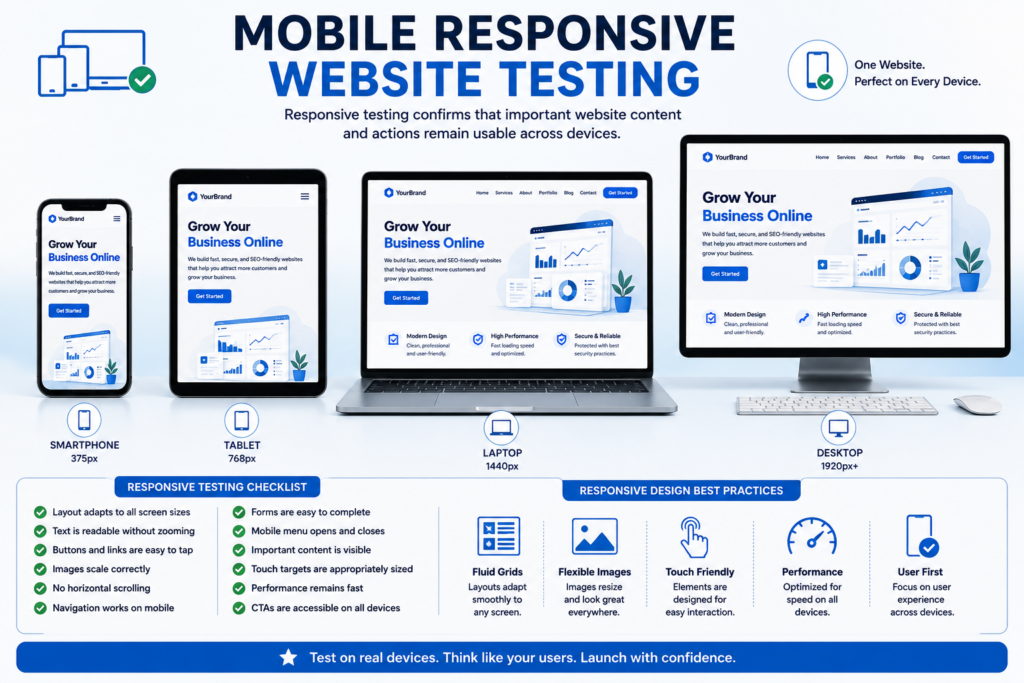
24. Test the Website on Mobile Devices
Mobile Responsiveness Checklist
- [ ] Website fits the screen correctly.
- [ ] No unintended horizontal scrolling exists.
- [ ] Text is readable without zooming.
- [ ] Buttons are easy to tap.
- [ ] Links are sufficiently separated.
- [ ] Navigation works.
- [ ] Mobile menu opens and closes.
- [ ] Images scale correctly.
- [ ] Videos remain responsive.
- [ ] Tables are usable.
- [ ] Forms are easy to complete.
- [ ] Input fields display appropriate mobile keyboards where possible.
- [ ] Popups do not obstruct important content.
- [ ] Sticky headers do not consume excessive screen space.
- [ ] Cookie banners remain usable.
- [ ] Chat widgets do not cover important controls.
- [ ] Phone links work.
- [ ] CTAs remain visible and understandable.
- [ ] Footer content displays correctly.
Test both portrait and landscape orientations where they matter.
25. Test Common Screen Sizes
There is no single universal mobile size.
Test representative breakpoints across:
- Small smartphones.
- Larger smartphones.
- Tablets.
- Laptops.
- Standard desktop displays.
- Large desktop displays.
Responsive QA should focus on layout behavior rather than attempting to optimize for only one device model.
Look for Common Responsive Problems
These include:
- Text overlapping images.
- Buttons extending beyond containers.
- Navigation wrapping incorrectly.
- Tables becoming unreadable.
- Forms becoming too wide.
- Images being cropped incorrectly.
- Excessive space.
- Fixed-position widgets covering content.
- Headings breaking awkwardly.
- Cards losing alignment.
- CTA elements disappearing.
Fix layout failures before launch rather than assuming users will tolerate them.
Cross-Browser Website Testing Checklist
Browsers use closely related web standards, but implementation differences can still expose website issues.
Test Across Major Browsers
Depending on the target audience, test representative versions of browsers such as:
- Google Chrome.
- Microsoft Edge.
- Mozilla Firefox.
- Safari.
Mobile browser testing should also be included.
Cross-Browser Checklist
- [ ] Layout remains consistent.
- [ ] Typography displays correctly.
- [ ] Navigation works.
- [ ] Forms work.
- [ ] Buttons work.
- [ ] CSS animations behave correctly.
- [ ] JavaScript functionality works.
- [ ] Video and audio elements work.
- [ ] SVG graphics display correctly.
- [ ] Fonts load correctly.
- [ ] File downloads work.
- [ ] Date pickers behave correctly.
- [ ] Sticky elements work.
- [ ] Popups work.
- [ ] Cookie consent works.
The objective is not pixel-perfect identical rendering across every browser.
The objective is functional and usable consistency.
Website Accessibility Launch Checklist
Accessibility should be treated as a launch-quality requirement rather than an optional enhancement.
Accessible websites are generally easier to use for people with diverse abilities, devices, environments, and interaction methods.
The keyword research for this article specifically identifies the website launch accessibility checklist WCAG 2.2 as a strong content opportunity.
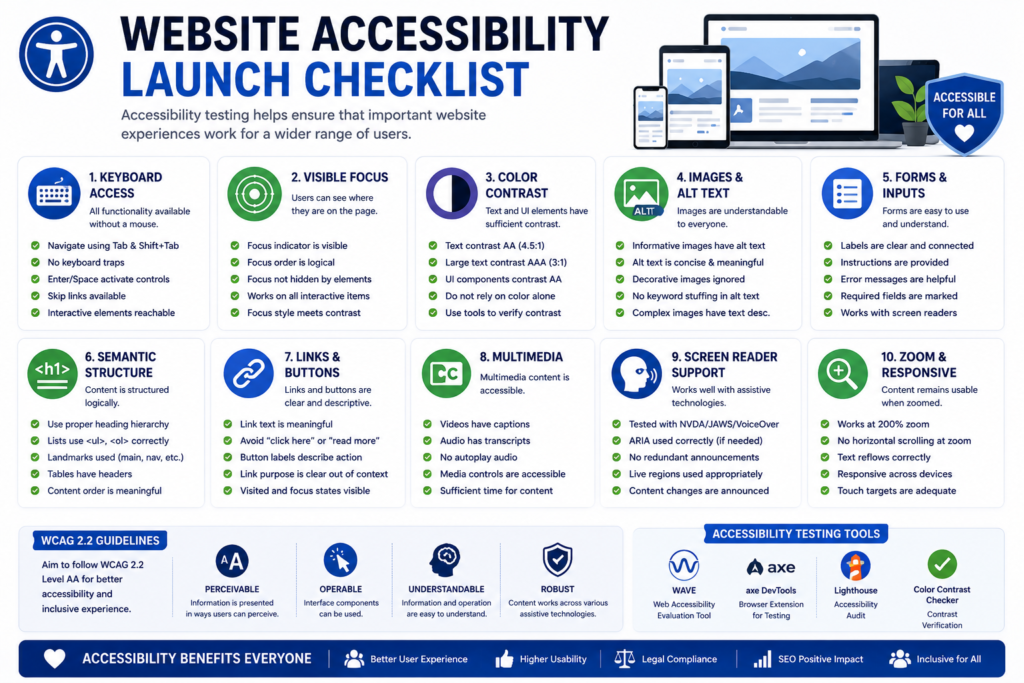
Review Website Accessibility Before Launch
Accessibility Checklist
- [ ] Pages can be navigated with a keyboard.
- [ ] Visible keyboard focus is available.
- [ ] Focus order is logical.
- [ ] Interactive elements are reachable.
- [ ] Images have appropriate alternative text.
- [ ] Decorative images are handled appropriately.
- [ ] Form fields have meaningful labels.
- [ ] Form errors are understandable.
- [ ] Color contrast is sufficient.
- [ ] Meaning is not communicated by color alone.
- [ ] Heading structure is logical.
- [ ] Link text is understandable.
- [ ] Buttons have meaningful labels.
- [ ] Page titles are descriptive.
- [ ] Language information is correctly defined where applicable.
- [ ] Video content has appropriate accessibility support where required.
- [ ] Content remains usable when zoomed.
- [ ] Modal windows manage focus appropriately.
- [ ] ARIA is used only where necessary and correctly.
- [ ] Dynamic content remains understandable to assistive technologies.
Accessibility testing should combine automated scanning with human testing.
Automated tools can identify many issues, but they cannot determine whether every interface is genuinely understandable.
Test Keyboard Navigation
Keyboard testing is one of the simplest ways to find major interaction problems.
Try navigating important pages without using a mouse.
Keyboard Navigation Checklist
- [ ] Tab moves through interactive elements logically.
- [ ] Shift and Tab move backward correctly.
- [ ] Enter activates expected links and controls.
- [ ] Space operates appropriate controls.
- [ ] Dropdown menus can be accessed.
- [ ] Modal dialogs can be operated.
- [ ] Focus is visible.
- [ ] Focus does not become trapped unintentionally.
- [ ] Users can escape popups and overlays.
- [ ] Skip navigation functionality exists where appropriate.
If users cannot reach an important CTA or form using the keyboard, the website requires further accessibility work.
Check Image Alt Text
Alternative text should communicate useful image information when the image contributes meaning.
Image Accessibility and SEO Checklist
- [ ] Informative images have useful alt text.
- [ ] Decorative images are not unnecessarily described.
- [ ] Alt text reflects the actual image.
- [ ] Keywords are not stuffed into alt attributes.
- [ ] Linked images communicate destination or purpose where appropriate.
- [ ] Charts and infographics provide equivalent meaningful information where required.
Avoid alt text such as:
best website development agency website design SEO company cheap web services
That is neither useful accessibility content nor good SEO practice.
Write alt text for the person who cannot see the image.
Website Performance and Core Web Vitals Checklist
Website speed affects user experience, engagement, and conversion performance.
Launch is the correct time to identify avoidable performance problems before traffic increases.
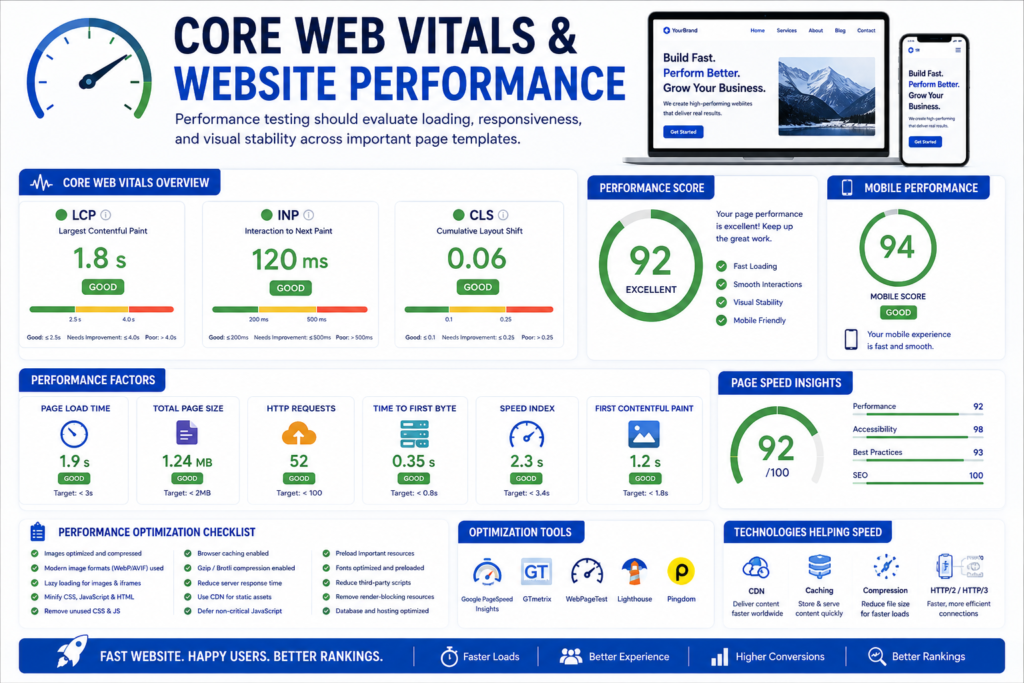
Test Website Speed Before Launch
Performance should be tested on important page templates rather than only the homepage.
Test representative pages such as:
- Homepage.
- Main service page.
- Blog article.
- Contact page.
- Product page.
- Category page.
- Checkout page where applicable.
Performance Checklist
- [ ] Important pages load efficiently.
- [ ] Images are appropriately compressed.
- [ ] Modern image formats are used where appropriate.
- [ ] Oversized images are avoided.
- [ ] Unnecessary JavaScript is minimized.
- [ ] Unnecessary CSS is reduced.
- [ ] Browser caching is configured.
- [ ] Server caching is configured where appropriate.
- [ ] Compression is enabled.
- [ ] CDN works correctly where used.
- [ ] Third-party scripts are reviewed.
- [ ] Fonts are optimized.
- [ ] Lazy loading is used appropriately.
- [ ] Critical above-the-fold content is prioritized.
- [ ] Redirect chains are minimized.
- [ ] Server response performance is acceptable.
Performance optimization should not destroy functionality or accessibility simply to improve a synthetic score.
Review Core Web Vitals
Core Web Vitals focus on important aspects of real-world user experience.
The main metrics are:
| Metric | Measures | Good User Experience Target |
|---|---|---|
| LCP | Loading performance | 2.5 seconds or less |
| INP | Interaction responsiveness | 200 milliseconds or less |
| CLS | Visual stability | 0.1 or less |
These thresholds are generally evaluated at the 75th percentile of page loads for field data.
Core Web Vitals Launch Checklist
- [ ] Largest visible content loads efficiently.
- [ ] Hero images are optimized.
- [ ] Server response is not unnecessarily slow.
- [ ] Main-thread blocking work is reduced.
- [ ] Heavy JavaScript is controlled.
- [ ] Interactions respond quickly.
- [ ] Images reserve dimensions.
- [ ] Advertising or embedded content does not cause major layout shifts.
- [ ] Web fonts do not create excessive layout movement.
- [ ] Dynamic banners reserve adequate space.
For a brand-new website, real-user field data may not yet be available.
In that case, laboratory testing can identify problems before sufficient real-world data accumulates.
Optimize Website Images Before Launch
Images are often among the largest resources on a website.
Image Optimization Checklist
- [ ] Images use appropriate dimensions.
- [ ] Images are compressed.
- [ ] WebP or other appropriate modern formats are considered.
- [ ] Responsive image delivery is configured where useful.
- [ ] Width and height attributes are present where appropriate.
- [ ] Lazy loading is used for suitable off-screen images.
- [ ] Important above-the-fold imagery is not unnecessarily delayed.
- [ ] File names are descriptive where useful.
- [ ] Alt text is appropriate.
- [ ] Image URLs use the production domain.
- [ ] Broken images are fixed.
- [ ] Background images are optimized.
Do not upload a multi-megabyte image only to display it as a small thumbnail.
Resize assets according to their intended use.
Audit Third-Party Scripts
Third-party scripts can significantly affect performance, privacy, reliability, and security.
Examples include:
- Analytics.
- Advertising tags.
- Live chat.
- Heatmaps.
- Social widgets.
- Video embeds.
- CRM integrations.
- Tracking pixels.
- Review widgets.
- Marketing automation.
- Cookie platforms.
Third-Party Script Checklist
- [ ] Every script has a clear purpose.
- [ ] Duplicate tags are removed.
- [ ] Old marketing tags are removed.
- [ ] Scripts use production account IDs.
- [ ] Scripts do not create JavaScript errors.
- [ ] Performance impact has been reviewed.
- [ ] Consent requirements are handled where applicable.
- [ ] Script loading is optimized when appropriate.
A useful launch rule is:
If nobody can explain why a third-party script exists, investigate it before publishing the website.
Website Security Launch Checklist
Website launch creates a public attack surface.
Security should therefore be verified before production traffic arrives.
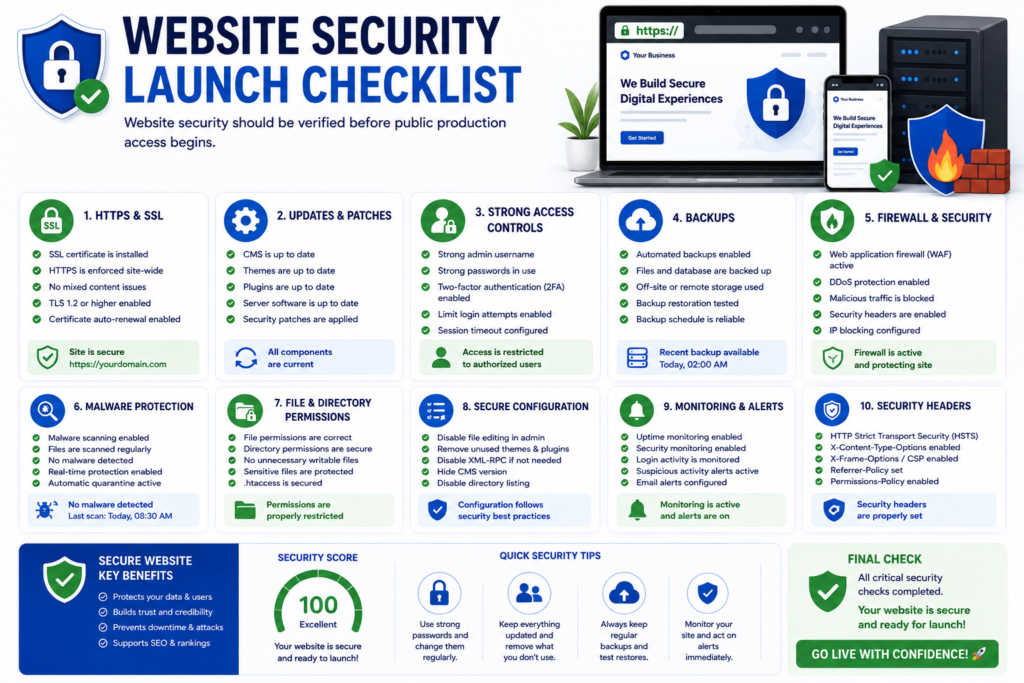
Confirm HTTPS and SSL Configuration
HTTPS protects data transmitted between users and the website.
HTTPS Launch Checklist
- [ ] Valid TLS certificate is installed.
- [ ] Certificate covers required hostnames.
- [ ] Certificate is not expired.
- [ ] HTTP traffic redirects appropriately to HTTPS.
- [ ] Internal links use HTTPS.
- [ ] Canonical URLs use HTTPS.
- [ ] XML sitemap uses HTTPS URLs.
- [ ] Mixed-content warnings are eliminated.
- [ ] Forms submit over HTTPS.
- [ ] External resources use secure connections where necessary.
- [ ] Certificate renewal is automated or monitored.
Check the live production website rather than relying only on staging certificates.
Update Software Before Launch
Outdated software can create unnecessary security risks.
Software Security Checklist
- [ ] CMS core is supported and updated.
- [ ] Themes are updated.
- [ ] Plugins are updated.
- [ ] Frameworks are supported.
- [ ] Server software is appropriately maintained.
- [ ] Unused plugins are removed.
- [ ] Unused themes are removed.
- [ ] Abandoned components are identified.
- [ ] Development utilities are not unnecessarily exposed.
Updates should be tested rather than applied blindly immediately before launch.
Review User Accounts and Permissions
The principle of least privilege should guide production access.
Users should receive only the access required for their responsibilities.
Account Security Checklist
- [ ] Default accounts are reviewed.
- [ ] Unused users are removed.
- [ ] Administrator access is limited.
- [ ] Strong passwords are used.
- [ ] Multi-factor authentication is enabled where supported.
- [ ] Shared administrator accounts are avoided where practical.
- [ ] Developer accounts are reviewed.
- [ ] Temporary accounts are removed.
- [ ] API credentials are protected.
- [ ] Database credentials are protected.
- [ ] Credentials are not stored in public repositories.
Do not leave development credentials active simply because they are convenient.
Configure Backups
Backups should continue after launch.
Production Backup Checklist
- [ ] Automated backups are enabled.
- [ ] Backup frequency matches business risk.
- [ ] Database backups are included.
- [ ] Website files are included.
- [ ] Off-site or independent backup storage is considered.
- [ ] Retention policy is understood.
- [ ] Restore access is available.
- [ ] Restore procedures are documented.
- [ ] Backup failures generate alerts where possible.
The value of a backup is measured by the ability to restore from it.
Review Website Firewall and Malware Protection
Depending on the website architecture, security controls may include a web application firewall, hosting security tools, malware scanning, rate limiting, or CDN security features.
Security Monitoring Checklist
- [ ] Security monitoring is configured.
- [ ] Malware scanning is available where appropriate.
- [ ] Web application firewall settings are reviewed.
- [ ] Login protection is configured where necessary.
- [ ] Brute-force protection is considered.
- [ ] File changes can be monitored where relevant.
- [ ] Suspicious login activity can be detected.
- [ ] Security alerts reach the responsible person.
- [ ] Incident response responsibility is defined.
Security is an ongoing operational process rather than a one-time launch task.
Website Analytics Launch Checklist
Installing analytics is not enough.
The launch team must verify whether analytics accurately records the user actions that matter to the business.
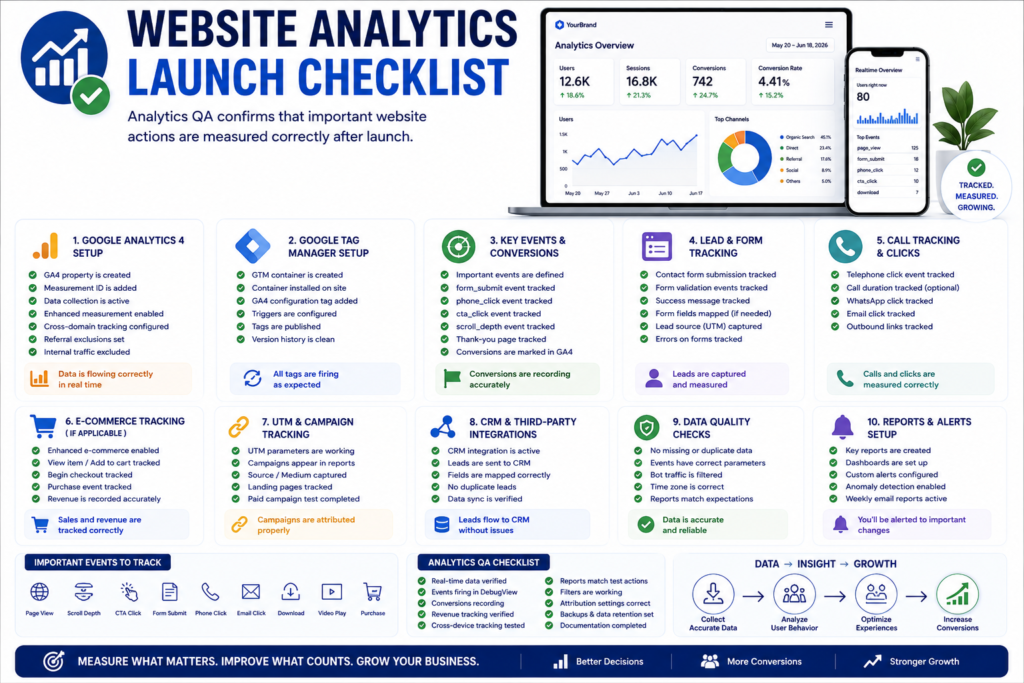
Configure Google Analytics 4
Google Analytics 4 can provide useful behavioral and acquisition information when implemented correctly.
GA4 Launch Checklist
- [ ] Correct GA4 property is used.
- [ ] Production website data stream is configured.
- [ ] Tracking code loads.
- [ ] Page views are recorded.
- [ ] Internal testing is identifiable where necessary.
- [ ] Important events are configured.
- [ ] Key business actions are marked appropriately.
- [ ] Cross-domain tracking is configured where required.
- [ ] Referral behavior is reviewed.
- [ ] Ecommerce tracking works where relevant.
- [ ] Campaign parameters are preserved.
- [ ] Consent behavior is tested where applicable.
- [ ] Real-time reports show test activity.
Do not assume that the appearance of one page view means the entire analytics implementation is correct.
Verify Google Tag Manager
If Google Tag Manager is used, production containers and triggers should be verified carefully.
Google Tag Manager Checklist
- [ ] Correct container is installed.
- [ ] Production container is published.
- [ ] Duplicate GTM containers are removed.
- [ ] Tags fire under intended conditions.
- [ ] Tags do not fire unnecessarily.
- [ ] Form events work.
- [ ] CTA events work.
- [ ] Phone-click events work where required.
- [ ] Email-click events work where required.
- [ ] Ecommerce events work where applicable.
- [ ] Consent behavior works.
- [ ] Debugging has been completed.
- [ ] Production data appears in the intended platforms.
Tag Manager should simplify measurement governance, not create an uncontrolled collection of duplicated tracking tags.
Configure Conversion Tracking
A website should measure the actions connected to its business goals.
Typical Service Website Conversions
These might include:
- Contact form submissions.
- Quote requests.
- Appointment bookings.
- Phone calls.
- WhatsApp clicks.
- Email clicks.
- Newsletter registrations.
- Demo requests.
- File downloads.
- Account registrations.
Conversion Tracking Checklist
- [ ] Primary conversion is identified.
- [ ] Secondary conversions are identified.
- [ ] Each conversion can be measured.
- [ ] Events fire only when the intended action occurs.
- [ ] Duplicate conversions are avoided.
- [ ] Thank-you page tracking works where used.
- [ ] Form submission tracking works.
- [ ] Phone-click tracking works where relevant.
- [ ] Booking completion is measured.
- [ ] CRM receives lead information.
- [ ] Test conversions appear in reporting systems.
Measurement should reflect meaningful business outcomes.
Tracking every button click as a major conversion makes reports less useful.
Test Analytics From Beginning to End
Perform a realistic user journey after analytics implementation.
For example:
- Visit the production website.
- Open an important landing page.
- Navigate to a service page.
- Click a primary CTA.
- Submit the contact form.
- Reach the confirmation page.
- Confirm that the form submission was received.
- Confirm that GA4 recorded the relevant event.
- Confirm that GTM fired the expected tag.
- Confirm that the CRM recorded the lead.
- Confirm any marketing automation.
- Confirm the conversion appears correctly in reporting.
This is analytics QA, not simply analytics installation.
Google Search Console Website Launch Checklist
Google Search Console provides important information about crawling, indexing, search performance, and technical issues.
Verify the Website in Google Search Console
Search Console Checklist
- [ ] Appropriate property is verified.
- [ ] Required team members have access.
- [ ] Production domain is represented correctly.
- [ ] XML sitemap can be submitted.
- [ ] Representative URLs can be inspected.
- [ ] HTTPS pages are accessible.
- [ ] Important pages are not unexpectedly blocked.
- [ ] Manual actions section can be reviewed.
- [ ] Security issues section can be reviewed.
For an existing site migration, preserve access to relevant historical properties where useful.
Inspect Important Production URLs
After launch, use URL inspection on representative high-value pages.
These may include:
- Homepage.
- Main service page.
- Major category page.
- Key landing page.
- Important article.
- Product page.
- Location page.
URL Inspection Questions
Verify:
- Is the URL accessible?
- Is crawling allowed?
- Is indexing permitted?
- Does Google identify the expected canonical URL?
- Can the page be rendered?
- Are important resources available?
- Does the live production URL behave as expected?
This step is particularly important because launch-day production conditions may differ from staging tests.
Website Conversion Optimization Launch Checklist
SEO traffic has little business value if visitors cannot understand what to do next.
Conversion readiness should therefore be tested before launch.
Review Calls to Action
CTA Checklist
- [ ] Primary CTA is clear.
- [ ] CTA text describes the action.
- [ ] Important CTAs are easy to find.
- [ ] CTA buttons work.
- [ ] Mobile CTAs remain usable.
- [ ] Landing-page CTA matches search intent.
- [ ] Too many competing CTAs are avoided.
- [ ] CTA destinations work.
- [ ] Forms reached through CTAs work.
- [ ] Conversion tracking is configured.
Examples of clear CTAs include:
- Request a Quote.
- Book a Consultation.
- Get a Website Audit.
- Contact Our Team.
- Start Your Project.
- Schedule a Demo.
Generic labels such as Click Here communicate less context.
Review Trust Signals
Users may hesitate to submit information or purchase from an unfamiliar website.
Relevant trust signals can help users evaluate the business.
Trust Signal Checklist
- [ ] Business identity is clear.
- [ ] Contact information is available.
- [ ] About information is accurate.
- [ ] Service information is transparent.
- [ ] Testimonials are genuine.
- [ ] Reviews are represented accurately.
- [ ] Portfolio examples are authentic.
- [ ] Policies are available where relevant.
- [ ] HTTPS is active.
- [ ] Pricing claims are transparent.
- [ ] Guarantees are described accurately.
- [ ] Certifications or credentials are verifiable.
- [ ] Author information is transparent where appropriate.
Do not fabricate reviews, credentials, experience, statistics, or client results.
Trust is created through verifiable information.
Website Legal and Privacy Launch Checklist
Legal obligations vary by location, industry, audience, data collection practices, and business model.
A website owner should not assume that one generic privacy template automatically satisfies every jurisdiction.
Professional legal advice may be appropriate where requirements are uncertain.
Review Privacy and Data Collection
Privacy Checklist
- [ ] Privacy policy reflects actual data practices.
- [ ] Forms collect only necessary information.
- [ ] Analytics technologies are documented where required.
- [ ] Marketing tools are considered.
- [ ] Advertising technologies are considered.
- [ ] Third-party processors are identified where appropriate.
- [ ] Retention practices are considered.
- [ ] Contact information for privacy inquiries is available where required.
- [ ] Consent mechanisms are configured where applicable.
- [ ] Sensitive information is not requested unnecessarily.
Privacy disclosures should describe what the website actually does.
Review Cookie Consent Where Applicable
Cookie and tracking requirements vary by jurisdiction and implementation.
Cookie Consent Checklist
- [ ] Cookies and tracking technologies are inventoried.
- [ ] Necessary and non-essential categories are understood.
- [ ] Consent mechanism matches applicable requirements.
- [ ] Tracking behavior before consent is tested where relevant.
- [ ] Consent choices can be respected.
- [ ] Preferences can be updated where required.
- [ ] Cookie policy is accurate.
- [ ] Analytics consent behavior is tested.
- [ ] Advertising consent behavior is tested where applicable.
Do not assume that displaying a cookie banner alone creates compliance.
The underlying tracking behavior must also work as intended.
Pre-Launch Quality Gate
Before moving to launch day, a professional team should be able to answer yes to the following questions:
- Does every critical page work?
- Do primary forms successfully deliver real leads?
- Does the website work on mobile?
- Does it work across major browsers?
- Can important functionality be used with a keyboard?
- Are major accessibility problems addressed?
- Are images and page assets optimized?
- Is HTTPS correctly configured?
- Are backups available?
- Is rollback possible?
- Are production accounts and permissions secure?
- Does GA4 record real traffic?
- Do conversion events fire correctly?
- Does Google Tag Manager use the correct production configuration?
- Can Google Search Console inspect production URLs?
- Are important pages crawlable and indexable?
- Do CTAs work?
- Do business leads reach the intended destination?
- Are privacy and consent systems functioning where required?
- Has the production website been tested as a complete user journey?
If a critical answer is no, fix the issue before treating the website as launch-ready.
Website Launch Risk Priority Framework
Not every website issue has the same launch risk.
A useful launch checklist prioritizes problems according to their potential impact.
| Priority | Risk Level | Examples | Recommended Action |
|---|---|---|---|
| P0 | Critical | Website inaccessible, checkout broken, important pages noindex, severe security issue | Stop or roll back launch |
| P1 | High | Forms failing, major redirects missing, analytics conversions broken, mobile navigation unusable | Resolve immediately |
| P2 | Medium | Minor layout issue, secondary broken link, non-critical metadata problem | Fix before or shortly after launch |
| P3 | Low | Cosmetic spacing, minor copy refinement, optional enhancement | Schedule after launch |
This risk-based approach prevents teams from spending launch day fixing minor visual imperfections while a critical indexing or conversion problem remains unresolved.
The One-Hour Website Launch Priority Checklist
If time is extremely limited, focus first on the checks capable of preventing the largest failures.
Critical One-Hour Launch Checks
- Confirm the website loads over HTTPS.
- Test homepage and major landing pages.
- Confirm important pages are not accidentally blocked.
noindex. - Check robots.txt for unintended blocking.
- Verify production canonical URLs.
- Test primary navigation.
- Test mobile navigation.
- Submit every major lead form.
- Confirm leads are actually received.
- Test important CTA buttons.
- Verify critical redirects.
- Check for obvious 404 errors.
- Confirm XML sitemap uses production URLs.
- Verify GA4 records traffic.
- Test primary conversion event.
- Confirm a recent backup exists.
- Verify that rollback access is available.
- Check Search Console access.
- Test the website on at least one real mobile device.
- Confirm the team knows who is responsible for post-launch monitoring.
This abbreviated checklist should not replace full QA.
It is a risk-prioritized emergency version for situations where launch timing cannot be changed.
Website Launch Day Checklist
Launch day is the point where planning, development, SEO, testing, security, analytics, and business operations meet the real production environment.
Even if everything worked perfectly on staging, critical checks should be repeated after the website goes live.
Production deployment can change:
- DNS behavior.
- HTTPS configuration.
- Caching.
- CDN delivery.
- Canonical URLs.
- Robots directives.
- Analytics tracking.
- Form delivery.
- Redirect behavior.
- Server responses.
- Database connectivity.
- Third-party integrations.
For this reason, a professional website launch day checklist should focus first on high-risk issues that can affect availability, indexing, leads, revenue, or security.
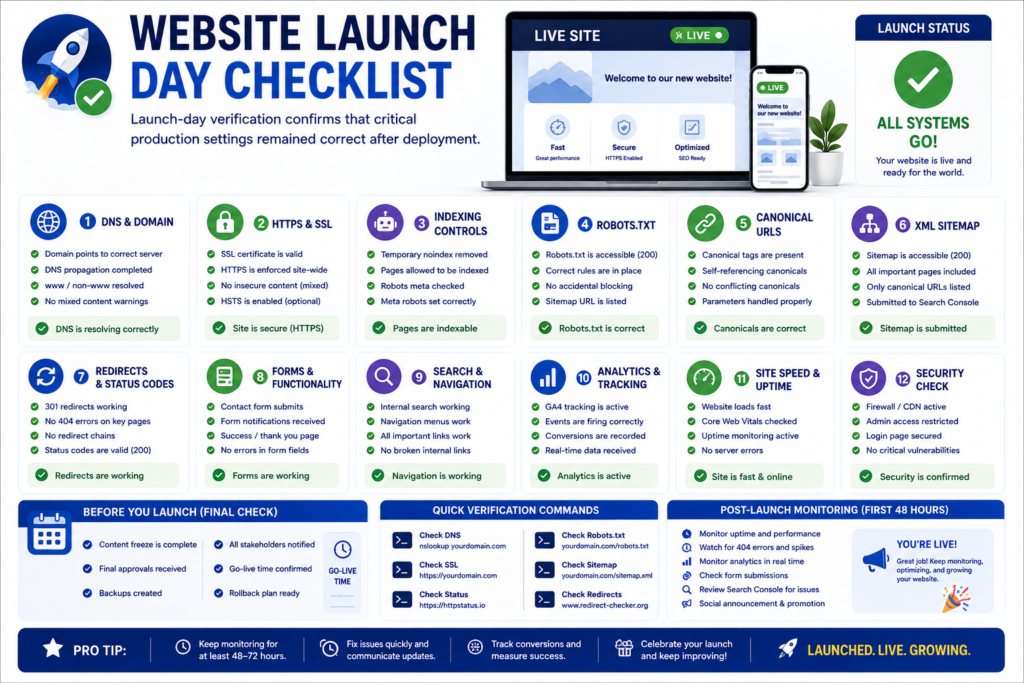
Confirm That the Production Website Is Live
Begin with the simplest but most important check.
Open the production website independently from the development environment.
Production Availability Checklist
- [ ] Homepage loads successfully.
- [ ] HTTPS version loads.
- [ ] Preferred domain version works.
- [ ]
wwwBehavior is correct where applicable. - [ ] Non-preferred domain variants redirect correctly.
- [ ] Main navigation works.
- [ ] Important pages load.
- [ ] Images and styles load.
- [ ] JavaScript functions correctly.
- [ ] No staging authentication remains.
- [ ] No maintenance mode remains enabled accidentally.
- [ ] No development banners remain visible.
- [ ] No unexpected server errors appear.
Do not verify launch success only from a developer account.
Test from a normal browser session and, where practical, from another network or device.
Verify DNS After Launch
DNS changes can take time to propagate across networks and resolvers.
After deployment, verify that the domain resolves to the intended production infrastructure.
DNS Launch-Day Checklist
- [ ] Main domain resolves correctly.
- [ ]
wwwhostname resolves correctly where used. - [ ] Required subdomains work.
- [ ] Email-related DNS records remain intact.
- [ ] SSL certificate matches the live hostname.
- [ ] Old server is no longer unintentionally serving some users where this would cause problems.
- [ ] CDN or proxy configuration points to the correct origin.
- [ ] DNSSEC configuration remains correct where used.
Avoid repeatedly changing DNS records during propagation unless there is a confirmed configuration problem.
Check HTTPS and Mixed Content
Immediately verify that the production website is served securely.
HTTPS Verification Checklist
- [ ] HTTPS loads without certificate warnings.
- [ ] HTTP redirects to HTTPS.
- [ ] Images use secure URLs.
- [ ] JavaScript files use secure URLs.
- [ ] CSS files use secure URLs.
- [ ] Embedded resources use secure URLs.
- [ ] Forms submit securely.
- [ ] Canonical URLs use HTTPS.
- [ ] Sitemap URLs use HTTPS.
- [ ] Internal links use the preferred secure version.
Mixed-content errors can affect functionality, security indicators, and user trust.
Launch-Day SEO Checklist
Search-engine accessibility should be verified immediately after deployment.
The highest-risk launch SEO failures are generally not minor keyword-placement problems. They are production configuration problems that prevent search engines from accessing, understanding, or correctly associating URLs.
Check Robots.txt on the Live Website
Open the production robots.txt file and review it carefully.
Robots.txt Launch Checklist
- [ ] File is accessible.
- [ ] Production rules are intentional.
- [ ] Important pages are not accidentally blocked.
- [ ] Important CSS resources are not unnecessarily blocked.
- [ ] Important JavaScript resources are not unnecessarily blocked.
- [ ] Staging-specific blocking rules have been removed where necessary.
- [ ] Sitemap reference is correct where included.
- [ ] Production domain URLs are used.
A development rule intended to block the entire staging website can become a serious launch problem if copied unchanged to production.
Verify Noindex Removal on Production Pages
Check representative high-value pages immediately after deployment.
Priority Pages to Inspect
- Homepage.
- Main service pages.
- Primary landing pages.
- Category pages.
- Important blog content.
- Product pages where applicable.
- Location pages where applicable.
Indexability Checklist
- [ ] Important pages do not contain unintended
noindex. - [ ] HTTP headers do not send unintended indexing restrictions.
- [ ] CMS search visibility settings are correct.
- [ ] SEO plugin settings are correct.
- [ ] Template-level indexing settings are correct.
- [ ] Staging restrictions are not active in production.
This is one of the most important launch-day checks because an otherwise excellent website cannot rank normally if its intended search pages are excluded from indexing.
Verify Canonical URLs After Deployment
Canonical tags should be rechecked on production even if they were correct on staging.
Production Canonical Checklist
- [ ] Homepage canonical is correct.
- [ ] Service-page canonicals are correct.
- [ ] Blog-post canonicals are correct.
- [ ] Product canonicals are correct where applicable.
- [ ] Canonical URLs reference the production domain.
- [ ] HTTPS is used.
- [ ] No staging domain remains.
- [ ] No localhost or temporary domain remains.
- [ ] Canonical targets return the intended response.
A single template error can generate incorrect canonical URLs across thousands of pages, making this an important production validation step.
Check the XML Sitemap After Launch
Open the production sitemap and inspect the actual URLs.
Launch-Day Sitemap Checklist
- [ ] Sitemap loads.
- [ ] URLs use the live domain.
- [ ] URLs use HTTPS.
- [ ] Important pages are included.
- [ ] Staging URLs are absent.
- [ ] Redirecting URLs are not unnecessarily listed.
- [ ] Non-indexable URLs are excluded where appropriate.
- [ ] Canonical URLs are represented.
- [ ] Sitemap is available for submission in Google Search Console.
For large websites, inspect several sections or sitemap files rather than checking only the first few URLs.
Submit the XML Sitemap to Google Search Console
After confirming that the sitemap is accurate, submit or verify it in Google Search Console.
Sitemap Submission Checklist
- [ ] Correct Search Console property is selected.
- [ ] Production sitemap URL is submitted.
- [ ] Sitemap can be fetched.
- [ ] Submission does not immediately show configuration errors.
- [ ] Important production URLs can be inspected independently.
Sitemap submission helps discovery, but it does not guarantee indexing.
Search engines still evaluate crawlability, canonicalization, content quality, duplication, technical signals, and other factors.
Inspect Critical URLs in Google Search Console
Use URL Inspection for a representative sample of important pages.
Inspect These URLs First
- Homepage.
- Primary service page.
- Main conversion page.
- Important category page.
- Important article.
- Location page if relevant.
- Product page if applicable.
Search Console Launch Checks
- [ ] URL is accessible.
- [ ] Crawling is allowed.
- [ ] Indexing is allowed.
- [ ] Canonical signals are appropriate.
- [ ] Live page can be tested.
- [ ] Required resources are available.
- [ ] No unexpected production issue appears.
Do not request indexing for every URL manually as a substitute for proper site architecture, internal linking, and sitemap discovery.
Crawl the Production Website
A fresh production crawl can reveal problems that were invisible on staging.
A crawler can help identify:
- Broken internal links.
- 404 errors.
- Redirect chains.
- Redirect loops.
- Incorrect canonical URLs.
- Missing titles.
- Duplicate titles.
- Missing headings.
- Non-indexable pages.
- Broken images.
- Staging URLs.
- HTTP links.
- Incorrect status codes.
Production Crawl Checklist
- [ ] Crawl completes successfully.
- [ ] No unexpected sitewide blocking exists.
- [ ] Important URLs return 200 responses.
- [ ] Broken links are reviewed.
- [ ] Redirect chains are reviewed.
- [ ] Canonicals are reviewed.
- [ ] Internal staging links are identified.
- [ ] Orphaned or unexpectedly inaccessible pages are investigated.
Compare the production crawl with a pre-launch crawl when conducting a redesign or migration.
Website Redirect Testing Checklist
Redirect failures can be particularly damaging during a website redesign, platform migration, or domain change.
Test Important 301 Redirects
Do not assume that a redirect file works merely because it was uploaded.
Test the actual production behavior.
Redirect Checklist
- [ ] Old homepage variant redirects correctly.
- [ ] Important old landing pages redirect correctly.
- [ ] Old service URLs redirect correctly.
- [ ] Old blog URLs redirect where needed.
- [ ] Backlinked URLs are tested.
- [ ] High-traffic organic URLs are tested.
- [ ] Redirects reach the most relevant replacement.
- [ ] Redirect chains are minimized.
- [ ] Redirect loops do not exist.
- [ ] HTTPS is preserved.
- [ ] Query parameters behave intentionally where relevant.
For a major migration, prioritize high-value URLs first rather than testing random addresses.
Verify Internal Links After Redirect Activation
A website should not depend unnecessarily on redirects for its own internal navigation.
Internal URL Cleanup Checklist
- [ ] Navigation links point directly to final URLs.
- [ ] Footer links point directly to final URLs.
- [ ] Contextual internal links use final URLs.
- [ ] Image links use final URLs.
- [ ] Canonical URLs use final URLs.
- [ ] Sitemap uses final URLs.
- [ ] Breadcrumbs use final URLs.
Redirects are useful for old external references and legacy URLs.
They should not become the default architecture of a newly launched website.
Launch-Day Forms and Conversion Testing
After deployment, repeat all business-critical conversions.
This is necessary because production email servers, API credentials, domain authorization, CRM integrations, spam protection, caching, and scripts may behave differently from staging.
Submit Every Critical Production Form
Live Form Checklist
- [ ] Contact form submits.
- [ ] Quote request form submits.
- [ ] Booking form submits.
- [ ] Newsletter form submits.
- [ ] Registration form works.
- [ ] File uploads work.
- [ ] Spam protection works.
- [ ] Confirmation message appears.
- [ ] Thank-you page loads.
- [ ] Business receives notification.
- [ ] User receives confirmation where intended.
- [ ] CRM receives the lead.
- [ ] Analytics event fires.
- [ ] Conversion is recorded.
Never rely exclusively on the visual success message.
Confirm the business received the actual data.
Test Telephone, Email, and Messaging CTAs
For service websites, mobile contact actions can be among the highest-value conversions.
Contact CTA Checklist
- [ ] Telephone links use the correct number.
- [ ]
tel:links work on mobile. - [ ] Email links use the correct address.
- [ ] WhatsApp or other messaging links work where used.
- [ ] Booking buttons open the correct system.
- [ ] Contact CTA tracking works where configured.
- [ ] Sticky mobile contact buttons do not obscure content.
A single incorrect phone number can make an otherwise technically perfect launch commercially unsuccessful.
Launch-Day Analytics Validation
Production analytics should be tested immediately.
Confirm GA4 Is Receiving Production Traffic
Use real-time or debugging tools where appropriate.
GA4 Production Checklist
- [ ] Correct property receives traffic.
- [ ] Production hostname appears correctly.
- [ ] Page views are recorded.
- [ ] Important events are received.
- [ ] Conversion actions are recorded correctly.
- [ ] Duplicate page views are not obvious.
- [ ] Internal testing can be distinguished where needed.
- [ ] Cross-domain journeys behave correctly where applicable.
- [ ] Ecommerce data works where relevant.
A site launch without verified analytics creates an information gap exactly when monitoring is most important.
Verify Google Tag Manager Production Publishing
GTM Launch-Day Checklist
- [ ] Production container version is published.
- [ ] Correct container ID is present.
- [ ] Development or test container is not active accidentally.
- [ ] Tags fire correctly.
- [ ] Duplicate analytics tags are absent.
- [ ] Consent logic works.
- [ ] Conversion triggers work.
- [ ] Marketing pixels behave as intended.
Document the published container version so the team can identify what configuration was active at launch.
Website Launch Performance Verification
Performance may change after the site moves to production because CDN, caching, fonts, analytics, third-party scripts, and production server resources become active.
Retest Speed After Going Live
Test several representative production URLs.
Launch-Day Performance Checklist
- [ ] Homepage performance is acceptable.
- [ ] Main landing pages load efficiently.
- [ ] Mobile experience is tested.
- [ ] Images load correctly.
- [ ] CDN is active where intended.
- [ ] Caching works.
- [ ] Compression works.
- [ ] Fonts load correctly.
- [ ] Third-party tags do not create severe delays.
- [ ] No large development assets remain.
- [ ] Core Web Vitals laboratory tests are reviewed.
Do not optimize one homepage score while ignoring slow service, article, product, or checkout templates.
Website Launch Security Verification
Security checks should be repeated once the website is publicly accessible.
Check Publicly Exposed Development Resources
Production Security Cleanup Checklist
- [ ] Debug mode is disabled where appropriate.
- [ ] Development logs are not publicly accessible.
- [ ] Database backups are not stored in public directories.
- [ ] Configuration files are protected.
- [ ] Test accounts are removed.
- [ ] Temporary administrator accounts are removed.
- [ ] Unused plugins or modules are removed.
- [ ] Directory listing is not unintentionally exposed.
- [ ] API keys are not exposed in public source code.
- [ ] Sensitive error information is not displayed.
Public production environments should reveal only the information required for normal operation.
Post-Launch Website Checklist
Launching the website is not the end of the project.
The first hours and days after launch provide real-world evidence that staging tests cannot provide.
A strong post-launch website checklist should be organized by timeline.
A useful monitoring structure is:
- First 24 hours.
- First 7 days.
- First 30 days.
This timeline-based approach helps separate immediate launch failures from longer-term search, performance, analytics, and conversion trends.
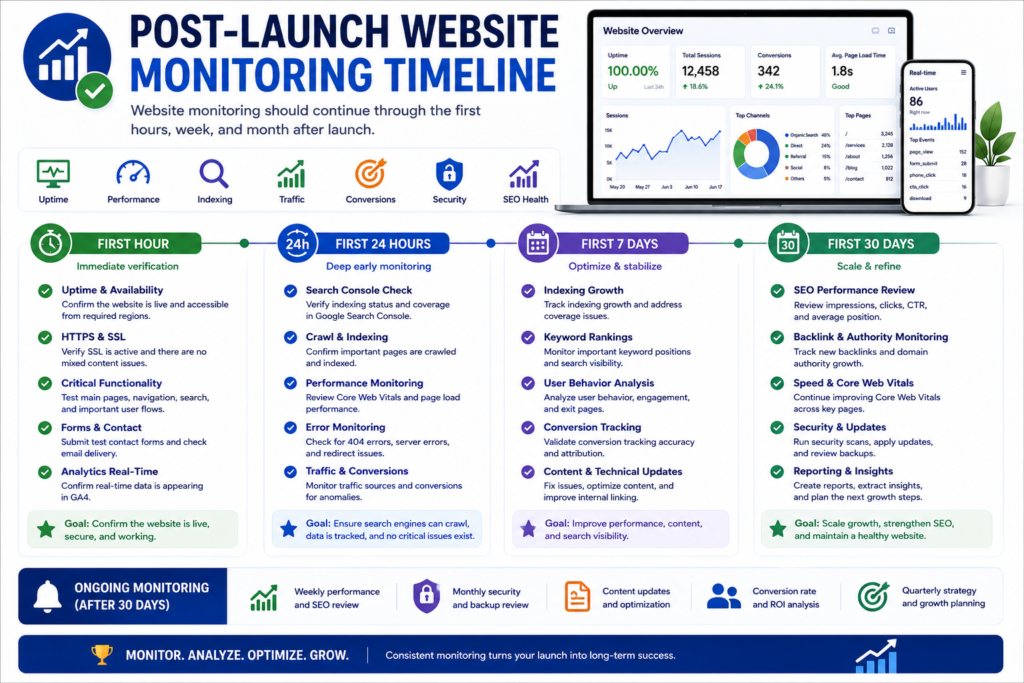
First 24 Hours After Website Launch
The first 24 hours should focus on operational stability.
Monitor Website Uptime
Uptime Checklist
- [ ] Website remains available.
- [ ] Important pages remain accessible.
- [ ] SSL remains valid.
- [ ] Server errors are monitored.
- [ ] Uptime alerts are active.
- [ ] CDN remains operational.
- [ ] Hosting resource usage is reviewed where relevant.
If unexpected downtime occurs, investigate whether the cause is application code, hosting resources, DNS, CDN configuration, security controls, or third-party services.
Monitor Server Errors
Review logs and monitoring tools for errors that users may not report.
Look for:
- 500 errors.
- 502 errors.
- 503 errors.
- Database connection problems.
- PHP or application errors.
- API failures.
- Permission problems.
- Timeout errors.
Server Error Checklist
- [ ] Error logs are reviewed.
- [ ] Critical errors are assigned.
- [ ] Repeated errors are investigated.
- [ ] Broken API requests are reviewed.
- [ ] Form delivery failures are reviewed.
- [ ] Deployment-related errors are documented.
A production launch can generate issues only under real traffic or concurrency, which makes early log monitoring valuable.
Monitor 404 Errors
Some 404 requests are normal.
However, unexpected 404s after a migration can indicate missing redirects or broken internal links.
404 Monitoring Checklist
- [ ] High-frequency 404s are reviewed.
- [ ] Old high-value URLs are tested.
- [ ] Internal broken links are fixed.
- [ ] Relevant legacy URLs receive redirects where appropriate.
- [ ] Invalid random URLs are not redirected automatically without reason.
Focus on meaningful URLs that users or search engines are actually attempting to access.
Verify Lead Delivery Repeatedly
Do not assume that one successful test proves all future form delivery.
Monitor real submissions where permitted.
Lead Monitoring Checklist
- [ ] Contact inquiries arrive.
- [ ] Quote requests arrive.
- [ ] CRM receives leads.
- [ ] Automated emails are delivered.
- [ ] Spam filtering is not rejecting legitimate messages.
- [ ] Lead routing works.
- [ ] Conversion events correspond reasonably with actual leads.
A mismatch between analytics conversions and real leads should trigger investigation.
Check Analytics Data Quality
During the first day, look for obvious abnormalities.
Analytics QA Checklist
- [ ] Traffic is appearing.
- [ ] Production hostname is correct.
- [ ] Page views appear reasonable.
- [ ] Important events appear.
- [ ] Conversion events appear.
- [ ] Duplicate events are not obvious.
- [ ] Referral traffic is not being distorted by configuration.
- [ ] Internal team testing is understood.
- [ ] Ecommerce values are correct where relevant.
Do not make major strategic conclusions from one day of data.
The objective at this stage is implementation validation.
First 7 Days After Website Launch
The first week provides more useful patterns for search visibility, technical stability, conversions, and user behavior.
Review Google Search Console
First-Week Search Console Checklist
- [ ] Sitemap remains successfully processed.
- [ ] Important URLs are being discovered.
- [ ] Indexing status is reviewed.
- [ ] Crawl-related issues are investigated.
- [ ] Unexpected canonical behavior is reviewed.
- [ ] HTTPS issues are reviewed.
- [ ] Structured data reports are reviewed where relevant.
- [ ] Security issues are checked.
- [ ] Manual actions are checked.
For a new domain, indexing can take time.
Do not interpret slow initial indexing as proof of a penalty without evidence.
Monitor Indexing Progress
Prioritize important pages rather than obsessing over the raw number of indexed URLs.
Indexing Priority Checklist
Check whether search engines can discover and process:
- Homepage.
- Core service pages.
- Main category pages.
- High-value landing pages.
- Important informational content.
- Key product pages.
- Important location pages.
Investigate pages that should be indexable but remain consistently undiscovered or excluded.
Monitor Organic Landing Pages
For established websites and migrations, compare important organic landing pages before and after launch.
Organic Monitoring Checklist
- [ ] Key pages remain accessible.
- [ ] Redirects preserve old entry points.
- [ ] Important pages remain indexable.
- [ ] Rankings are monitored without overreacting to normal short-term fluctuations.
- [ ] Organic clicks are reviewed.
- [ ] Organic impressions are reviewed.
- [ ] Major traffic drops are investigated.
- [ ] Lost URLs are identified.
Migration monitoring should be based on page-level evidence rather than only sitewide totals.
Review User Behavior
Analytics and user-experience tools can reveal issues that were difficult to predict during development.
Look for patterns such as:
- Users abandoning forms.
- Users repeatedly clicking non-interactive elements.
- Unexpected mobile exits.
- Navigation confusion.
- High-error pages.
- Broken checkout journeys.
- Pages with unexpectedly poor engagement.
Do not treat every behavioral metric as a ranking factor.
Use behavior data primarily to understand whether users can accomplish their intended tasks.
Review Core Web Vitals and Real-User Performance
Field data requires sufficient user activity and time, so meaningful reports may not appear immediately.
Continue monitoring performance as data becomes available.
Performance Monitoring Checklist
- [ ] LCP trends are reviewed.
- [ ] INP trends are reviewed.
- [ ] CLS trends are reviewed.
- [ ] Slow templates are identified.
- [ ] Mobile performance is prioritized.
- [ ] Large images are reviewed.
- [ ] Third-party scripts are reviewed.
- [ ] Hosting performance is reviewed.
- [ ] CDN effectiveness is evaluated.
Avoid making unnecessary design changes based on one isolated synthetic test.
Look for repeatable performance problems.
First 30 Days After Website Launch
The first month provides enough data to start evaluating whether the website is achieving its intended business and search objectives.
Perform a 30-Day SEO Review
30-Day SEO Checklist
- [ ] Important pages are being indexed.
- [ ] Organic impressions are growing where expected.
- [ ] Search queries are reviewed.
- [ ] Important pages are receiving impressions.
- [ ] Titles and snippets are evaluated.
- [ ] Internal linking opportunities are identified.
- [ ] Crawling problems are reviewed.
- [ ] Redirect performance is reviewed.
- [ ] 404 reports are reviewed.
- [ ] Canonical issues are reviewed.
- [ ] Sitemap remains accurate.
- [ ] New content opportunities are documented.
Do not rewrite pages simply because they have not reached page one within 30 days.
Search performance should be evaluated in context, particularly for new domains.
Perform a 30-Day Conversion Review
SEO success and business success are related but not identical.
A website may gain impressions while producing few leads because the conversion experience needs improvement.
Conversion Review Checklist
- [ ] Total qualified leads are reviewed.
- [ ] Conversion rate is reviewed.
- [ ] High-converting landing pages are identified.
- [ ] Weak conversion pages are identified.
- [ ] CTA performance is reviewed.
- [ ] Form completion is reviewed.
- [ ] Phone conversions are reviewed where tracked.
- [ ] Booking conversions are reviewed.
- [ ] CRM data is reconciled with analytics where possible.
- [ ] Traffic quality is assessed.
Focus on qualified business outcomes rather than vanity metrics alone.
Review Website Security After 30 Days
Security Review Checklist
- [ ] Software updates are current.
- [ ] Security alerts are reviewed.
- [ ] Administrator accounts are reviewed.
- [ ] Backup jobs are confirmed.
- [ ] Restore capability remains available.
- [ ] Suspicious login activity is reviewed.
- [ ] Malware scanning is working.
- [ ] Firewall rules remain appropriate.
- [ ] Unused accounts are removed.
Security maintenance should continue throughout the life of the website.
Post-Launch Monitoring Timeline
| Time Period | Primary Focus | Priority Checks |
|---|---|---|
| First Hour | Availability | DNS, HTTPS, pages, forms, robots, noindex, analytics |
| First 24 Hours | Stability | Uptime, server errors, forms, redirects, tracking, 404s |
| First 7 Days | Discovery and behavior | Search Console, indexing, traffic, conversions, UX, performance |
| First 30 Days | Optimization | SEO trends, conversion rate, Core Web Vitals, content gaps, security |
| Ongoing | Growth and maintenance | Updates, backups, SEO, CRO, security, content, monitoring |
This staged approach helps teams avoid trying to treat every possible launch task as equally urgent.
WordPress Website Launch Checklist
WordPress websites require several CMS-specific checks in addition to the general website launch process.
Check WordPress Search Engine Visibility
In WordPress, verify that production indexing settings are correct.
WordPress SEO Launch Checklist
- [ ] Search engine visibility setting is appropriate.
- [ ] SEO plugin indexing settings are reviewed.
- [ ] Individual page indexing settings are reviewed.
- [ ] XML sitemap works.
- [ ] Canonical URLs are correct.
- [ ] Permalink structure is correct.
- [ ] Staging URLs are removed.
- [ ] Site URL is correct.
- [ ] WordPress Address is correct.
- [ ] Important pages return expected status codes.
A staging website may intentionally discourage indexing.
That setting must not be forgotten during production deployment.
Review WordPress Plugins
Plugin Launch Checklist
- [ ] Plugins are updated.
- [ ] Unused plugins are removed.
- [ ] Duplicate functionality is minimized.
- [ ] Caching plugin is configured correctly.
- [ ] Security plugin is configured correctly.
- [ ] SEO plugin is configured.
- [ ] Form plugins are tested.
- [ ] Backup plugin is tested where used.
- [ ] Redirect plugin rules are tested.
- [ ] Analytics integrations are verified.
- [ ] Plugin conflicts are checked.
More plugins do not automatically make a WordPress website better.
Every plugin adds code, maintenance requirements, and potentially additional security or compatibility considerations.
Review WordPress Permalinks
Changing permalink structure after launch can create unnecessary redirect work.
Permalink Checklist
- [ ] Final structure is selected.
- [ ] Important URLs are readable.
- [ ] Existing URLs are preserved where appropriate.
- [ ] Redirects cover changed URLs.
- [ ] Categories and tags are intentionally configured.
- [ ] Attachment-page behavior is reviewed.
- [ ] Canonicals match final URLs.
Establish the intended structure before search engines begin indexing the site.
Clear WordPress Caches After Deployment
Caching can cause an old staging version or outdated assets to remain visible.
Cache Checklist
- [ ] Page cache is cleared.
- [ ] Object cache is cleared where relevant.
- [ ] CDN cache is refreshed where needed.
- [ ] Browser behavior is retested.
- [ ] Updated CSS loads.
- [ ] Updated JavaScript loads.
- [ ] New images load.
- [ ] Mobile version displays correctly.
After clearing caches, verify the website again as a normal visitor.
Ecommerce Website Launch Checklist
An ecommerce launch introduces additional business-critical systems.
A store is not ready merely because product pages display correctly.
The complete purchase journey must be tested.
Test Product Pages
Product Page Checklist
- [ ] Product titles are correct.
- [ ] Product descriptions are correct.
- [ ] Prices are correct.
- [ ] Sale pricing works.
- [ ] Product images display correctly.
- [ ] Variants work.
- [ ] Stock status is accurate.
- [ ] Add-to-cart works.
- [ ] Related products work where used.
- [ ] Structured data accurately represents the product.
- [ ] Shipping information is clear.
- [ ] Returns information is available where appropriate.
Test the Cart and Checkout
Ecommerce Checkout Checklist
- [ ] Products can be added to cart.
- [ ] Products can be removed.
- [ ] Quantities can be changed.
- [ ] Coupons work where intended.
- [ ] Shipping calculations work.
- [ ] Tax calculations work.
- [ ] Address validation works.
- [ ] Payment gateway works.
- [ ] Failed payment behavior is understandable.
- [ ] Successful payment creates an order.
- [ ] Inventory updates.
- [ ] Confirmation page loads.
- [ ] Customer receives order email.
- [ ] Business receives order notification.
- [ ] Analytics records the transaction.
Perform real or properly configured test transactions rather than assuming checkout functionality from visual inspection.
Test Transactional Emails
Examples include:
- Order confirmation.
- Payment confirmation.
- Shipping notification.
- Password reset.
- Account creation.
- Cancellation notification.
- Refund notification.
Email Checklist
- [ ] Email content is accurate.
- [ ] Branding is correct.
- [ ] Production domain is used.
- [ ] Links work.
- [ ] Contact information is correct.
- [ ] Order details are correct.
- [ ] Emails reach expected recipients.
- [ ] Test content is removed.
Website Launch Checklist for Small Business
Small-business owners often have fewer people available to manage launch QA.
For that reason, prioritization becomes especially important.
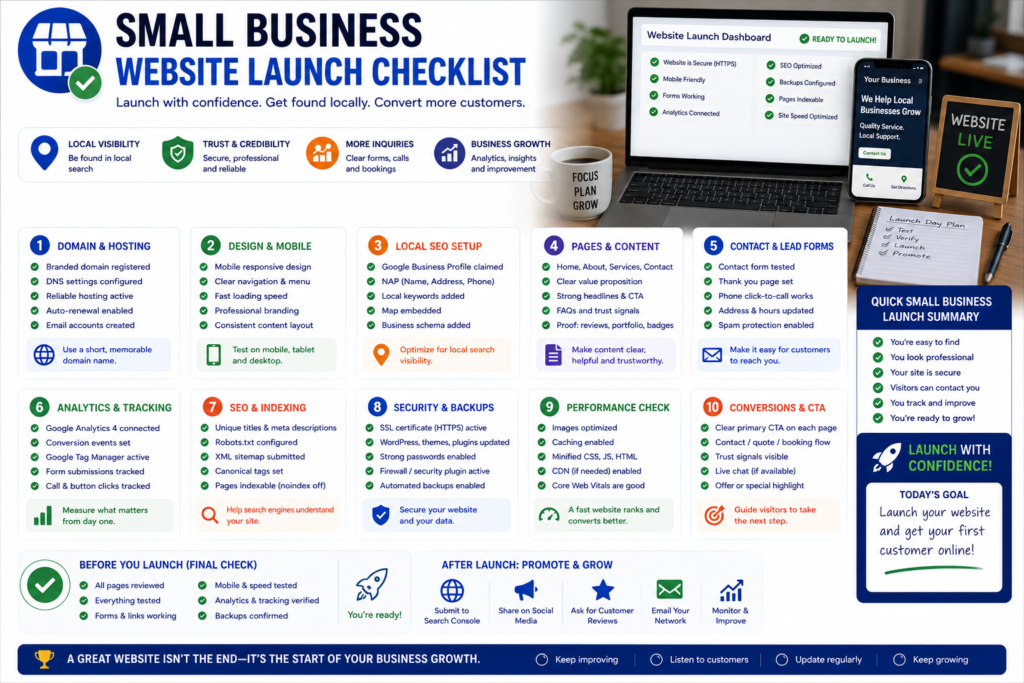
Small Business Launch Essentials
If resources are limited, prioritize these areas:
- Domain and HTTPS.
- Mobile usability.
- Contact information.
- Service descriptions.
- Contact forms.
- Phone links.
- Google Analytics.
- Google Search Console.
- Local business information.
- SEO titles and indexability.
- Backup system.
- Website security.
- Primary CTAs.
- Google Business Profile links where relevant.
- Post-launch monitoring.
The goal is not to ignore advanced optimization.
It is to make sure the website’s most important revenue and discovery functions work first.
Local Business Website Launch Checklist
A local business website should ensure that website information aligns with its real-world business presence.
Verify Local Business Information
Local SEO Launch Checklist
- [ ] Business name is consistent.
- [ ] Address is accurate where publicly displayed.
- [ ] Phone number is correct.
- [ ] Opening hours are accurate.
- [ ] Contact page is complete.
- [ ] Location pages are accurate.
- [ ] Map links work.
- [ ] Google Business Profile website link points to the correct URL.
- [ ] Local structured data accurately reflects the business where used.
- [ ] Local CTAs work.
- [ ] Location-specific content is useful and not duplicated unnecessarily.
Avoid creating large numbers of thin location pages solely to target geographic keywords.
Each location page should provide genuine value.
Website Launch Checklist for Agencies and Client Websites
Agency projects introduce another layer of complexity because responsibilities, ownership, credentials, training, and maintenance must be transferred clearly.
Complete Client Approval Before Launch
Client Approval Checklist
- [ ] Final design is approved.
- [ ] Content is approved.
- [ ] Pricing is approved.
- [ ] Contact information is approved.
- [ ] Legal pages are reviewed by the responsible party.
- [ ] Conversion paths are approved.
- [ ] Analytics requirements are approved.
- [ ] Domain changes are authorized.
- [ ] Launch date is confirmed.
- [ ] Responsible launch contacts are available.
Approvals should be documented rather than assumed.
Complete the Client Handoff
Website Handoff Checklist
- [ ] Domain ownership is documented.
- [ ] Hosting ownership is documented.
- [ ] CMS administrator access is transferred appropriately.
- [ ] Analytics access is provided.
- [ ] Search Console access is provided.
- [ ] Tag Manager access is provided where used.
- [ ] Backup responsibilities are explained.
- [ ] Update responsibilities are explained.
- [ ] Maintenance scope is documented.
- [ ] Support boundaries are documented.
- [ ] Training is provided where required.
- [ ] Documentation is provided.
- [ ] Renewal responsibilities are documented.
A website handoff should clarify who owns and manages every business-critical system.
Website Redesign and Migration Launch Checklist
A redesign can create greater SEO risk than launching a completely new website because the existing site may already have rankings, backlinks, indexed URLs, user bookmarks, referral traffic, and historical authority.
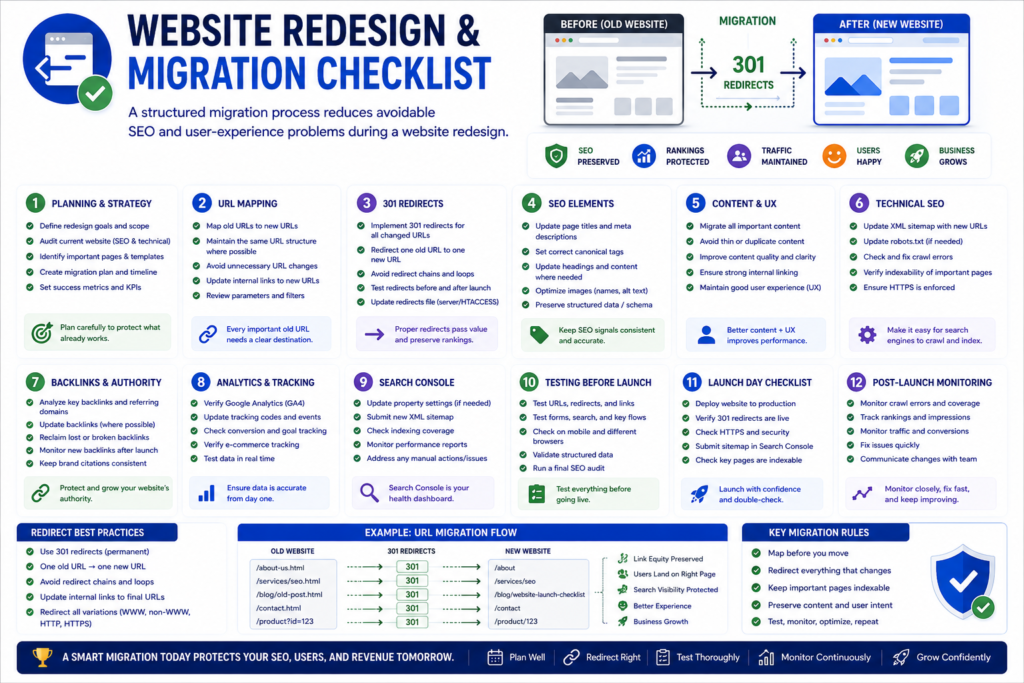
Benchmark the Existing Website Before Migration
Before replacing the old site, record relevant baseline data.
Migration Benchmark Checklist
- [ ] Important organic landing pages are recorded.
- [ ] High-traffic pages are identified.
- [ ] Backlinked URLs are identified.
- [ ] Existing URL inventory is saved.
- [ ] Current titles are recorded where useful.
- [ ] Current canonicals are reviewed.
- [ ] Existing structured data is reviewed.
- [ ] Current rankings are recorded where available.
- [ ] Analytics baseline is saved.
- [ ] Search Console data is exported where useful.
Without a baseline, diagnosing post-launch changes becomes harder.
Preserve High-Value URLs Where Practical
If a high-performing URL does not need to change, retaining it can reduce migration complexity.
Change URLs when there is a meaningful architectural or business reason, not merely because a new CMS generates a different format.
Create a Complete Redirect Map
For every important changed URL:
Old URL → Most Relevant New URL
Migration Redirect Priorities
Prioritize:
- High-traffic URLs.
- Backlinked URLs.
- Ranking pages.
- Important service pages.
- Product pages.
- Category pages.
- Popular content.
- URLs used in external campaigns.
Test these redirects immediately after deployment.
Compare Pre-Launch and Post-Launch Crawls
A crawl comparison can identify unexpected structural changes.
Look for differences in:
- Status codes.
- Indexable URL counts.
- Canonicals.
- Titles.
- Meta robots.
- Internal links.
- Redirects.
- H1 headings.
- Structured data.
- Broken links.
Not every change is a problem, but unexplained changes should be investigated.
How to Launch a Website Without Losing SEO
For an established website, the safest approach is to preserve important search signals while improving the website.
Website Relaunch SEO Checklist
- Inventory existing URLs.
- Identify organic landing pages.
- Identify important backlinks.
- Preserve valuable URLs where possible.
- Map changed URLs with appropriate redirects.
- Preserve important content.
- Review title and heading changes.
- Preserve useful structured data.
- Verify internal linking.
- Test canonical URLs.
- Check robots.txt.
- Remove accidental noindex directives.
- Update XML sitemap.
- Test redirects on production.
- Inspect important pages in Search Console.
- Monitor rankings, clicks, impressions, and indexing after launch.
- Investigate major traffic losses at the page level.
Temporary ranking volatility can occur during substantial migrations, but careful planning reduces preventable problems.
AI Search and GEO Website Launch Readiness
Visibility in AI-generated search experiences should not be treated as a completely separate technical launch system.
A strong foundation remains useful:
- Crawlable content.
- Indexable pages.
- Clear page structure.
- Accurate information.
- Strong topical relationships.
- Helpful explanations.
- Descriptive headings.
- Direct answers.
- Structured data where appropriate.
- Clear authorship.
- Trustworthy business information.
- Original expertise.
- Logical internal linking.
Make Important Information Easy to Extract
AI systems and traditional search systems benefit when content communicates facts clearly.
GEO and AEO Content Checklist
- [ ] Page topic is immediately clear.
- [ ] Important questions receive direct answers.
- [ ] Definitions are concise.
- [ ] Steps are presented in logical order.
- [ ] Tables are used where comparison improves understanding.
- [ ] Important entities are named accurately.
- [ ] Technical terminology is explained.
- [ ] Claims are specific and supportable.
- [ ] Information is internally consistent.
- [ ] Important content is available in accessible page text.
- [ ] Headings clearly describe sections.
- [ ] FAQs answer genuine user questions.
Do not create awkward keyword-heavy content in an attempt to target AI systems.
Content should remain useful to human readers first.
Strengthen Entity and Trust Signals
A business website should make it easy for visitors and systems to understand who operates the website and what the organization does.
Trust and Entity Checklist
- [ ] Business name is consistent.
- [ ] About page is accurate.
- [ ] Contact information is available.
- [ ] Service descriptions are clear.
- [ ] Author information is available where relevant.
- [ ] Editorial ownership is clear.
- [ ] Organization information is consistent.
- [ ] Structured data matches visible information.
- [ ] Social profiles are linked where genuinely relevant.
- [ ] Claims are verifiable.
- [ ] Testimonials are authentic.
- [ ] Policies are accessible.
Consistency is more valuable than adding excessive schema or repeating the company name unnaturally throughout every page.
Common Website Launch Mistakes to Avoid
Even experienced teams can miss basic launch details.
The following errors deserve special attention.
Leaving the Website Set to Noindex
This can prevent important pages from entering search results.
Prevention: Verify indexing settings immediately after production deployment.
Blocking Crawlers With Staging Robots.txt Rules
A staging rule such as broad crawler blocking can accidentally move to production.
Prevention: Review production robots.txt manually.
Leaving Staging Canonical URLs
Production pages may continue identifying staging URLs as canonical.
Prevention: Inspect generated source or SEO output on representative production pages.
Forgetting Redirects During a Redesign
Changed URLs can produce 404 errors and break existing search and referral pathways.
Prevention: Build and test a redirect map before launch.
Testing Forms Without Checking Delivery
A success message does not prove that a lead was delivered.
Prevention: Confirm inbox, CRM, analytics, and automation outcomes.
Installing Analytics Without Testing Events
Tracking code may load while business conversions remain unmeasured.
Prevention: Perform complete conversion journeys.
Launching Without a Backup
A failed deployment becomes far more difficult to recover from when no verified backup exists.
Prevention: Create and verify a restore-ready backup before deployment.
Ignoring Mobile Testing
Desktop approval does not guarantee usable mobile design.
Prevention: Test important journeys on real mobile devices.
Ignoring Accessibility
Visual review alone can miss keyboard, focus, labeling, contrast, and assistive-technology problems.
Prevention: Combine automated accessibility tools with manual checks.
Changing Too Many Things During a Migration
A redesign that simultaneously changes URLs, content, architecture, metadata, CMS, navigation, and domain structure makes troubleshooting more difficult.
Prevention: Preserve valuable signals wherever practical and document intentional changes.
Treating Launch as the End of the Project
Many important issues appear only after real users and search engines interact with the production website.
Prevention: Schedule post-launch reviews for the first 24 hours, 7 days, and 30 days.
Website Launch Checklist by Risk Priority
When hundreds of tasks exist, prioritization helps teams focus on what could cause the greatest damage.
Critical Priority
These issues can justify delaying or rolling back a launch:
- Website unavailable.
- Major security vulnerability.
- Important pages accidentally noindexed.
- Critical crawler blocking.
- Checkout completely broken.
- Main lead form broken.
- Major database failure.
- Production data corruption.
- Incorrect domain configuration.
High Priority
These should normally be fixed immediately:
- Missing critical redirects.
- Mobile navigation failure.
- Conversion tracking failure.
- Important canonical errors.
- Major page-speed regression.
- Broken booking process.
- Incorrect business contact details.
- Widespread 404 errors.
Medium Priority
These can often be corrected shortly after launch if necessary:
- Secondary metadata problems.
- Minor accessibility issues.
- Isolated broken links.
- Non-critical layout problems.
- Minor image optimization issues.
Low Priority
These usually do not justify delaying an otherwise healthy launch:
- Small spacing inconsistencies.
- Optional animation improvements.
- Minor copy refinements.
- Non-essential visual enhancements.
The goal is not to launch an imperfect website carelessly.
The goal is to allocate attention according to actual business and technical risk.
Complete Website Launch Checklist Summary
Before declaring a website successfully launched, verify the following final checklist.
Business and Content
- [ ] Business goals are defined.
- [ ] Primary conversion is clear.
- [ ] Content is proofread.
- [ ] Contact information is correct.
- [ ] Pricing and service information are accurate.
- [ ] Placeholder content is removed.
- [ ] CTAs are clear.
Domain and Hosting
- [ ] Domain resolves correctly.
- [ ] DNS is correct.
- [ ] Hosting is stable.
- [ ] Production environment is configured.
- [ ] HTTPS works.
- [ ] CDN works where applicable.
- [ ] Backup exists.
- [ ] Rollback plan exists.
UX and Functionality
- [ ] Navigation works.
- [ ] Mobile menu works.
- [ ] Forms work.
- [ ] Search works where relevant.
- [ ] Interactive elements work.
- [ ] Cross-browser testing is complete.
- [ ] Mobile testing is complete.
SEO
- [ ] Titles are reviewed.
- [ ] Meta descriptions are reviewed.
- [ ] Robots.txt is correct.
- [ ] Important pages are indexable.
- [ ] No accidental noindex remains.
- [ ] Canonical URLs are correct.
- [ ] XML sitemap is correct.
- [ ] Redirects work.
- [ ] Internal links work.
- [ ] Structured data is valid where used.
- [ ] Search Console is configured.
Accessibility
- [ ] Keyboard navigation works.
- [ ] Focus is visible.
- [ ] Form labels are meaningful.
- [ ] Alt text is appropriate.
- [ ] Contrast is reviewed.
- [ ] Heading structure is logical.
- [ ] Important interactive elements are accessible.
Performance
- [ ] Images are optimized.
- [ ] Caching works.
- [ ] Compression works.
- [ ] CDN is verified.
- [ ] Heavy scripts are reviewed.
- [ ] Core Web Vitals are tested.
- [ ] Mobile performance is reviewed.
Security
- [ ] Software is updated.
- [ ] Unused accounts are removed.
- [ ] Administrator access is limited.
- [ ] Backups are automated.
- [ ] Security monitoring is configured.
- [ ] Sensitive files are protected.
- [ ] Debug information is not exposed.
Analytics and Conversions
- [ ] GA4 receives data.
- [ ] Google Tag Manager is correct.
- [ ] Conversion events work.
- [ ] Contact forms deliver leads.
- [ ] CRM receives leads.
- [ ] Booking systems work.
- [ ] Ecommerce transactions work where applicable.
Post-Launch
- [ ] Uptime monitoring is active.
- [ ] Server errors are monitored.
- [ ] 404 errors are monitored.
- [ ] Search Console is reviewed.
- [ ] Indexing is monitored.
- [ ] Organic performance is monitored.
- [ ] Conversion performance is monitored.
- [ ] First 7-day review is scheduled.
- [ ] First 30-day review is scheduled.
A website can be considered professionally launched when its critical systems have been verified in production, not merely configured.
Frequently Asked Questions About Website Launches
What Is a Website Launch Checklist?
A website launch checklist is a structured list of technical, SEO, content, security, performance, usability, analytics, and conversion checks completed before, during, and after a website goes live.
Its purpose is to reduce launch risk and verify that the production website works correctly for users, search engines, and the business.
A complete launch checklist normally covers:
- Content accuracy.
- Domain and hosting.
- Mobile responsiveness.
- Forms and functionality.
- Technical SEO.
- Crawlability and indexability.
- Redirects.
- Website security.
- Accessibility.
- Page performance.
- Analytics.
- Conversion tracking.
- Search Console.
- Launch-day verification.
- Post-launch monitoring.
What Should I Check Before Launching a Website?
Before launching a website, prioritize the issues that could prevent users or search engines from using it correctly.
Check:
- Domain and DNS configuration.
- HTTPS and SSL.
- Mobile responsiveness.
- Navigation.
- Forms.
- Contact information.
- Broken links.
- SEO titles and descriptions.
- Robots.txt.
- Noindex directives.
- Canonical URLs.
- XML sitemap.
- Redirects.
- Structured data.
- Analytics.
- Conversion tracking.
- Security.
- Backups.
- Accessibility.
- Website performance.
Complete the checks on staging where appropriate, then repeat critical checks on the actual production website.
What Is a Pre-Launch Website Checklist?
A pre-launch website checklist covers the tasks that should be completed before a website is moved into its final production environment.
Typical pre-launch tasks include:
- Proofreading content.
- Testing navigation.
- Testing forms.
- Checking mobile layouts.
- Reviewing SEO metadata.
- Preparing redirects.
- Validating structured data.
- Configuring analytics.
- Testing accessibility.
- Optimizing images.
- Creating backups.
- Preparing a rollback plan.
The purpose of pre-launch QA is to eliminate preventable problems before real users encounter them.
What Is a Website Launch Day Checklist?
A website launch day checklist verifies that the website continues to function after deployment to the live environment.
Launch-day priorities include:
- DNS.
- HTTPS.
- Production URLs.
- Robots.txt.
- Noindex directives.
- Canonical tags.
- XML sitemap.
- Redirects.
- Forms.
- Analytics.
- Conversion tracking.
- Search Console.
- Website uptime.
These checks should be repeated even if they were completed successfully on staging.
What Should I Do Immediately After Launching a Website?
Immediately after launch:
- Confirm the website is accessible.
- Verify HTTPS.
- Test important pages.
- Check robots.txt.
- Verify that important pages are not noindex.
- Test canonical URLs.
- Test redirects.
- Check the XML sitemap.
- Submit or verify the sitemap in Google Search Console.
- Test forms.
- Confirm actual lead delivery.
- Verify GA4.
- Test conversion events.
- Monitor server errors.
- Monitor uptime.
- Check important pages on mobile.
Continue monitoring during the first 24 hours, first week, and first month.
How Do I Launch a Website With SEO?
To launch a website with SEO in mind:
- Build a crawlable site architecture.
- Create useful pages that match search intent.
- Use descriptive URLs.
- Optimize titles and headings naturally.
- Create logical internal links.
- Check robots.txt.
- Remove accidental noindex directives.
- Verify canonical URLs.
- Create an XML sitemap.
- Prepare redirects for changed URLs.
- Optimize images.
- Implement appropriate structured data.
- Configure Google Search Console.
- Monitor indexing after launch.
SEO should be incorporated throughout the development process rather than added only after the website has launched.
How Do I Get a New Website Indexed by Google?
Start by making sure Google can technically access and index the website.
Check that:
- Public pages return successful responses.
- Googlebot is not unintentionally blocked.
- Important pages do not contain
noindex. - Canonical URLs are appropriate.
- Pages are internally linked.
- XML sitemap includes the correct URLs.
- Google Search Console is configured.
Submit the sitemap and use URL Inspection for representative important pages.
Indexing is not guaranteed simply because a URL has been submitted. Google independently decides whether and when eligible pages are indexed.
Why Is My New Website Not Showing on Google?
A newly launched website may not appear immediately for several reasons.
Possible causes include:
- Google has not discovered the website yet.
- Pages have not been crawled yet.
- Important pages contain noindex directives.
- Robots.txt blocks crawling.
- Canonical tags reference different URLs.
- Pages are not internally linked.
- The sitemap is incorrect.
- The content does not yet provide sufficient value or distinctiveness.
- The site is very new and still being processed.
Use Google Search Console and URL Inspection to investigate the specific URL rather than guessing.
Why Are My Pages Not Getting Indexed After Launch?
Common technical causes include:
- Accidental
noindex. - Crawl blocking.
- Incorrect canonicalization.
- Redirect problems.
- Server errors.
- Poor internal discoverability.
- Sitemap errors.
However, technical eligibility does not guarantee indexing.
Search engines also make their own indexing decisions.
Start with technical verification, then evaluate content quality and duplication if no technical issue is found.
How Do I Check Robots.txt Before Launch?
Open the production robots.txt file and review every important rule.
Look specifically for:
- Broad
Disallowdirectives. - Development-only rules.
- Blocked CSS or JavaScript resources.
- Incorrect sitemap references.
- Old staging domains.
The production file should reflect the intended crawl behavior of the live website.
How Do I Remove Noindex Before Website Launch?
First, identify where the directive is being generated.
Possible locations include:
- HTML meta robots tags.
- HTTP
X-Robots-Tag. - CMS settings.
- SEO plugins.
- Individual page settings.
- Theme templates.
- Server configuration.
Remove the restriction only from pages that are actually intended to appear in search.
Some utility or private pages may correctly remain non-indexable.
How Do I Test Canonical Tags Before Launch?
Inspect representative pages from every major template.
Confirm that canonical URLs:
- Use the production domain.
- Use the intended HTTPS version.
- Point to the correct page.
- Do not reference staging.
- Do not reference localhost.
- Do not point unnecessarily to redirected URLs.
For larger websites, use a crawler to identify canonical patterns across many URLs.
How Do I Create a 301 Redirect Map?
Create two columns:
| Old URL | New URL |
|---|---|
/old-service/ | /new-service/ |
/old-guide/ | /new-guide/ |
/old-contact/ | /contact/ |
Map each important legacy URL to its most relevant replacement.
Prioritize:
- High-traffic pages.
- Ranking URLs.
- Backlinked URLs.
- Major service pages.
- Popular articles.
- Product and category pages.
After deployment, test the redirects individually and through a crawl.
How Can I Prevent 404 Errors During a Website Redesign?
Before launch:
- Crawl the existing site.
- Export important URLs.
- Identify URLs that will change.
- Create a redirect map.
- Update internal links.
- Test redirects on the production environment.
- Monitor 404s after launch.
Do not redirect every missing URL to the homepage.
Redirect only when there is a relevant destination.
What Is the Difference Between a Website Launch Checklist and an SEO Checklist?
A website launch checklist is broader.
It covers:
- Development.
- Content.
- UX.
- Mobile responsiveness.
- Security.
- Accessibility.
- SEO.
- Analytics.
- Forms.
- Conversions.
- Hosting.
- Post-launch monitoring.
An SEO checklist focuses more specifically on search-engine discoverability, crawlability, indexability, relevance, internal linking, metadata, technical SEO, structured data, and search performance.
SEO is therefore one component of a complete website launch process.
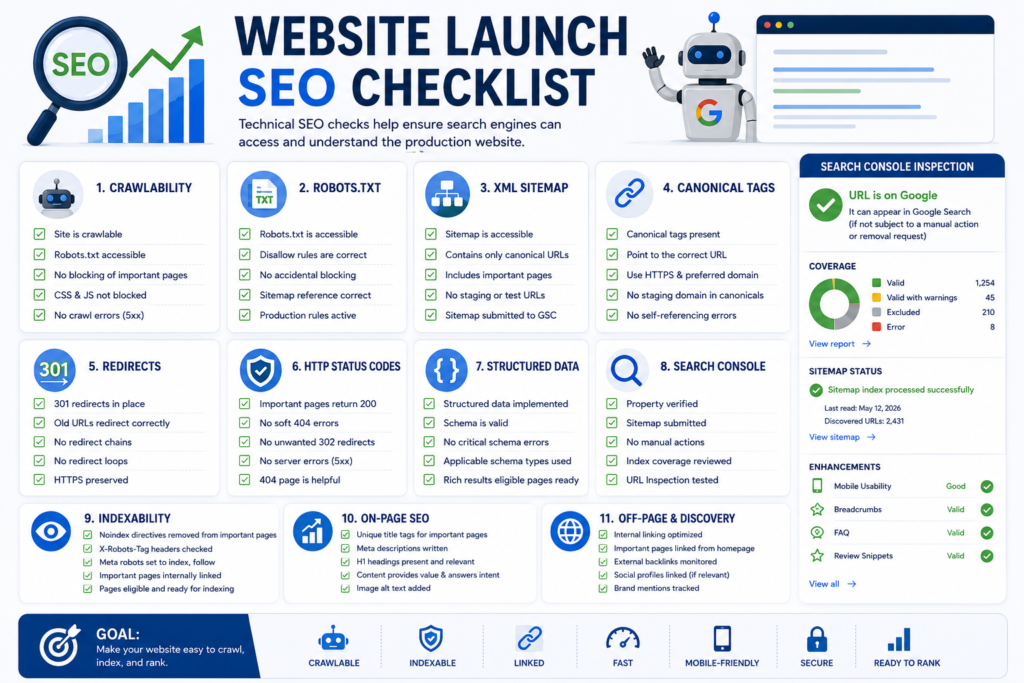
What Is the Difference Between Pre-Launch and Post-Launch Testing?
Pre-launch testing attempts to prevent problems before deployment.
Post-launch testing verifies that the real production environment behaves correctly.
| Pre-Launch | Post-Launch |
|---|---|
| Staging QA | Production QA |
| Content review | Live content verification |
| Form configuration | Actual form delivery |
| Redirect preparation | Live redirect testing |
| Analytics setup | Analytics data validation |
| Performance testing | Real production performance |
| SEO settings | Crawl and index monitoring |
Both stages are necessary.
How Do I Test a Website Before It Goes Live?
Use a combination of manual and automated testing.
Test:
- Navigation.
- Forms.
- Buttons.
- Mobile responsiveness.
- Browsers.
- Internal links.
- External links.
- HTTP status codes.
- Accessibility.
- SEO directives.
- Structured data.
- Performance.
- Security.
- Analytics.
- Conversion paths.
Then repeat high-risk tests after deployment.
What Are the Most Common Website Launch Mistakes?
Common mistakes include:
- Leaving important pages noindex.
- Blocking search crawlers.
- Forgetting redirects.
- Leaving staging URLs in canonical tags.
- Publishing placeholder content.
- Failing to test mobile navigation.
- Assuming forms work without confirming lead delivery.
- Forgetting analytics.
- Tracking the wrong conversions.
- Launching without backups.
- Ignoring accessibility.
- Failing to monitor the website after launch.
Many serious launch problems come from small configuration mistakes rather than major development failures.
What Should I Prioritize If I Only Have One Hour Before Launch?
Prioritize risk.
Check:
- Website availability.
- HTTPS.
- Robots.txt.
- Noindex.
- Canonical URLs.
- Critical redirects.
- Primary navigation.
- Mobile navigation.
- Contact forms.
- Lead delivery.
- Primary CTA.
- Backup.
- Analytics.
- Conversion tracking.
- Search Console access.
Do not spend the final hour adjusting minor design spacing while critical indexing, form, or security problems remain unresolved.
Do I Need Google Search Console Before Launching a Website?
It is highly useful to configure Google Search Console around the time of launch.
It can help website owners monitor:
- Sitemap processing.
- Crawling.
- Indexing.
- Search queries.
- Search clicks and impressions.
- Canonicalization.
- Security issues.
- Structured data reports where supported.
Search Console should be considered part of a professional post-launch monitoring workflow.
Do I Need Google Analytics Before Website Launch?
If analytics is part of the website’s measurement strategy, it should normally be configured and tested before or during launch.
This allows the business to capture data from the beginning.
More importantly, verify that meaningful events work rather than simply confirming that the tracking code exists.
How Long Should I Monitor a Website After Launch?
Monitoring should be ongoing, but the highest-intensity launch monitoring generally occurs during:
- The first hour.
- The first 24 hours.
- The first 7 days.
- The first 30 days.
After that, monitoring should become part of routine website maintenance, SEO, analytics, security, and performance management.
Website Launch Checklist Template
The following compact template can be used as a final go-live worksheet.
Phase 1. Business Readiness
- [ ] Website goals confirmed.
- [ ] Primary audience confirmed.
- [ ] Primary conversion confirmed.
- [ ] Key stakeholders approved launch.
- [ ] Launch responsibilities assigned.
Phase 2. Content
- [ ] Content proofread.
- [ ] Placeholder text removed.
- [ ] Contact details verified.
- [ ] Pricing verified.
- [ ] Calls to action checked.
- [ ] Images reviewed.
Phase 3. Functionality
- [ ] Navigation tested.
- [ ] Forms tested.
- [ ] Search tested.
- [ ] Downloads tested.
- [ ] Booking system tested.
- [ ] Checkout tested where applicable.
Phase 4. Mobile and Browser QA
- [ ] Smartphone testing completed.
- [ ] Tablet testing completed.
- [ ] Desktop testing completed.
- [ ] Chrome testing completed.
- [ ] Safari testing completed.
- [ ] Firefox testing completed.
- [ ] Edge testing completed.
Phase 5. SEO
- [ ] Titles reviewed.
- [ ] Meta descriptions reviewed.
- [ ] Headings reviewed.
- [ ] Internal links reviewed.
- [ ] Robots.txt reviewed.
- [ ] Noindex reviewed.
- [ ] Canonicals reviewed.
- [ ] XML sitemap reviewed.
- [ ] Redirects tested.
- [ ] Structured data tested.
Phase 6. Accessibility
- [ ] Keyboard navigation tested.
- [ ] Focus indicators checked.
- [ ] Alt text reviewed.
- [ ] Form labels checked.
- [ ] Color contrast reviewed.
- [ ] Heading hierarchy reviewed.
Phase 7. Performance
- [ ] Images compressed.
- [ ] Caching configured.
- [ ] Compression configured.
- [ ] CDN tested.
- [ ] Third-party scripts reviewed.
- [ ] Core Web Vitals tested.
Phase 8. Security
- [ ] HTTPS enabled.
- [ ] Software updated.
- [ ] Administrator accounts reviewed.
- [ ] Backups configured.
- [ ] Restore plan available.
- [ ] Security monitoring configured.
Phase 9. Analytics
- [ ] GA4 installed.
- [ ] GTM verified where used.
- [ ] Events tested.
- [ ] Primary conversions tested.
- [ ] CRM integration tested.
- [ ] Lead delivery verified.
Phase 10. Launch Day
- [ ] DNS verified.
- [ ] Production website accessible.
- [ ] HTTPS verified.
- [ ] Robots.txt verified again.
- [ ] Noindex verified again.
- [ ] Canonicals verified again.
- [ ] Redirects tested again.
- [ ] Forms tested again.
- [ ] Analytics tested again.
- [ ] Sitemap submitted or verified.
Phase 11. Post-Launch
- [ ] Uptime monitored.
- [ ] Server errors reviewed.
- [ ] 404 errors reviewed.
- [ ] Search Console reviewed.
- [ ] Indexing monitored.
- [ ] Conversions monitored.
- [ ] Performance monitored.
- [ ] 7-day review completed.
- [ ] 30-day review completed.
Website Launch Decision Table
Use the following framework to decide whether an issue should delay launch.
| Issue | Launch Risk | Recommended Decision |
|---|---|---|
| Homepage inaccessible | Critical | Stop launch |
| Security vulnerability | Critical | Stop launch |
| Main service pages noindex | Critical | Stop launch |
| Checkout unavailable | Critical | Stop launch |
| Contact forms not delivering leads | High | Fix before launch |
| Major redirects missing | High | Fix before launch |
| Mobile navigation broken | High | Fix before launch |
| GA4 event missing | Medium to High | Fix based on business importance |
| Minor title refinement | Medium | Can be scheduled if necessary |
| Small spacing issue | Low | Can usually be fixed after launch |
| Optional animation improvement | Low | Do not delay launch solely for this |
The decision should reflect the website’s actual business model.
For an e-commerce website, checkout failure is critical.
For a lead-generation website, form failure may be equally critical.
Recommended Schema Markup for a Website Launch Checklist Article
Structured data should reflect the content actually visible on the page.
For a comprehensive website launch guide, the following schema types may be appropriate depending on the website and page implementation.
Article Schema
Use Article or an appropriate subtype for the main editorial content.
Relevant properties may include:
- Headline.
- Description.
- Author.
- Publisher.
- Date published.
- Date modified.
- Main entity of page.
- Image.
Do not add inaccurate author, review, or organizational information merely to complete schema fields.
BreadcrumbList Schema
Use BreadcrumbList when the page displays a genuine breadcrumb trail.
Example visible structure:
Home > Blog > Website Development > Website Launch Checklist
The structured data should match the navigational relationship presented to users.
Organization Schema
Organization markup can describe the business operating the website where appropriate.
Information may include:
- Organization name.
- Website URL.
- Logo.
- Contact information.
- Relevant verified profiles.
Keep business information consistent with the visible website.
Service Schema
A separate website-development or launch-support service page may use appropriate Service structured data.
Do not turn an informational article into a service schema object simply because the business sells website development.
The structured data should represent the actual primary content of the page.
FAQ Structured Data
This article contains genuine frequently asked questions.
However, structured data eligibility and search-result presentation can change.
Use FAQ structured data only when it is appropriate under current search-engine guidelines and when the questions and answers are visibly present on the page.
Never hide schema-only FAQs from users.
HowTo Structured Data
A checklist may appear procedural, but structured data should not be selected simply because numbered steps exist.
Use HowTo markup only when the page and current structured-data requirements genuinely support that content type.
Validate implementation against current documentation before publishing.
Recommended Internal References
- Website Planning Checklist
- How to Build a Website in 2027
- What Is Website Development?
- Complete Domain Name Guide 2026
- Technical SEO Guide 2026
- Complete Google Search Console Guide 2026–2027
- Proven On-Page SEO Services 2026
- Website Mistakes to Avoid
- Why Is My Website Not Getting Customers?
- SEO Content Writing Services
- Professional Website Development and SEO Services
Recommended External References
- Google Search Essentials
- Google SEO Starter Guide
- Google Search Console Documentation
- Google XML Sitemap Guidelines
- Google Robots.txt Guidelines
- Google Core Web Vitals Guide
- Google PageSpeed Insights
- Google Analytics Setup Guide
- Google Structured Data Guidelines
- Schema.org Structured Data Documentation
- W3C Web Accessibility Guidelines WCAG
- MDN Web Security Guidelines
Editorial and E.E.A.T. Information
Author
Author: Syed Abdul Quddus
Designation: Website Development and Digital Content Specialist
Areas of Focus: Website development, technical SEO, website content strategy, WordPress, search optimization, website quality assurance, and digital publishing.
Editorial Purpose
This guide is intended to help business owners, developers, marketers, website administrators, agencies, and decision-makers understand the checks required before and after a website launch.
The purpose is educational and practical.
Recommendations should be adapted to the specific website architecture, industry, technology stack, legal requirements, target market, and business objectives.
Fact-Checking Statement
Technical claims should be reviewed against current primary documentation where implementation details can change.
Priority should be given to sources such as:
- Google Search Central.
- Google Analytics documentation.
- Google Tag Manager documentation.
- W3C.
- MDN Web Docs.
- Schema.org.
- WordPress.org.
- OWASP.
Sources Verification Statement
External references should be selected because they directly support the technical subject being discussed.
Search engine, analytics, browser, accessibility, security, and structured-data requirements can evolve, so time-sensitive implementation details should be checked against current official documentation before major production changes.
Content Update Policy
This article should be reviewed periodically and updated when significant changes occur in:
- Google Search documentation.
- Core Web Vitals.
- Structured data requirements.
- Google Search Console.
- Google Analytics.
- Accessibility standards.
- WordPress.
- Browser standards.
- Website security practices.
The core launch framework can remain evergreen while technical details are refreshed as standards change.
Final Website Launch Checklist Takeaways
A successful website launch is not defined by pressing a publish button.
It is defined by whether the production website reliably serves users, supports business goals, remains accessible to intended search-engine crawlers, protects important data, measures meaningful actions, and can be monitored after deployment.
The most important lessons from this website launch checklist are:
- Test business outcomes, not only page appearance.
A form is not working merely because a success message appears. Confirm that the lead reaches its final destination. - Treat indexability as a launch-critical requirement.
Check robots.txt, noindex directives, canonical URLs, sitemaps, redirects, and production responses immediately after deployment. - Repeat important tests in production.
Staging success does not guarantee production success. - Prioritize risk.
Fix accessibility, security, indexing, navigation, checkout, lead-generation, and server problems before minor cosmetic issues. - Measure from day one.
Configure and validate analytics, conversion events, and Search Console. - Protect existing SEO during redesigns.
Preserve valuable URLs where practical and properly redirect changed URLs. - Make mobile testing mandatory.
Important conversion journeys must work across common screen sizes. - Include accessibility in QA.
Keyboard navigation, labels, focus, contrast, and semantic structure should be reviewed before launch. - Prepare for failure.
Keep verified backups and a rollback plan. - Continue monitoring after launch.
Review the first 24 hours, first 7 days, and first 30 days instead of considering launch day the end of the project.
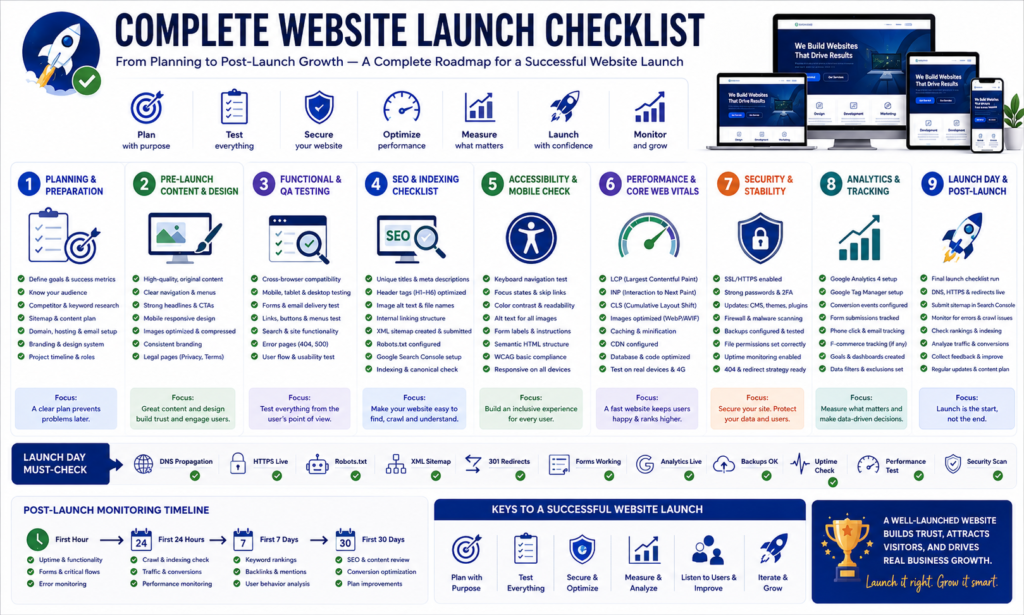
Conclusion
Launching a professional website requires far more than completing the design and making the domain public.
A dependable launch process brings together content quality, user experience, technical SEO, mobile responsiveness, cross-browser testing, accessibility, website security, Core Web Vitals, analytics, conversion tracking, redirects, indexing, backups, and post-launch monitoring.
The most effective way to manage these moving parts is to use a structured website launch checklist divided into clear phases:
Pre-launch. Launch day. First 24 hours. First 7 days. First 30 days. Ongoing maintenance.
For a new website, this process helps create a technically sound foundation.
For an established website redesign or migration, it helps protect existing traffic, URLs, backlinks, search visibility, and business conversions.
For a service business, it verifies something even more important: whether prospective customers can actually discover the website, understand the offer, contact the business, and become measurable leads.
No checklist can guarantee rankings, traffic, conversions, or a completely error-free website.
What a professional checklist can do is significantly reduce preventable launch mistakes and provide a repeatable process for identifying problems quickly.
Before pressing the final launch button, ask one question:
Has every business-critical website function been verified in the real production environment?
If the answer is yes, the website is far better prepared for users, search engines, and sustainable growth.
Ready to Launch Your Website Professionally?
A website launch can involve hundreds of interconnected decisions across design, development, SEO, security, speed, analytics, accessibility, and conversion optimization.
If you are preparing to launch a new business website, redesign an existing website, migrate to a new platform, or improve a website that is not generating results, professional website development support can help reduce technical risk and create a stronger foundation for long-term growth.
Explore our professional website development and SEO services to build, test, optimize, and launch a secure, fast, search-friendly, and conversion-focused website.
Before going live, make sure your website does more than look professional.
Make sure it works professionally.
3 Comments